
_T_A - Minecraft Skins & Skin History
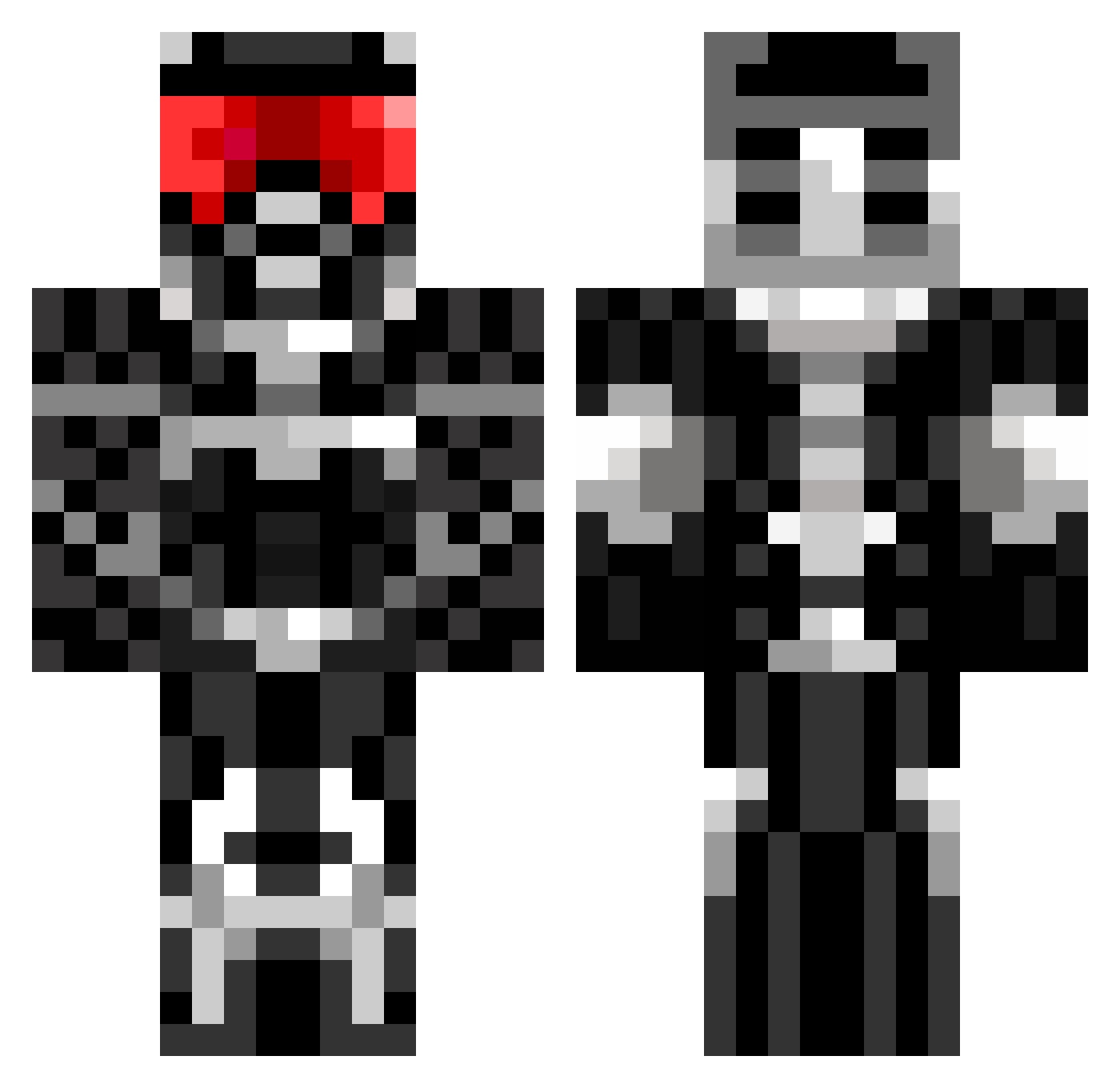
Current Minecraft skin of the player _T_A, loaded from the official Mojang API. Rotate the 3D model with your mouse or finger, then download the skin as a PNG file and use it in Minecraft: Bedrock Edition or Java Edition for free. When _T_A changes their skin, this page updates automatically and the old skin stays in the history below.
Other players with this skin (675)
_T_A was the 353rd player we have seen with this skin, first spotted on 22.09.2026. The same skin was seen on these players. Open a nickname to see their current skin and skin history.
 SecretAsianMan92 scruff123 tater_salad_147 xxfreddiebadxx shealy Sosse_Gunnar MexicoMan2010 Baby20 minecraftian1169 MoNeart i6Whit3y90 minidark7 Sir__Alone jimmyo117 Yarvino alexgoalie Reaper_4576 danovangelder And3erz RavenXIV elusive_ninja AstonBrock TheGamingEngine RareElementHD reaperdude69 jman3693 Becks1128 CombatDonut17 madgreek55 JaffaMonsta1998 bosshog9654 Flashpoint_48 Alex4921 riddick2099 RongCu bigfoot43 Lahto Androzio maddog375 xKeresx Th3_Min3craft3r_ Babaduv K2XT hoboboy2170 RangDipkin Tgo99 ThoamsxX _TheDarkBlack_ Cookie_xD ThePhant0m Fluxybaby xjan8x Boopboops circlone jozefdm b3rnh4rd aparola CHIPC4 Darkblade26 WMaximus
More Sci Fi Armor Minecraft skins
How to install the _T_A skin
- Press the Download button above to save the skin as a PNG file.
- Minecraft: Bedrock Edition (PE): open the Dressing Room from the main menu (or tap your character → Edit Character), go to Classic Skins → Owned, press the + (new skin) button, choose the downloaded PNG and pick the Classic (Steve) model. Works on PC and mobile; consoles cannot import custom skins.
- Minecraft: Java Edition: open the Minecraft Launcher, go to the Skins tab, click New Skin, load the PNG, pick the Classic (Steve) model and press Save & Use. You can also upload it at minecraft.net → Profile → Change Skin.
The skin does not show up after import - what should I do?
Restart Minecraft and open the Dressing Room again - imported skins sometimes appear only after a restart. Also make sure you selected the imported skin and picked the Classic (Steve) model.
Which model should I choose, Classic or Slim?
This skin is designed for the Classic (Steve) model. If you pick the wrong model, the arms of the skin will look stretched or squeezed.
Is the skin of _T_A free to download?
Yes. Press Download, save the PNG file and use it in Minecraft: Bedrock Edition or Java Edition - no payment or registration needed. The skin also works on multiplayer servers and Realms.
More skins
Looking for more? Go back to all Minecraft skins and check the top skins of the week, month and all time, or find any player's skin by nickname.