
_Sparagmos_ - Minecraft Skins & Skin History
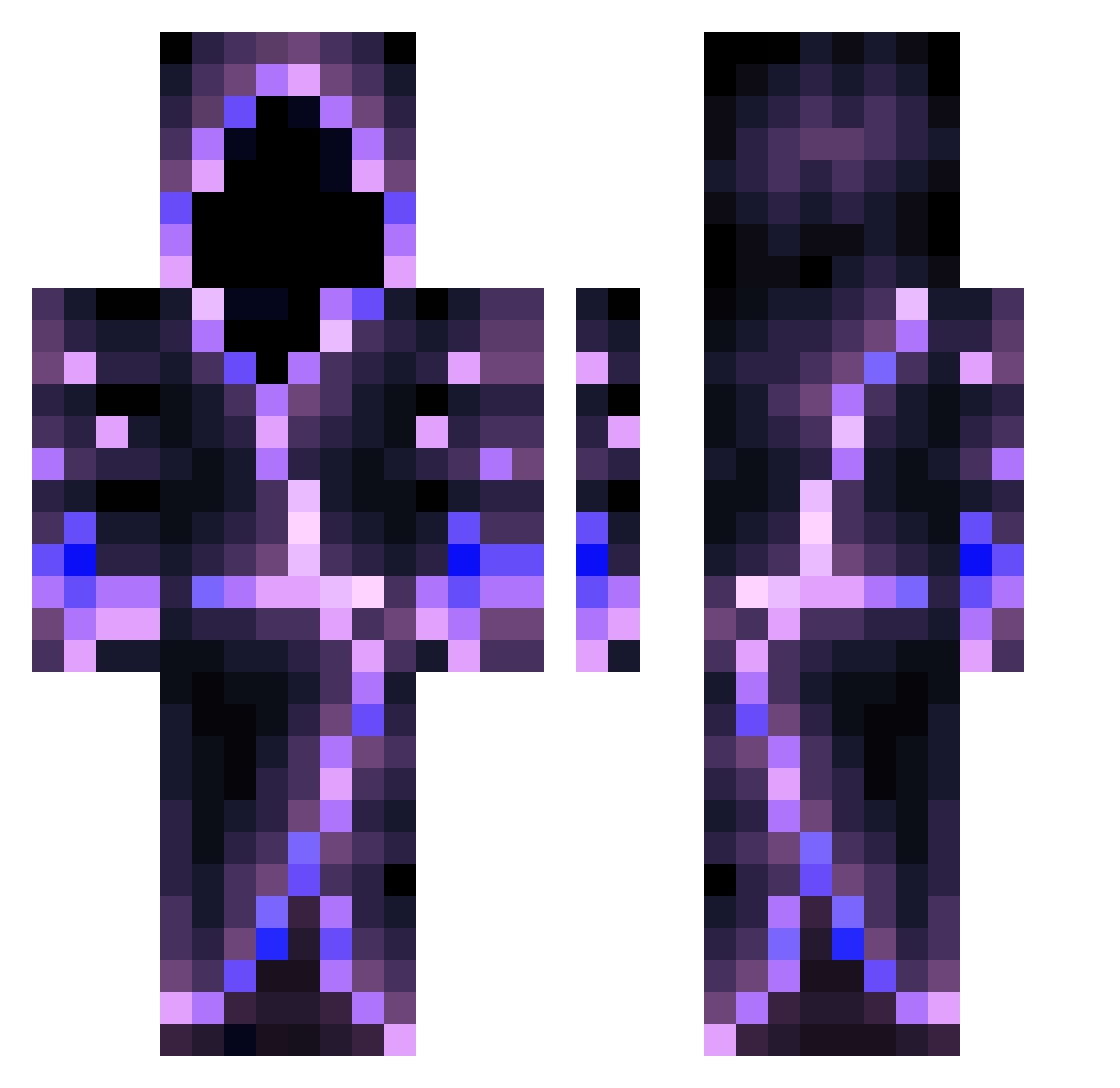
Current Minecraft skin of the player _Sparagmos_, loaded from the official Mojang API. Rotate the 3D model with your mouse or finger, then download the skin as a PNG file and use it in Minecraft: Bedrock Edition or Java Edition for free. When _Sparagmos_ changes their skin, this page updates automatically and the old skin stays in the history below.
Other players with this skin (559)
_Sparagmos_ was the 87th player we have seen with this skin, first spotted on 11.08.2026. The same skin was seen on these players. Open a nickname to see their current skin and skin history.
 Rextar554 JamirJamal Stuckey97 Ur__Shadow cutie_booty OmbreShoot p0r7w4cz___ Zawias1234 shaamaa MirkoPele07 Jamafel Hor_J BustaMcThunda52 acdc12341 Yuqifu RileyGoD1212 II_aleks_II fhvbfhw QweasyCoconut Coliny1 Schlangenbursche Devilxss Rabid_Nephilim mallustio_ QCumber16 skrid75 DarkDoom1999 Jiwyee BlvckMarch Moks_Moks Chopper66 TrippyyyJr Nanoswarm375 Goopbone RuffRyda21 Dragoniry Jakubice SparkyYarky Roger2718 DenverMadd6221 TheMiniSolarii byronop Cheechako_ Father_Bal_sack TheWishal GuardianFil09 FindingNelly MydriddKurilo gimozziman733 DDYYDS theJuany123 Allure_YeeXuan39 zHxsky signiture235711 Noel1905 nickidex ThatCarDude BamHammer1 TheMagicalFart blacklotus2002
More Hooded Figure Minecraft skins
See all 1222 Hooded Figure skins
How to install the _Sparagmos_ skin
- Press the Download button above to save the skin as a PNG file.
- Minecraft: Bedrock Edition (PE): open the Dressing Room from the main menu (or tap your character → Edit Character), go to Classic Skins → Owned, press the + (new skin) button, choose the downloaded PNG and pick the Classic (Steve) model. Works on PC and mobile; consoles cannot import custom skins.
- Minecraft: Java Edition: open the Minecraft Launcher, go to the Skins tab, click New Skin, load the PNG, pick the Classic (Steve) model and press Save & Use. You can also upload it at minecraft.net → Profile → Change Skin.
The skin does not show up after import - what should I do?
Restart Minecraft and open the Dressing Room again - imported skins sometimes appear only after a restart. Also make sure you selected the imported skin and picked the Classic (Steve) model.
Which model should I choose, Classic or Slim?
This skin is designed for the Classic (Steve) model. If you pick the wrong model, the arms of the skin will look stretched or squeezed.
Is the skin of _Sparagmos_ free to download?
Yes. Press Download, save the PNG file and use it in Minecraft: Bedrock Edition or Java Edition - no payment or registration needed. The skin also works on multiplayer servers and Realms.
More skins
Looking for more? Go back to all Minecraft skins and check the top skins of the week, month and all time, or find any player's skin by nickname.