
_Snow_man - Minecraft Skins & Skin History
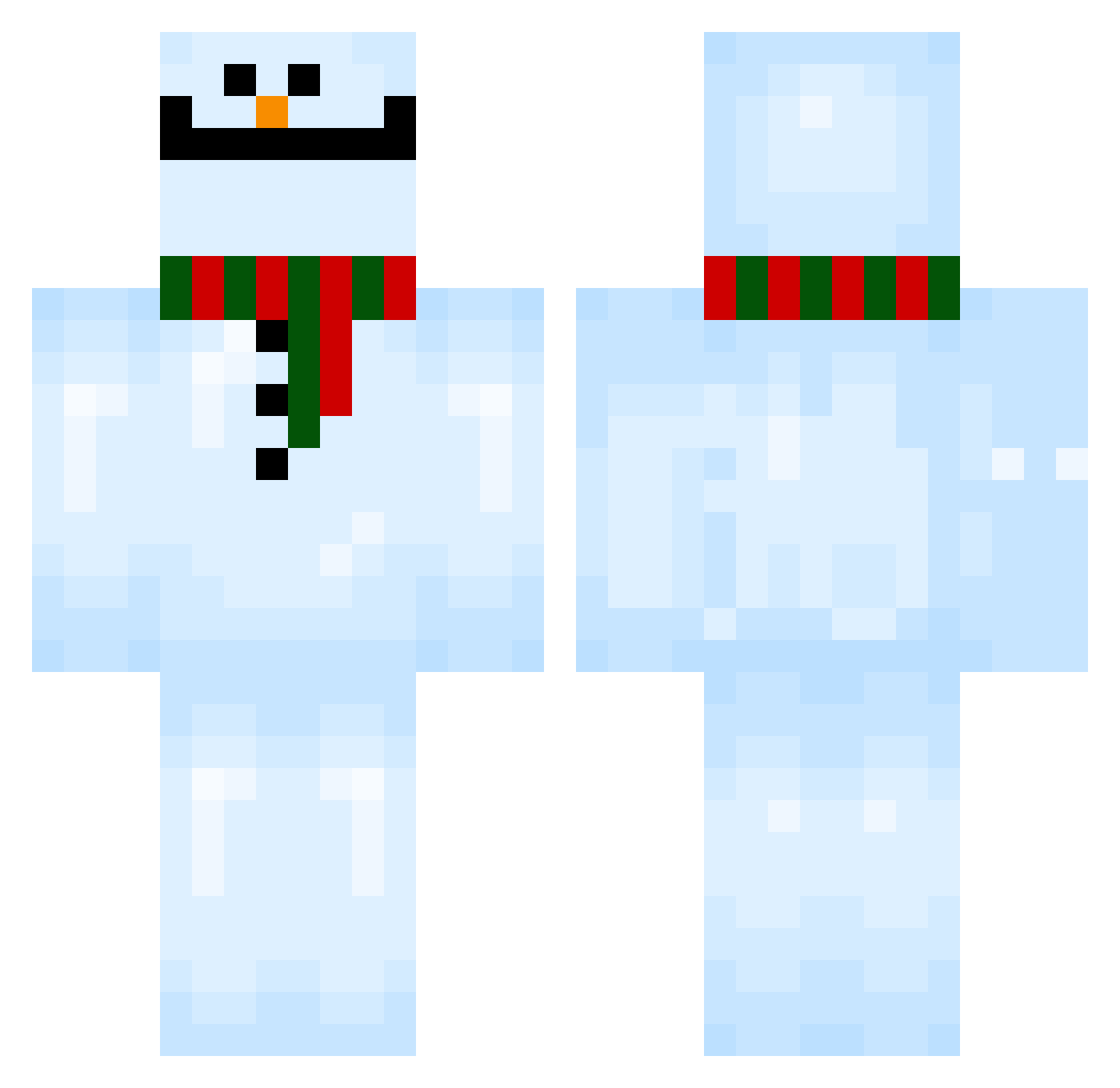
Current Minecraft skin of the player _Snow_man, loaded from the official Mojang API. Rotate the 3D model with your mouse or finger, then download the skin as a PNG file and use it in Minecraft: Bedrock Edition or Java Edition for free. When _Snow_man changes their skin, this page updates automatically and the old skin stays in the history below.
Other players with this skin (150)
_Snow_man was the 116th player we have seen with this skin, first spotted on 06.11.2026. The same skin was seen on these players. Open a nickname to see their current skin and skin history.
 VallahBroke Shinkenschlecker mblguy snowman5005 lilbones1999 Non_Non_93 Sauderingunit659 john_the_best Poochie Li__am dlwl_gn somebodyhelpme chocojetty kochamMarte PR0CuR4D0 KungFuKremser Karuchench NJung MoodyPants qkranruf Oscar_Hei BlueBandse Hizaly Marfeson Daddy_Yeetus mynamejeff911 soultake1 sntrcik Grantelbarttt Umgi iskyak IAMZENNNNN kairu1108 w211AMG EnzoC9083 Hyruby sssuang Yilibito Uuuum117 Guteren tatoi jaeho0527 Miloszek8 xvueu MEGANEX19 moon_ride dalong_2 imTG NeverForgets _Lumr_ Hi5_You 73do Ibrooo hikarenai cats_eye_quartz Parhelic PioneerBadger GQonthecraft hijimaru12 M33LEGEND
More Snowman Minecraft skins
How to install the _Snow_man skin
- Press the Download button above to save the skin as a PNG file.
- Minecraft: Bedrock Edition (PE): open the Dressing Room from the main menu (or tap your character → Edit Character), go to Classic Skins → Owned, press the + (new skin) button, choose the downloaded PNG and pick the Classic (Steve) model. Works on PC and mobile; consoles cannot import custom skins.
- Minecraft: Java Edition: open the Minecraft Launcher, go to the Skins tab, click New Skin, load the PNG, pick the Classic (Steve) model and press Save & Use. You can also upload it at minecraft.net → Profile → Change Skin.
The skin does not show up after import - what should I do?
Restart Minecraft and open the Dressing Room again - imported skins sometimes appear only after a restart. Also make sure you selected the imported skin and picked the Classic (Steve) model.
Which model should I choose, Classic or Slim?
This skin is designed for the Classic (Steve) model. If you pick the wrong model, the arms of the skin will look stretched or squeezed.
Is the skin of _Snow_man free to download?
Yes. Press Download, save the PNG file and use it in Minecraft: Bedrock Edition or Java Edition - no payment or registration needed. The skin also works on multiplayer servers and Realms.
More skins
Looking for more? Go back to all Minecraft skins and check the top skins of the week, month and all time, or find any player's skin by nickname.