
_MacDaddyJer_ - Minecraft Skins & Skin History
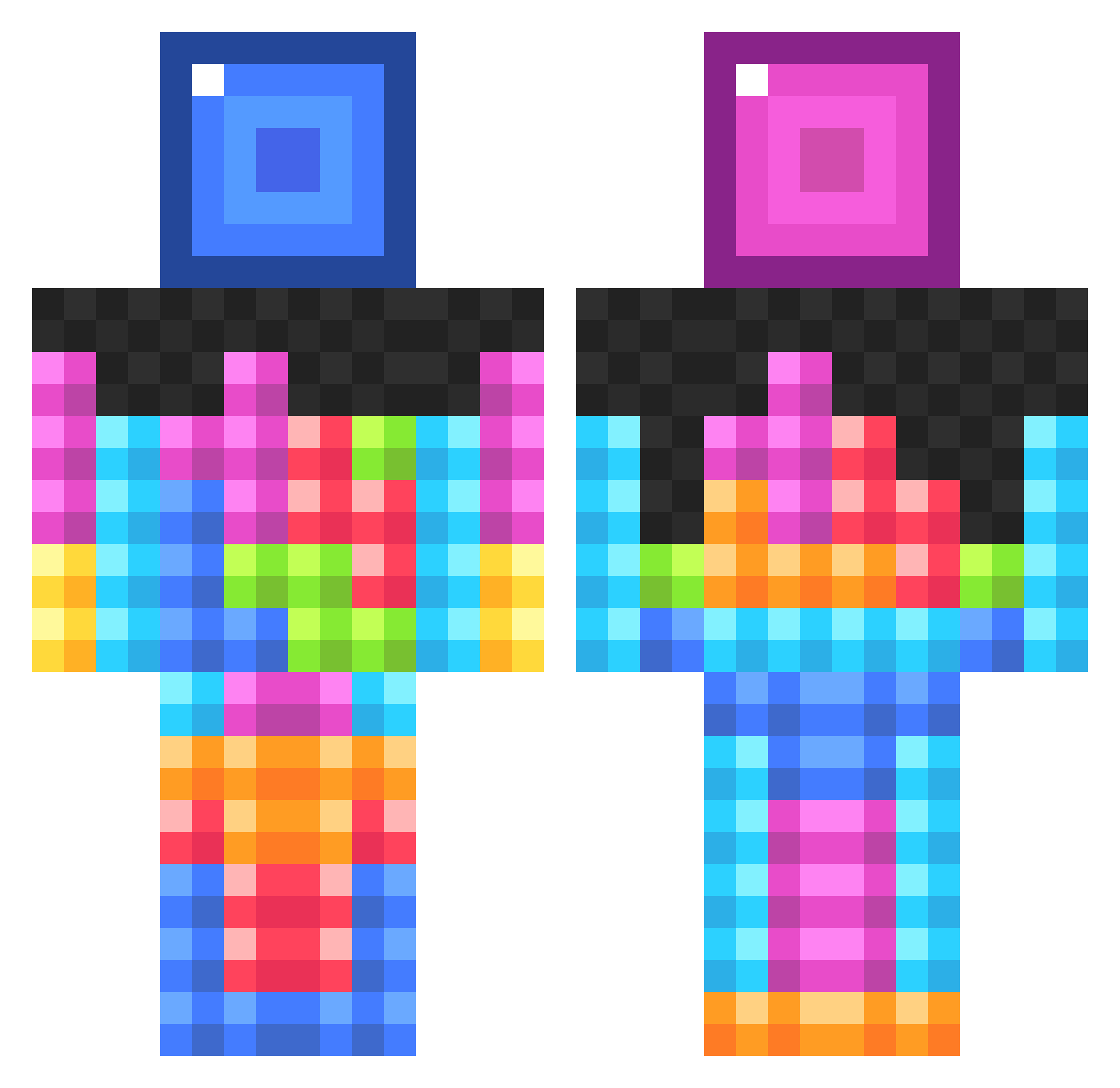
Current Minecraft skin of the player _MacDaddyJer_, loaded from the official Mojang API. Rotate the 3D model with your mouse or finger, then download the skin as a PNG file and use it in Minecraft: Bedrock Edition or Java Edition for free. When _MacDaddyJer_ changes their skin, this page updates automatically and the old skin stays in the history below.
Other players with this skin (834)
_MacDaddyJer_ was the 345th player we have seen with this skin, first spotted on 04.09.2026. The same skin was seen on these players. Open a nickname to see their current skin and skin history.
 hohuag Karvhz callumfullman joek144 DiamondFinderDPP swatk1ng MarkItNade omena13 CHarropMC MiniMangels lurchmaestro Shippo GamingIce3 JHCcraft leoniec_ big_britha Lil_Addy_ jamespc DerpyXL CRatel61 MarsdenTV divyak156 sydney200527 captaintash dabossman252 Austrianpower Grav3yardgiirl baller4life123 MicahTheMister Kharku Sigge93 Conguier philipask superstar176 11Gardner BlackMage112 orbit17 LuckandLogic prettytinsel14 Kiah67 Supersmilla Snakebite1221 evoXrice Miroz00 mOOdy882 AwesomeisLogan Jackfafc LengthierKo nswiac acorninbound tacotater Desaroa ANDREWMINCRAFTER DJ_LeXa01 yuleks Yancey12 Sofia2005DK Jockekocke DrKeyboard Cody_X_101
More Tetris Minecraft skins
How to install the _MacDaddyJer_ skin
- Press the Download button above to save the skin as a PNG file.
- Minecraft: Bedrock Edition (PE): open the Dressing Room from the main menu (or tap your character → Edit Character), go to Classic Skins → Owned, press the + (new skin) button, choose the downloaded PNG and pick the Classic (Steve) model. Works on PC and mobile; consoles cannot import custom skins.
- Minecraft: Java Edition: open the Minecraft Launcher, go to the Skins tab, click New Skin, load the PNG, pick the Classic (Steve) model and press Save & Use. You can also upload it at minecraft.net → Profile → Change Skin.
The skin does not show up after import - what should I do?
Restart Minecraft and open the Dressing Room again - imported skins sometimes appear only after a restart. Also make sure you selected the imported skin and picked the Classic (Steve) model.
Which model should I choose, Classic or Slim?
This skin is designed for the Classic (Steve) model. If you pick the wrong model, the arms of the skin will look stretched or squeezed.
Is the skin of _MacDaddyJer_ free to download?
Yes. Press Download, save the PNG file and use it in Minecraft: Bedrock Edition or Java Edition - no payment or registration needed. The skin also works on multiplayer servers and Realms.
More skins
Looking for more? Go back to all Minecraft skins and check the top skins of the week, month and all time, or find any player's skin by nickname.