
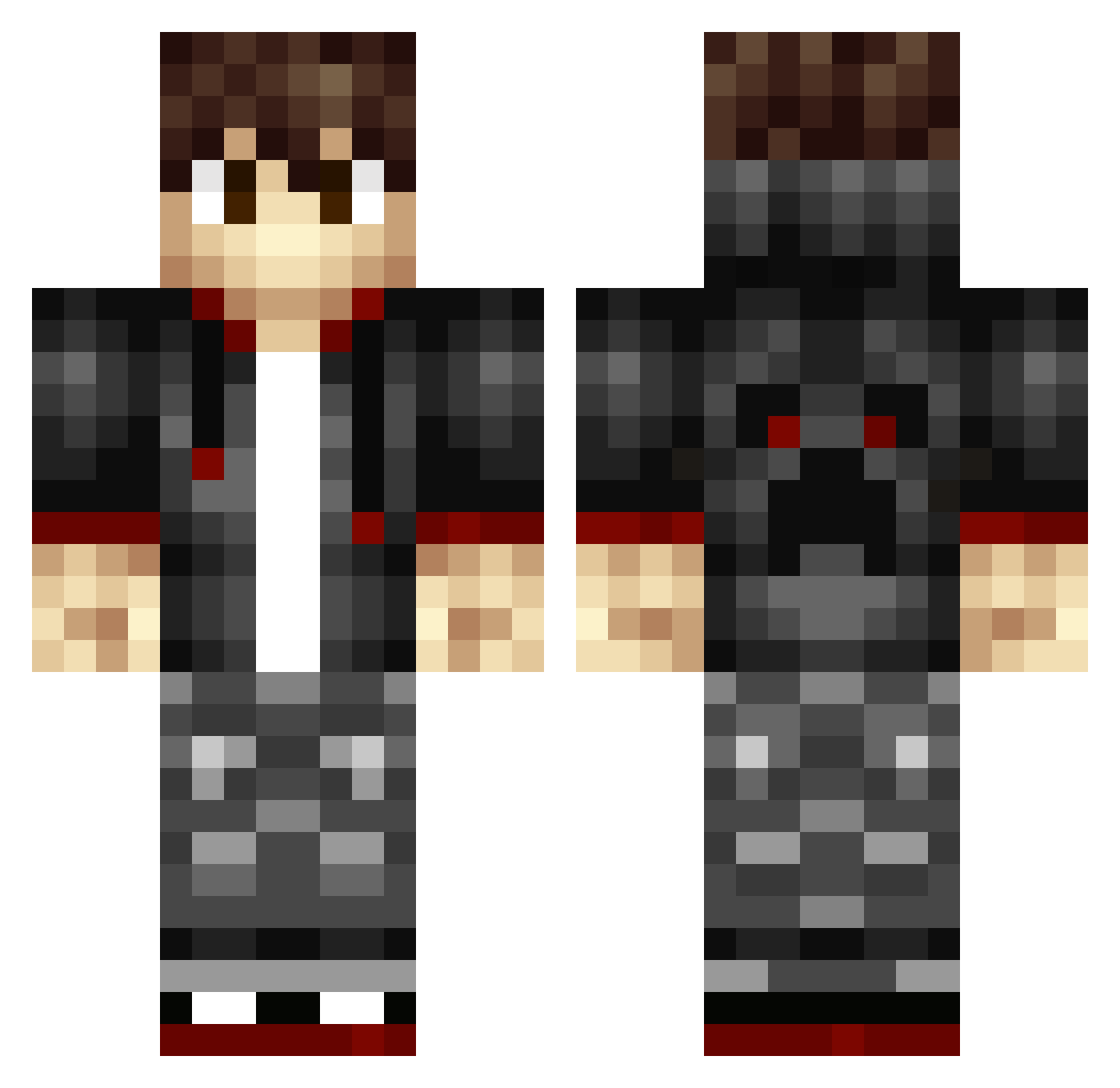
Current Minecraft skin of the player _Jian, loaded from the official Mojang API. Rotate the 3D model with your mouse or finger, then download the skin as a PNG file and use it in Minecraft: Bedrock Edition or Java Edition for free. When _Jian changes their skin, this page updates automatically and the old skin stays in the history below.
Other players with this skin (172)
_Jian was the 133rd player we have seen with this skin, first spotted on 26.09.2026. The same skin was seen on these players. Open a nickname to see their current skin and skin history.
 yan_zue SuperLuuc18 Kahrom OBliviun MaxSuperQ GHOST_LYH LINNEABLOM SkeletonFern xingluo33 Random_Relic nickbue Mish_Mosh2020 ExJasper TheDragonKing5 NickKing_123 mlody_Igi90210 LLEEEE Saschatron LosRik_ zofi1 LEhrenberg Medivh9 zheng_yv Nekero Dark_King_Ant SmileZhibi joKeR_007 _MarsFlame_ Kimi_dd AmuCookie Schwachter AxelTx98 Mark_MK_FOOL Depth_Seeker END_Aer ZBeast1398 Bucuss Falonir wenxin101 StarEXE Noctul_ Vitorious45 Sebusi_ meesmaxi SergeantDung Roraito FlatErik25 Davv3 Bastlersohn Sirial_ Mourad23 Aliene_233 AladonVR Hunterreach qxxsg HunterJL eriotto72 Riven0817 sixnm RedHood5111
How to install the _Jian skin
- Press the Download button above to save the skin as a PNG file.
- Minecraft: Bedrock Edition (PE): open the Dressing Room from the main menu (or tap your character → Edit Character), go to Classic Skins → Owned, press the + (new skin) button, choose the downloaded PNG and pick the Classic (Steve) model. Works on PC and mobile; consoles cannot import custom skins.
- Minecraft: Java Edition: open the Minecraft Launcher, go to the Skins tab, click New Skin, load the PNG, pick the Classic (Steve) model and press Save & Use. You can also upload it at minecraft.net → Profile → Change Skin.
The skin does not show up after import - what should I do?
Restart Minecraft and open the Dressing Room again - imported skins sometimes appear only after a restart. Also make sure you selected the imported skin and picked the Classic (Steve) model.
Which model should I choose, Classic or Slim?
This skin is designed for the Classic (Steve) model. If you pick the wrong model, the arms of the skin will look stretched or squeezed.
Is the skin of _Jian free to download?
Yes. Press Download, save the PNG file and use it in Minecraft: Bedrock Edition or Java Edition - no payment or registration needed. The skin also works on multiplayer servers and Realms.
More skins
Looking for more? Go back to all Minecraft skins and check the top skins of the week, month and all time, or find any player's skin by nickname.