
_Jaehaerys_ - Minecraft Skins & Skin History
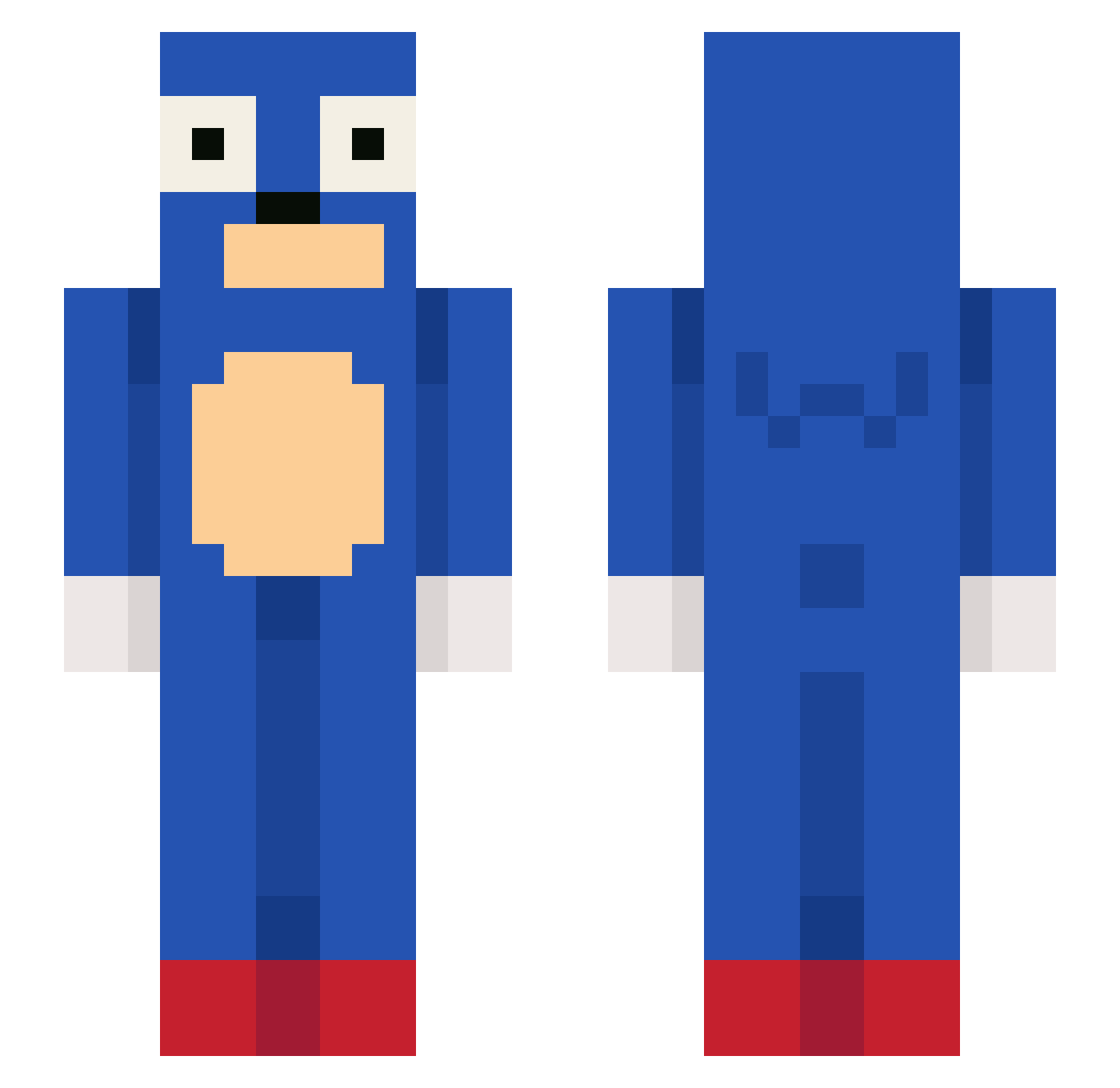
Current Minecraft skin of the player _Jaehaerys_, loaded from the official Mojang API. Rotate the 3D model with your mouse or finger, then download the skin as a PNG file and use it in Minecraft: Bedrock Edition or Java Edition for free. When _Jaehaerys_ changes their skin, this page updates automatically and the old skin stays in the history below.
Other players with this skin (101)
_Jaehaerys_ was the 51st player we have seen with this skin, first spotted on 15.09.2026. The same skin was seen on these players. Open a nickname to see their current skin and skin history.
 Xenomorph_TW LuizHSC DeNNixx12 Hornisses_K K_o_ta MrAtorres xJikay Efanstein xBeso1 dababybanana Dortexof sprandas sonic0523 redpill01 Jezevec420 aylan4224 luobei373 CB_Duxx Sceptiqall n1cksak Flower_See xstep133 Karpuzi1 Kokosas255 korokke153 kczorki Katosa marjijkq
 I_love_pancakes3 Kaizikoaa alejandr0mj myzbl ZaniZa 1VSWORLD MrRogii YnAreg Jagger01z5 MaxThePersonK withouutt RiriItsMe Ermyia baekho121 XiLung NotMysteri Becas1601 Heeroon skthenoob ninettw douhavemyvape 372ms_ SantiBro ptt5432
 DaPinnapple eepp990 Jaunzin1 IMGromp mrbean95 grantxtreme graecicle finsee
More Sega Minecraft skins
How to install the _Jaehaerys_ skin
- Press the Download button above to save the skin as a PNG file.
- Minecraft: Bedrock Edition (PE): open the Dressing Room from the main menu (or tap your character → Edit Character), go to Classic Skins → Owned, press the + (new skin) button, choose the downloaded PNG and pick the Slim (Alex) model. Works on PC and mobile; consoles cannot import custom skins.
- Minecraft: Java Edition: open the Minecraft Launcher, go to the Skins tab, click New Skin, load the PNG, pick the Slim (Alex) model and press Save & Use. You can also upload it at minecraft.net → Profile → Change Skin.
The skin does not show up after import - what should I do?
Restart Minecraft and open the Dressing Room again - imported skins sometimes appear only after a restart. Also make sure you selected the imported skin and picked the Slim (Alex) model.
Which model should I choose, Classic or Slim?
This skin is designed for the Slim (Alex) model. If you pick the wrong model, the arms of the skin will look stretched or squeezed.
Is the skin of _Jaehaerys_ free to download?
Yes. Press Download, save the PNG file and use it in Minecraft: Bedrock Edition or Java Edition - no payment or registration needed. The skin also works on multiplayer servers and Realms.
More skins
Looking for more? Go back to all Minecraft skins and check the top skins of the week, month and all time, or find any player's skin by nickname.