
_Glitch81 - Minecraft Skins & Skin History
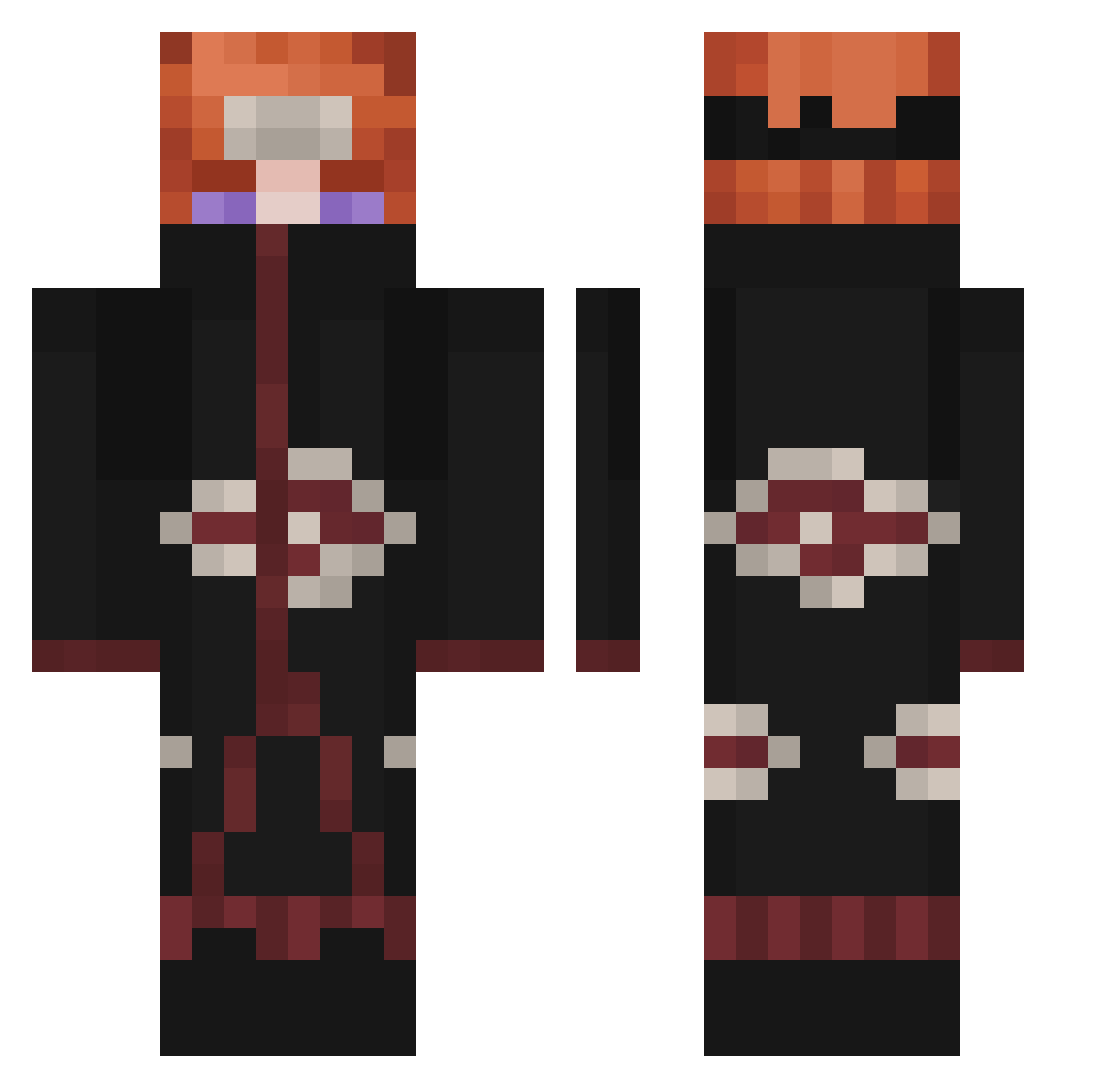
Current Minecraft skin of the player _Glitch81, loaded from the official Mojang API. Rotate the 3D model with your mouse or finger, then download the skin as a PNG file and use it in Minecraft: Bedrock Edition or Java Edition for free. When _Glitch81 changes their skin, this page updates automatically and the old skin stays in the history below.
Other players with this skin (405)
_Glitch81 was the 345th player we have seen with this skin, first spotted on 01.11.2026. The same skin was seen on these players. Open a nickname to see their current skin and skin history.
 xzxH1TMANzxz Deniz1213 masterbean9696 RudyJ14 nanaggg HeoggunG bimmelbahn266 adrian10102004 Adrian0912 chungustudent 7NashZ bearblack12 LvstHope gs2930 RaidHD_10 ThcStorm VITO0629 aj73000 kjobar zitalbg LikeVanilla Xanecopesadao Lorik095 sb0rra69 ItsFoto SlyRoze Ibesz Iscanyrr DATASHTERN Alditto02 BIZZRRKZNG martinz158 greenjoker009 K1ng0ng _Shidou Zitovich BiggSkee principio27 LiLBlacka0413 __MrSheepp__ RedJesusPain Elsenas98 __Tendo__ JJRULERR j4im3_ 9_ihu furkiii_ Sasha8D Jzks Juloox91 Kuzanlab Bastoss5 _Snowyy_ DevilsCircle PatNoCortisol WoodenHouse956 RastyFish 55hianda VelozyRaptor Lucasfell
More Pain Minecraft skins
How to install the _Glitch81 skin
- Press the Download button above to save the skin as a PNG file.
- Minecraft: Bedrock Edition (PE): open the Dressing Room from the main menu (or tap your character → Edit Character), go to Classic Skins → Owned, press the + (new skin) button, choose the downloaded PNG and pick the Classic (Steve) model. Works on PC and mobile; consoles cannot import custom skins.
- Minecraft: Java Edition: open the Minecraft Launcher, go to the Skins tab, click New Skin, load the PNG, pick the Classic (Steve) model and press Save & Use. You can also upload it at minecraft.net → Profile → Change Skin.
The skin does not show up after import - what should I do?
Restart Minecraft and open the Dressing Room again - imported skins sometimes appear only after a restart. Also make sure you selected the imported skin and picked the Classic (Steve) model.
Which model should I choose, Classic or Slim?
This skin is designed for the Classic (Steve) model. If you pick the wrong model, the arms of the skin will look stretched or squeezed.
Is the skin of _Glitch81 free to download?
Yes. Press Download, save the PNG file and use it in Minecraft: Bedrock Edition or Java Edition - no payment or registration needed. The skin also works on multiplayer servers and Realms.
More skins
Looking for more? Go back to all Minecraft skins and check the top skins of the week, month and all time, or find any player's skin by nickname.