
_FlowerBoi_ - Minecraft Skins & Skin History
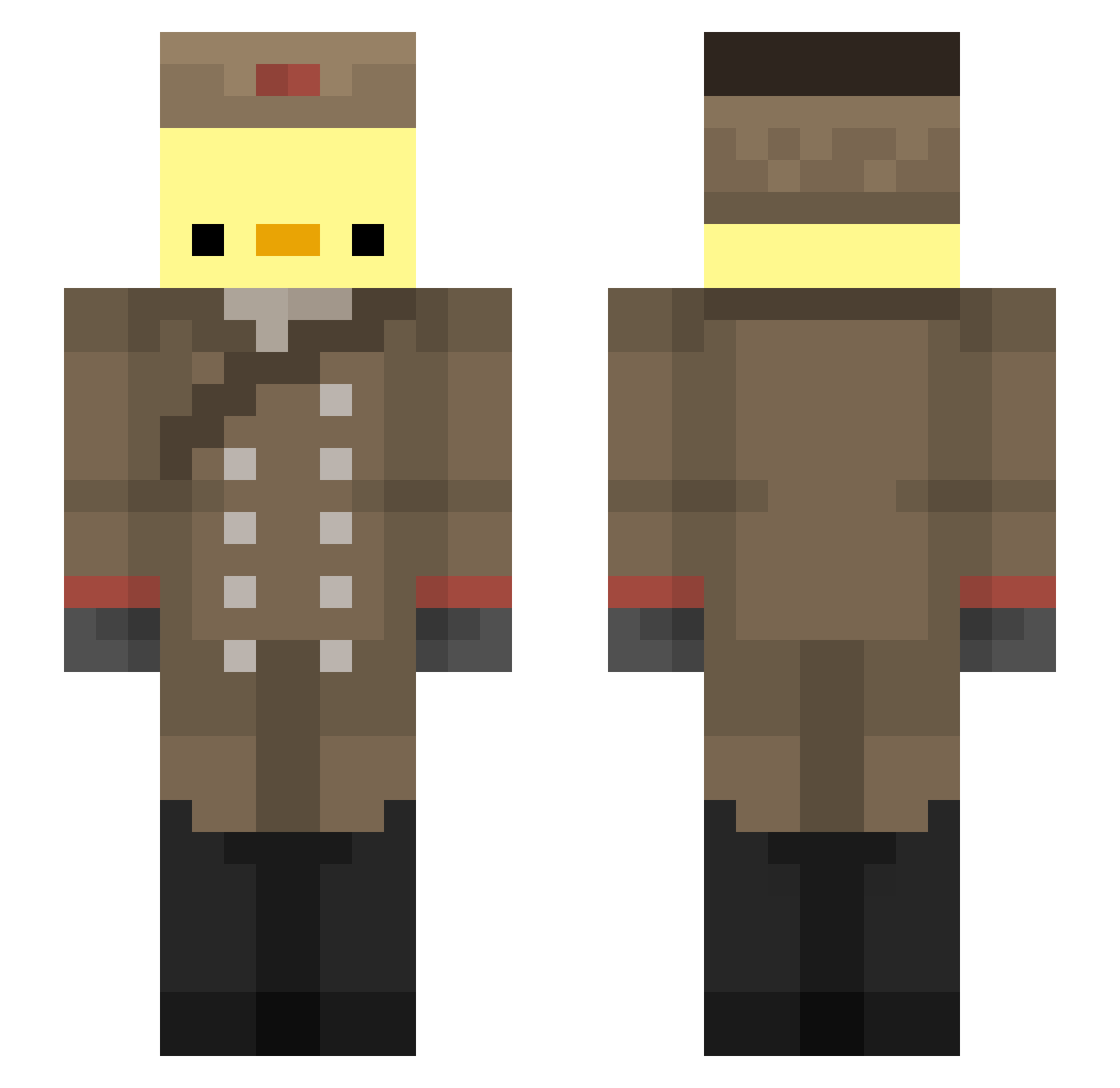
Current Minecraft skin of the player _FlowerBoi_, loaded from the official Mojang API. Rotate the 3D model with your mouse or finger, then download the skin as a PNG file and use it in Minecraft: Bedrock Edition or Java Edition for free. When _FlowerBoi_ changes their skin, this page updates automatically and the old skin stays in the history below.
Other players with this skin (245)
_FlowerBoi_ was the 213th player we have seen with this skin, first spotted on 05.11.2026. The same skin was seen on these players. Open a nickname to see their current skin and skin history.
 off_karasik luckymilk999 YueYue_o3o Sam_live MrFreakv1 Burrye_ randomlucker lizzbug raxara34 OneWish RiceBE4R TPROC40 Bl4z328 SirEendje02 royal_pie EntchenMarcel Sonic0785848 mahteuz DesolationM10 peeplmao Gishd teamjc GreenZoneTT JavierNASA EchoBloom161 DolphinNoodles Fersaurus luisKJG Arkios363 spectralbaba Chmielu454 Letmbleedl BananaGamer0101 nginnn chezpancake __Mersi__ enRavi m_ironman OsirisWA Oddtistic torator1 almostqannes GonobiHD0101 sekitan4864 _bastyan NotRealHost ItsPoussin baneergold321 MushyLinus oh4oh zhiyu0314 BubbleGumMe Poulpicorne MC_Mathew01 Temistoclestorto mimiyumi I_LOVE_DOKKAEBI KacBalagane GUIRAMIM Elonissimo
More Russian Soldier Minecraft skins
See all 107 Russian Soldier skins
How to install the _FlowerBoi_ skin
- Press the Download button above to save the skin as a PNG file.
- Minecraft: Bedrock Edition (PE): open the Dressing Room from the main menu (or tap your character → Edit Character), go to Classic Skins → Owned, press the + (new skin) button, choose the downloaded PNG and pick the Slim (Alex) model. Works on PC and mobile; consoles cannot import custom skins.
- Minecraft: Java Edition: open the Minecraft Launcher, go to the Skins tab, click New Skin, load the PNG, pick the Slim (Alex) model and press Save & Use. You can also upload it at minecraft.net → Profile → Change Skin.
The skin does not show up after import - what should I do?
Restart Minecraft and open the Dressing Room again - imported skins sometimes appear only after a restart. Also make sure you selected the imported skin and picked the Slim (Alex) model.
Which model should I choose, Classic or Slim?
This skin is designed for the Slim (Alex) model. If you pick the wrong model, the arms of the skin will look stretched or squeezed.
Is the skin of _FlowerBoi_ free to download?
Yes. Press Download, save the PNG file and use it in Minecraft: Bedrock Edition or Java Edition - no payment or registration needed. The skin also works on multiplayer servers and Realms.
More skins
Looking for more? Go back to all Minecraft skins and check the top skins of the week, month and all time, or find any player's skin by nickname.