
_CASH_M0N3Y_ - Minecraft Skins & Skin History
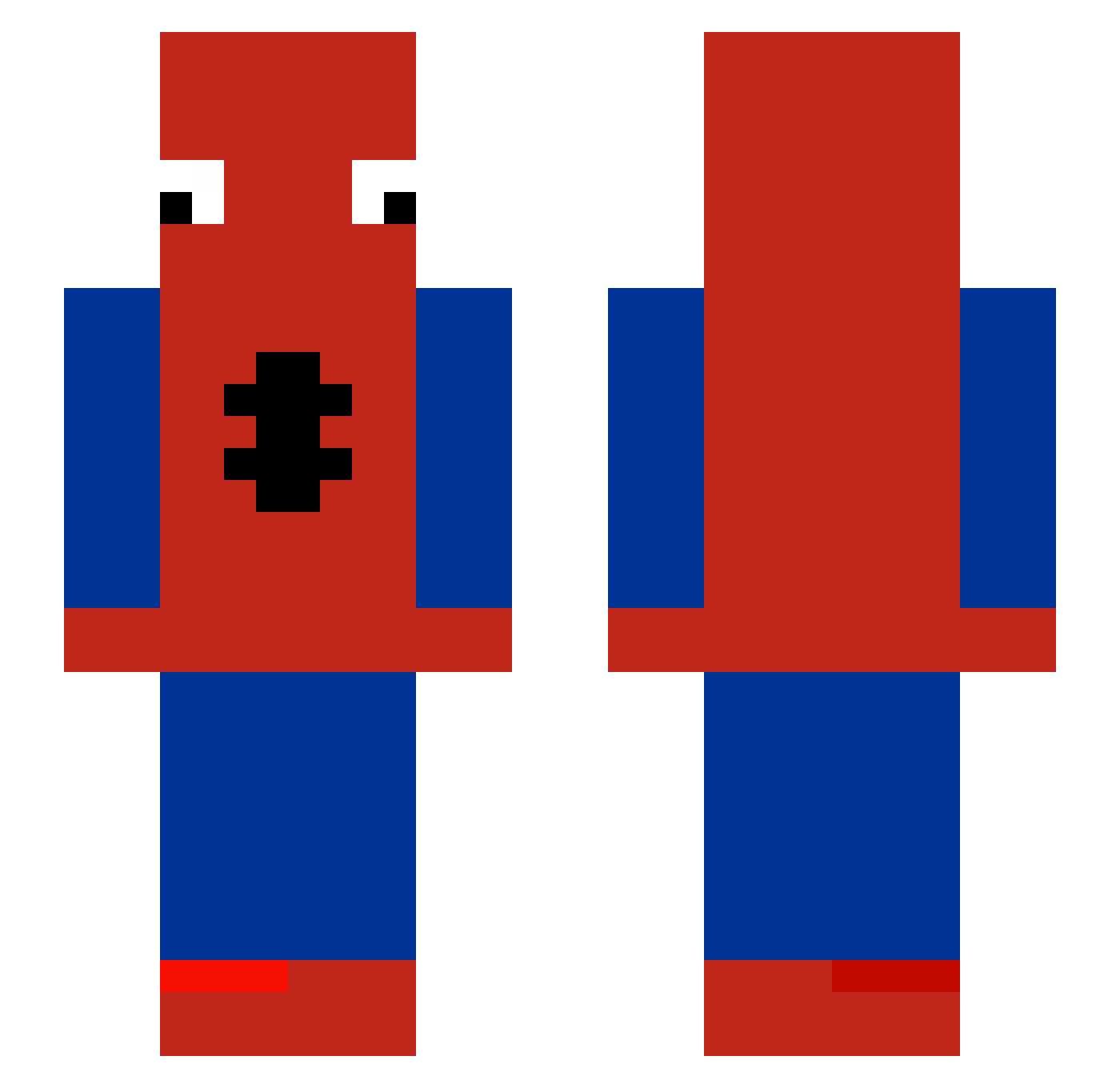
Current Minecraft skin of the player _CASH_M0N3Y_, loaded from the official Mojang API. Rotate the 3D model with your mouse or finger, then download the skin as a PNG file and use it in Minecraft: Bedrock Edition or Java Edition for free. When _CASH_M0N3Y_ changes their skin, this page updates automatically and the old skin stays in the history below.
Other players with this skin (483)
_CASH_M0N3Y_ was the 114th player we have seen with this skin, first spotted on 17.08.2026. The same skin was seen on these players. Open a nickname to see their current skin and skin history.
 ICEOO1001 toolex279 medokis UchihaFainz J03Duffy ktmAn328 santiagooo77 jinwoo2020 Kajtek415 floflo660 Anthoree _YeoJin totuzao Fluyu GonzaElPro67 Zonix_326 Risee___
 daddyketlux KaqziYT Bubsonik66 FoulCrow04 MyNamesTNT CholicoPaiOff follinga69 wrxappp tpqv AronClay pastalikediddy08 airouan Playboi____Farti Lumiixe Pypek_ Saitto_ BattleAppl_lol Fliesentisch__
 Snoto_btw notparzival14 zPaul888 TygerBongo Ju3434 bruneenger Reda_Yz Axel002100 oakkiibear Crypnotix EdisonFlores IAmAngry gugua0 orishani11 BigTurbanBoy GoodProfile gbulb4321 ioveeph nthornton1990 Hyroto mirsli Feltinho
 NotAngryXD99 Dragon977 pinksack36
More Spider-Man Minecraft skins
How to install the _CASH_M0N3Y_ skin
- Press the Download button above to save the skin as a PNG file.
- Minecraft: Bedrock Edition (PE): open the Dressing Room from the main menu (or tap your character → Edit Character), go to Classic Skins → Owned, press the + (new skin) button, choose the downloaded PNG and pick the Slim (Alex) model. Works on PC and mobile; consoles cannot import custom skins.
- Minecraft: Java Edition: open the Minecraft Launcher, go to the Skins tab, click New Skin, load the PNG, pick the Slim (Alex) model and press Save & Use. You can also upload it at minecraft.net → Profile → Change Skin.
The skin does not show up after import - what should I do?
Restart Minecraft and open the Dressing Room again - imported skins sometimes appear only after a restart. Also make sure you selected the imported skin and picked the Slim (Alex) model.
Which model should I choose, Classic or Slim?
This skin is designed for the Slim (Alex) model. If you pick the wrong model, the arms of the skin will look stretched or squeezed.
Is the skin of _CASH_M0N3Y_ free to download?
Yes. Press Download, save the PNG file and use it in Minecraft: Bedrock Edition or Java Edition - no payment or registration needed. The skin also works on multiplayer servers and Realms.
More skins
Looking for more? Go back to all Minecraft skins and check the top skins of the week, month and all time, or find any player's skin by nickname.