
_BunnyBunny_ - Minecraft Skins & Skin History
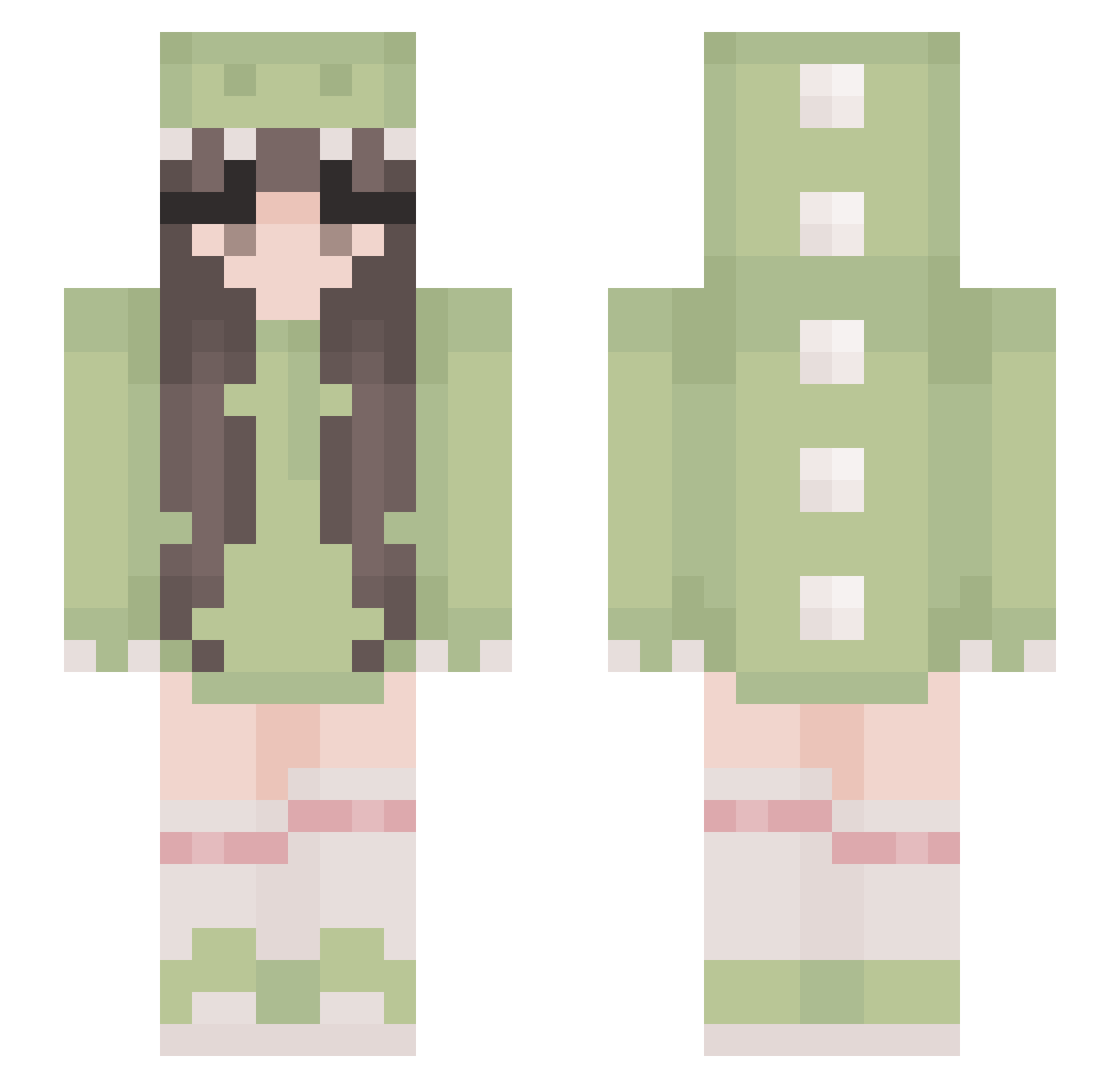
Current Minecraft skin of the player _BunnyBunny_, loaded from the official Mojang API. Rotate the 3D model with your mouse or finger, then download the skin as a PNG file and use it in Minecraft: Bedrock Edition or Java Edition for free. When _BunnyBunny_ changes their skin, this page updates automatically and the old skin stays in the history below.
Other players with this skin (530)
_BunnyBunny_ was the 217th player we have seen with this skin, first spotted on 10.09.2026. The same skin was seen on these players. Open a nickname to see their current skin and skin history.
 Teampopo LVUS2 luminous666 rayn3fall Blacky2222 LaMaika _Cherryz_ Ales2137 vanhvanh popdeewill MissMia009 kathuwuwu buhuiquming Chrixxen Drycellar Millyface Drarry_ Bambiiqt Han_1205 SylisPopcorn chaos20120 Maddie_626 Skysen3 nunbii Lollypads 00KaczoreK gummy0818 galaxycraft101 cuckoo2333 Stetty12 Kyrie0001 KralTunc cjaejun reotica
 zykzak ohyuhitsdes malibub33 malufcugigantego Kawaiisasori0 Chachalecanard saskiaperkins becstxr Yellblake Derenae UNDERDAYN Csdkdy noodle0_o kyokowasnotalive traveloverdeath L1sa_x penguin_147 laerke245 Islvia NinaRue03 cutesaurus Nepsa8 mousemegz 6komari AgosArias grungepoptarts
More Cute Minecraft skins
How to install the _BunnyBunny_ skin
- Press the Download button above to save the skin as a PNG file.
- Minecraft: Bedrock Edition (PE): open the Dressing Room from the main menu (or tap your character → Edit Character), go to Classic Skins → Owned, press the + (new skin) button, choose the downloaded PNG and pick the Slim (Alex) model. Works on PC and mobile; consoles cannot import custom skins.
- Minecraft: Java Edition: open the Minecraft Launcher, go to the Skins tab, click New Skin, load the PNG, pick the Slim (Alex) model and press Save & Use. You can also upload it at minecraft.net → Profile → Change Skin.
The skin does not show up after import - what should I do?
Restart Minecraft and open the Dressing Room again - imported skins sometimes appear only after a restart. Also make sure you selected the imported skin and picked the Slim (Alex) model.
Which model should I choose, Classic or Slim?
This skin is designed for the Slim (Alex) model. If you pick the wrong model, the arms of the skin will look stretched or squeezed.
Is the skin of _BunnyBunny_ free to download?
Yes. Press Download, save the PNG file and use it in Minecraft: Bedrock Edition or Java Edition - no payment or registration needed. The skin also works on multiplayer servers and Realms.
More skins
Looking for more? Go back to all Minecraft skins and check the top skins of the week, month and all time, or find any player's skin by nickname.