
_Bl4ke - Minecraft Skins & Skin History
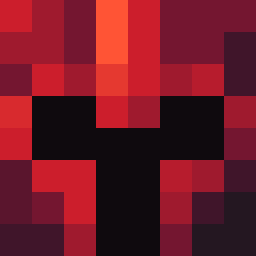
Current Minecraft skin of the player _Bl4ke, loaded from the official Mojang API. Rotate the 3D model with your mouse or finger, then download the skin as a PNG file and use it in Minecraft: Bedrock Edition or Java Edition for free. When _Bl4ke changes their skin, this page updates automatically and the old skin stays in the history below.

Other players with this skin (4756)
_Bl4ke was the 93rd player we have seen with this skin, first spotted on 24.07.2026. The same skin was seen on these players. Open a nickname to see their current skin and skin history.
 SoggyTaco57
 ukclown M_Baja Naroon117
 CiouCioi1208 HECKLING Wbjitscool _LoveLights_ Offlap Cheesebutwhy SangNamja0424 Remunerator empowstudent42 TheRealHasbullah keisari_vate GodlyNoobb Skuduv OptiimusMC TheMightyGromit Reaucat Tarantulae tovenaarY PedroFGT4 krneen Develed J4y0ch incurably Cameron5504 Kryk M_RIOO Kinnggy KilttiPoika forenci brooke9090 OhPandey BallOfShuit123 ConSmith25 Emerald_Ore2020 celn Cardium fez997 VL4D MattyTwit RevivedDivinity cfgrd MisterKeyer Fl3g1a5 GodR0land Dxnt_76 Krychhha Tropicola oitenk 84Kais Kadlekkk itdidnthappen Arkatekt BigFap 18inch abatttt DERRICKROSEFAN67
How to install the _Bl4ke skin
- Press the Download button above to save the skin as a PNG file.
- Minecraft: Bedrock Edition (PE): open the Dressing Room from the main menu (or tap your character → Edit Character), go to Classic Skins → Owned, press the + (new skin) button, choose the downloaded PNG and pick the Classic (Steve) model. Works on PC and mobile; consoles cannot import custom skins.
- Minecraft: Java Edition: open the Minecraft Launcher, go to the Skins tab, click New Skin, load the PNG, pick the Classic (Steve) model and press Save & Use. You can also upload it at minecraft.net → Profile → Change Skin.
The skin does not show up after import - what should I do?
Restart Minecraft and open the Dressing Room again - imported skins sometimes appear only after a restart. Also make sure you selected the imported skin and picked the Classic (Steve) model.
Which model should I choose, Classic or Slim?
This skin is designed for the Classic (Steve) model. If you pick the wrong model, the arms of the skin will look stretched or squeezed.
Is the skin of _Bl4ke free to download?
Yes. Press Download, save the PNG file and use it in Minecraft: Bedrock Edition or Java Edition - no payment or registration needed. The skin also works on multiplayer servers and Realms.
More skins
Looking for more? Go back to all Minecraft skins and check the top skins of the week, month and all time, or find any player's skin by nickname.