
Zuan3 - Minecraft Skins & Skin History
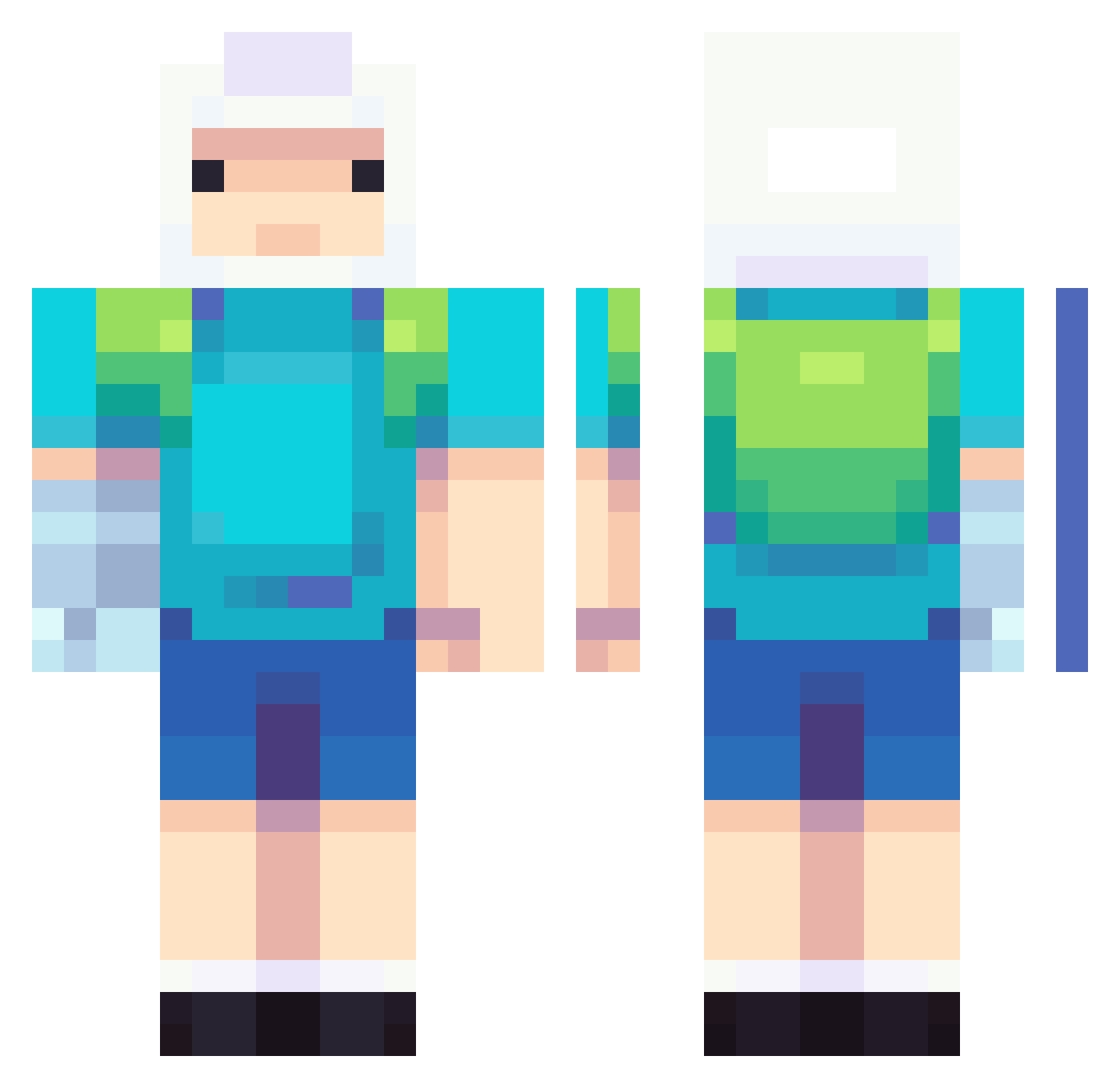
Current Minecraft skin of the player Zuan3, loaded from the official Mojang API. Rotate the 3D model with your mouse or finger, then download the skin as a PNG file and use it in Minecraft: Bedrock Edition or Java Edition for free. When Zuan3 changes their skin, this page updates automatically and the old skin stays in the history below.
Other players with this skin (807)
Zuan3 was the 758th player we have seen with this skin, first spotted on 04.11.2026. The same skin was seen on these players. Open a nickname to see their current skin and skin history.
 Pantcake bigDj0 JimmyBai Argoxito blank506 kryz1313 Tamaka UnknownPhantom4 Borbulhante LostInSpace4901 deerlord555 Matiimo PENGUIN911 KevinAG23 Sypper Charruuu ELDUIGUITO XMonsterDrox Papa_Chester jqcbb sonnyy5 Aderly01 hwang12 Elciq rennood Leandere_ vakovalev itsssscal kickeye lordtrymek KaT_Daze Master_Oogway138 BBBit Aye_Caramba69 NoaHIsCoOl10 ppio09 AntoKing05 NOWARNOWAR JO4ORCE heyodog0 LCalhoun3 Shmibo_ filmoblue hexa4242 pabucinciri FaMebiirds AndresSp4rtan tyceratops130 victor3141 creepersfifthleg DoctorMailman igorandreas SquadKrabs MONTY_11_92 akalino moophead stelbel101 Nicotine7 FRENCHTOAST_STIC Makarov3
More Finn The Human Minecraft skins
See all 475 Finn The Human skins
How to install the Zuan3 skin
- Press the Download button above to save the skin as a PNG file.
- Minecraft: Bedrock Edition (PE): open the Dressing Room from the main menu (or tap your character → Edit Character), go to Classic Skins → Owned, press the + (new skin) button, choose the downloaded PNG and pick the Classic (Steve) model. Works on PC and mobile; consoles cannot import custom skins.
- Minecraft: Java Edition: open the Minecraft Launcher, go to the Skins tab, click New Skin, load the PNG, pick the Classic (Steve) model and press Save & Use. You can also upload it at minecraft.net → Profile → Change Skin.
The skin does not show up after import - what should I do?
Restart Minecraft and open the Dressing Room again - imported skins sometimes appear only after a restart. Also make sure you selected the imported skin and picked the Classic (Steve) model.
Which model should I choose, Classic or Slim?
This skin is designed for the Classic (Steve) model. If you pick the wrong model, the arms of the skin will look stretched or squeezed.
Is the skin of Zuan3 free to download?
Yes. Press Download, save the PNG file and use it in Minecraft: Bedrock Edition or Java Edition - no payment or registration needed. The skin also works on multiplayer servers and Realms.
More skins
Looking for more? Go back to all Minecraft skins and check the top skins of the week, month and all time, or find any player's skin by nickname.