
Ziblite - Minecraft Skins & Skin History
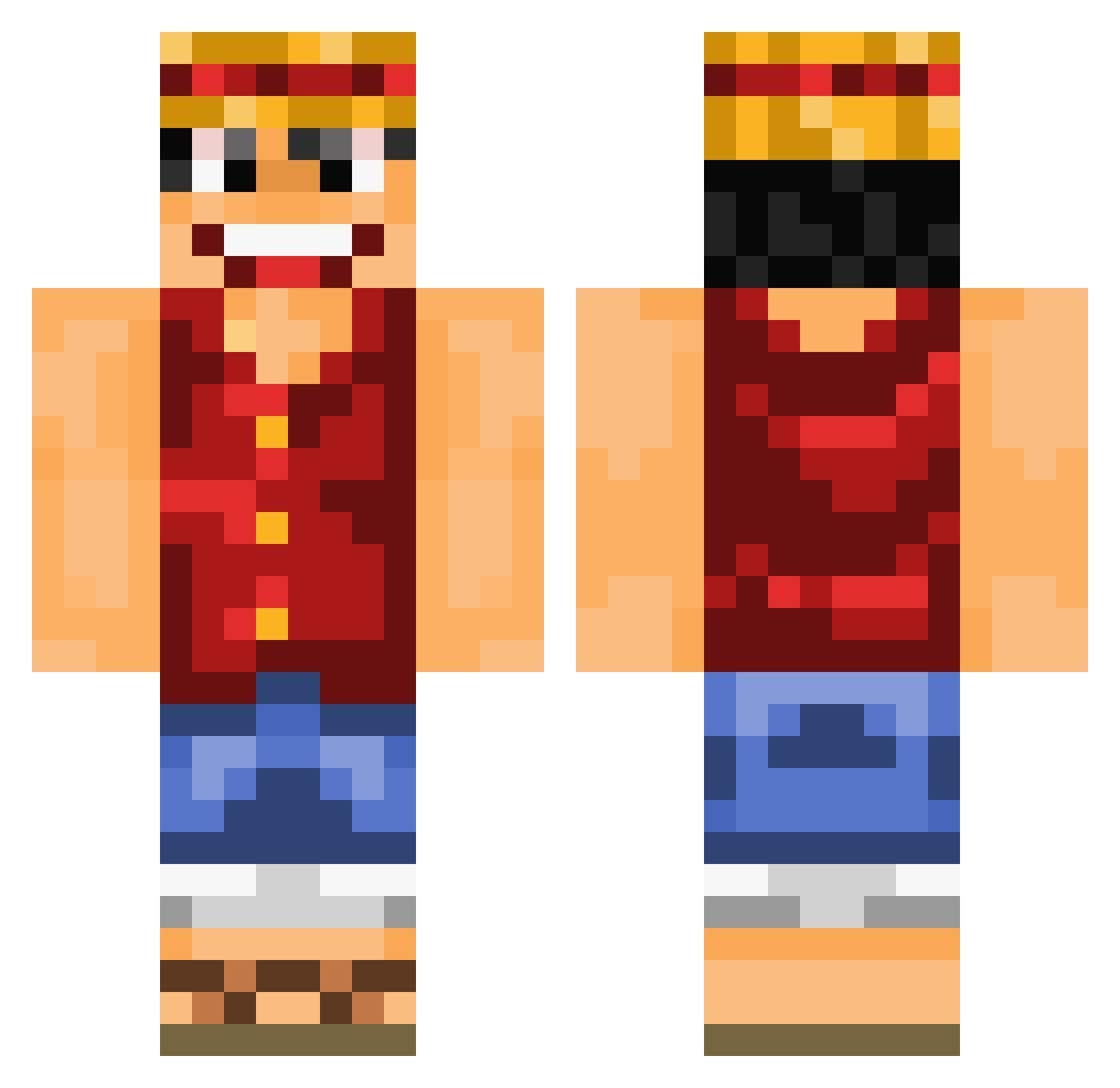
Current Minecraft skin of the player Ziblite, loaded from the official Mojang API. Rotate the 3D model with your mouse or finger, then download the skin as a PNG file and use it in Minecraft: Bedrock Edition or Java Edition for free. When Ziblite changes their skin, this page updates automatically and the old skin stays in the history below.
Other players with this skin (889)
Ziblite was the 31st player we have seen with this skin, first spotted on 26.07.2026. The same skin was seen on these players. Open a nickname to see their current skin and skin history.
 abbadon42 FFrtas mr_banane_Qc lukeithompson coolmanxxx4 xiaoming666mc _M4ST3RK1LL3R_ PeteSal NeverBreakUp TieDar khal07 1NaJoh4 Komorono a1ex1 WolFiRe7 wongzi toutifruits marco3737 GeneralTasteo0 McSimonBaer Paepi tapley2004 spacemanpiff xXIkutoXx Nilu777 mo3athk officialbleard MCHilde Desert_Cobra Finitron flotibus25 YOYO_yoyo666 Juicy_Cheeze Hooverc Waffelguard MMhhh12 saoode100 TehCloud pakron26 pbopac Ultimate_Maori SeringaInCur Diplow Ottoman_Oglu quickscopegolio LFailLP gatienh OhioStefan slaneo Jinx_Domino Mobliz640 LikeMikeZx Shevartzman stevenkai JAH38 MicrowaveFallout P3d0P3nguin jab2004 SuperSkunk84 ShiinAkuma
More Luffy Minecraft skins
How to install the Ziblite skin
- Press the Download button above to save the skin as a PNG file.
- Minecraft: Bedrock Edition (PE): open the Dressing Room from the main menu (or tap your character → Edit Character), go to Classic Skins → Owned, press the + (new skin) button, choose the downloaded PNG and pick the Classic (Steve) model. Works on PC and mobile; consoles cannot import custom skins.
- Minecraft: Java Edition: open the Minecraft Launcher, go to the Skins tab, click New Skin, load the PNG, pick the Classic (Steve) model and press Save & Use. You can also upload it at minecraft.net → Profile → Change Skin.
The skin does not show up after import - what should I do?
Restart Minecraft and open the Dressing Room again - imported skins sometimes appear only after a restart. Also make sure you selected the imported skin and picked the Classic (Steve) model.
Which model should I choose, Classic or Slim?
This skin is designed for the Classic (Steve) model. If you pick the wrong model, the arms of the skin will look stretched or squeezed.
Is the skin of Ziblite free to download?
Yes. Press Download, save the PNG file and use it in Minecraft: Bedrock Edition or Java Edition - no payment or registration needed. The skin also works on multiplayer servers and Realms.
More skins
Looking for more? Go back to all Minecraft skins and check the top skins of the week, month and all time, or find any player's skin by nickname.