
Zhuoctopus - Minecraft Skins & Skin History
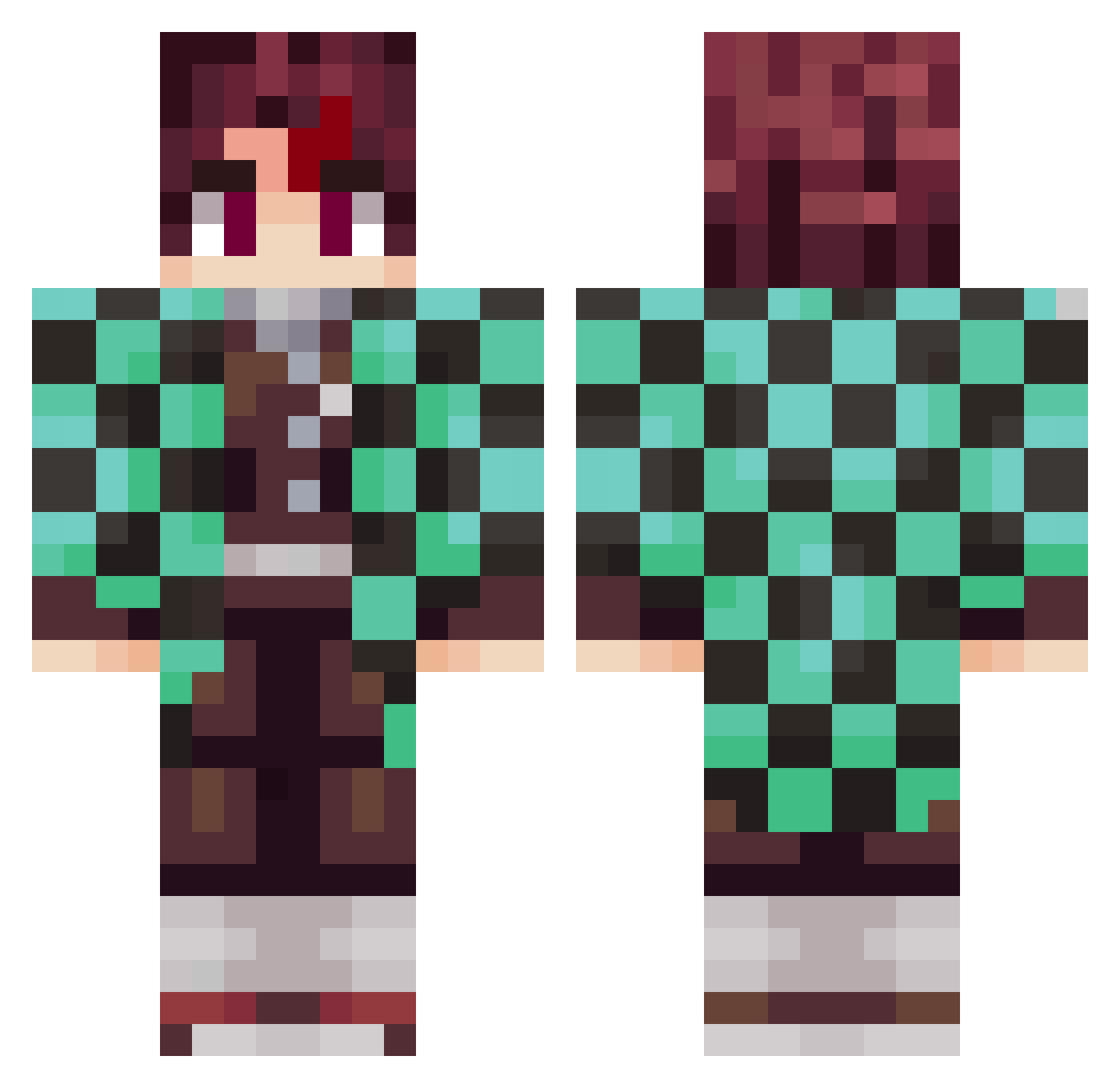
Current Minecraft skin of the player Zhuoctopus, loaded from the official Mojang API. Rotate the 3D model with your mouse or finger, then download the skin as a PNG file and use it in Minecraft: Bedrock Edition or Java Edition for free. When Zhuoctopus changes their skin, this page updates automatically and the old skin stays in the history below.
Other players with this skin (797)
Zhuoctopus was the 569th player we have seen with this skin, first spotted on 02.10.2026. The same skin was seen on these players. Open a nickname to see their current skin and skin history.
 danielsantos19 muimuilove Baloo2506 rohanrules Loxiw DMRUSER Dark_Joker_97 kagura8021 djdnf6377 lamarge vLeuriRD Alztime101 Eric_23X BerkayExpert kiubill NobisQ Miccap HectorGames0 maksim_shigeno Cachetongue03 AhiLLL Nalyshigami Rederick713 GeroKB9 FwYour Kedar__ MangoThor Izanmh13 LelioC Sota72 NongPonDA WilliamsASL Toma_cra ragnak62 owoTuT_tw LemyPR MathBraga Dalibi cola552 BrunoVss9919 Udunmanned CacaLion cool_cowboy601 ToxMC RenataoVAA Otanoni maxumumx Xenird Lipe_lu Laruccia_ 19niko95 Camdameron ReuzKnight Tony7909 kiilr alexach CDF313131 Louissitoo Tweakzyi Dior_skrt
More Tanjiro Kamado Minecraft skins
See all 389 Tanjiro Kamado skins
How to install the Zhuoctopus skin
- Press the Download button above to save the skin as a PNG file.
- Minecraft: Bedrock Edition (PE): open the Dressing Room from the main menu (or tap your character → Edit Character), go to Classic Skins → Owned, press the + (new skin) button, choose the downloaded PNG and pick the Classic (Steve) model. Works on PC and mobile; consoles cannot import custom skins.
- Minecraft: Java Edition: open the Minecraft Launcher, go to the Skins tab, click New Skin, load the PNG, pick the Classic (Steve) model and press Save & Use. You can also upload it at minecraft.net → Profile → Change Skin.
The skin does not show up after import - what should I do?
Restart Minecraft and open the Dressing Room again - imported skins sometimes appear only after a restart. Also make sure you selected the imported skin and picked the Classic (Steve) model.
Which model should I choose, Classic or Slim?
This skin is designed for the Classic (Steve) model. If you pick the wrong model, the arms of the skin will look stretched or squeezed.
Is the skin of Zhuoctopus free to download?
Yes. Press Download, save the PNG file and use it in Minecraft: Bedrock Edition or Java Edition - no payment or registration needed. The skin also works on multiplayer servers and Realms.
More skins
Looking for more? Go back to all Minecraft skins and check the top skins of the week, month and all time, or find any player's skin by nickname.