
ZhcccH - Minecraft Skins & Skin History
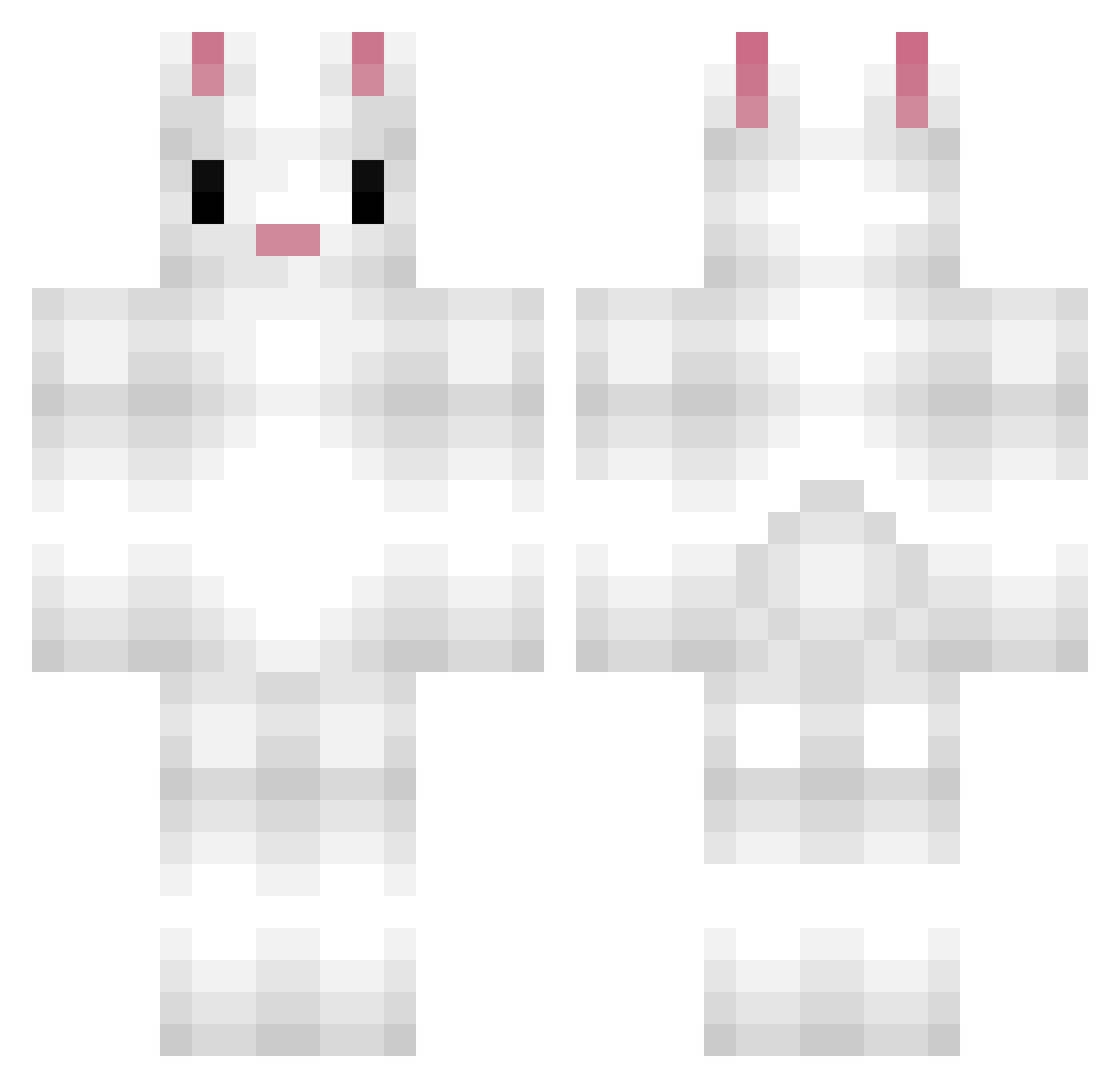
Current Minecraft skin of the player ZhcccH, loaded from the official Mojang API. Rotate the 3D model with your mouse or finger, then download the skin as a PNG file and use it in Minecraft: Bedrock Edition or Java Edition for free. When ZhcccH changes their skin, this page updates automatically and the old skin stays in the history below.
Other players with this skin (215)
ZhcccH was the 177th player we have seen with this skin, first spotted on 29.10.2026. The same skin was seen on these players. Open a nickname to see their current skin and skin history.
 MiffyMoo222 ImAFreakngLoser Exfolicate brynniebryn OldScxrs eileenrenee BunnieBubble die4sumiii Qido_ LuckyTuna Bunnyboy6969 baik102 Akime_Tasumi Jaldis 3knugen Destinyschild04 LINDSKITTY LIngzh K9chen RabbitOnion summer122511 bunnpilled SpunkyKiwi doubidoubiloup bellebaguette07 leoliOvO bunbuns_ib Killua1x8 BunnyBomb PalkoPalo ilyelfie fennyck TaiNana54 Tombeline97 HodyMan sara_devi manveert witchsaga Whitebunny99 mimibinks gabixmdm bunnybaby5296 Creature_10 james0522 james8160 JocODe Rabuck rabbit_qi Fluffbunx 1883456634 mogulsai Kikimor4a TA_RO_ iysabeau BunnyYen Jason327 Kenson910 503Bunnies HoshinoBou Abby_Ah0
More Rabbit Minecraft skins
How to install the ZhcccH skin
- Press the Download button above to save the skin as a PNG file.
- Minecraft: Bedrock Edition (PE): open the Dressing Room from the main menu (or tap your character → Edit Character), go to Classic Skins → Owned, press the + (new skin) button, choose the downloaded PNG and pick the Classic (Steve) model. Works on PC and mobile; consoles cannot import custom skins.
- Minecraft: Java Edition: open the Minecraft Launcher, go to the Skins tab, click New Skin, load the PNG, pick the Classic (Steve) model and press Save & Use. You can also upload it at minecraft.net → Profile → Change Skin.
The skin does not show up after import - what should I do?
Restart Minecraft and open the Dressing Room again - imported skins sometimes appear only after a restart. Also make sure you selected the imported skin and picked the Classic (Steve) model.
Which model should I choose, Classic or Slim?
This skin is designed for the Classic (Steve) model. If you pick the wrong model, the arms of the skin will look stretched or squeezed.
Is the skin of ZhcccH free to download?
Yes. Press Download, save the PNG file and use it in Minecraft: Bedrock Edition or Java Edition - no payment or registration needed. The skin also works on multiplayer servers and Realms.
More skins
Looking for more? Go back to all Minecraft skins and check the top skins of the week, month and all time, or find any player's skin by nickname.