
Zezokas - Minecraft Skins & Skin History
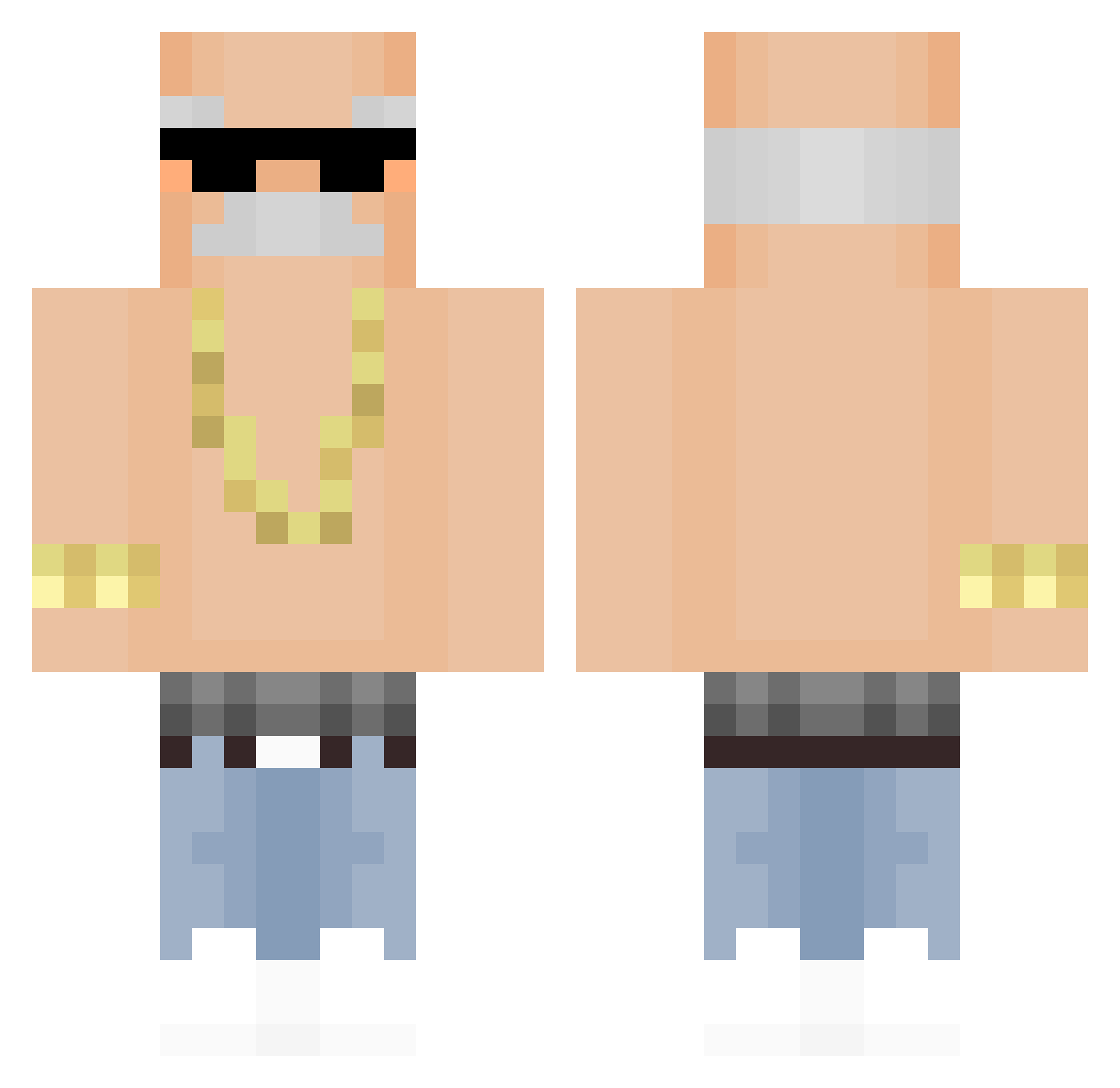
Current Minecraft skin of the player Zezokas, loaded from the official Mojang API. Rotate the 3D model with your mouse or finger, then download the skin as a PNG file and use it in Minecraft: Bedrock Edition or Java Edition for free. When Zezokas changes their skin, this page updates automatically and the old skin stays in the history below.
Other players with this skin (321)
Zezokas was the 192nd player we have seen with this skin, first spotted on 21.09.2026. The same skin was seen on these players. Open a nickname to see their current skin and skin history.
 Shogi__ CBao_ spoid322 kimbumyun98 IgorArt silvestorOne llDMll Twizzycat Doxx3d smurflegs Asteawiel Danji5123 D3D0K Seeeeeeev minseok1208 DannyK1337 Nyschka_ realduffy Giannakhs1312 woonyeop Jopitsi piko67 kimteajin Dreadshot7 DanDan123456 OrionDeepGamja YizzRag gksrh12 beenaprodigy Stanner_ Rally3 Aerogram gpGamer222 Kuayyai56 MINOS_SZEF Jmoneydolla MagnusBolt STABILITEIT LegalasAs 6tips NitemUS Ryox112 b1g0s MarkingNewt7278 Johan_trx Bbbbbiiiiii txewoo Roblo321000 Papoutsi _____Dream_____ Fratruss Johnychan Farbenprinz IvanDavid __M_A_D__ JIK44K_CZ Ikdraa Northfacegawd1 Alex66531 ClutteredGolem
More Grandpa Minecraft skins
How to install the Zezokas skin
- Press the Download button above to save the skin as a PNG file.
- Minecraft: Bedrock Edition (PE): open the Dressing Room from the main menu (or tap your character → Edit Character), go to Classic Skins → Owned, press the + (new skin) button, choose the downloaded PNG and pick the Classic (Steve) model. Works on PC and mobile; consoles cannot import custom skins.
- Minecraft: Java Edition: open the Minecraft Launcher, go to the Skins tab, click New Skin, load the PNG, pick the Classic (Steve) model and press Save & Use. You can also upload it at minecraft.net → Profile → Change Skin.
The skin does not show up after import - what should I do?
Restart Minecraft and open the Dressing Room again - imported skins sometimes appear only after a restart. Also make sure you selected the imported skin and picked the Classic (Steve) model.
Which model should I choose, Classic or Slim?
This skin is designed for the Classic (Steve) model. If you pick the wrong model, the arms of the skin will look stretched or squeezed.
Is the skin of Zezokas free to download?
Yes. Press Download, save the PNG file and use it in Minecraft: Bedrock Edition or Java Edition - no payment or registration needed. The skin also works on multiplayer servers and Realms.
More skins
Looking for more? Go back to all Minecraft skins and check the top skins of the week, month and all time, or find any player's skin by nickname.