
Zeze_1023 - Minecraft Skins & Skin History
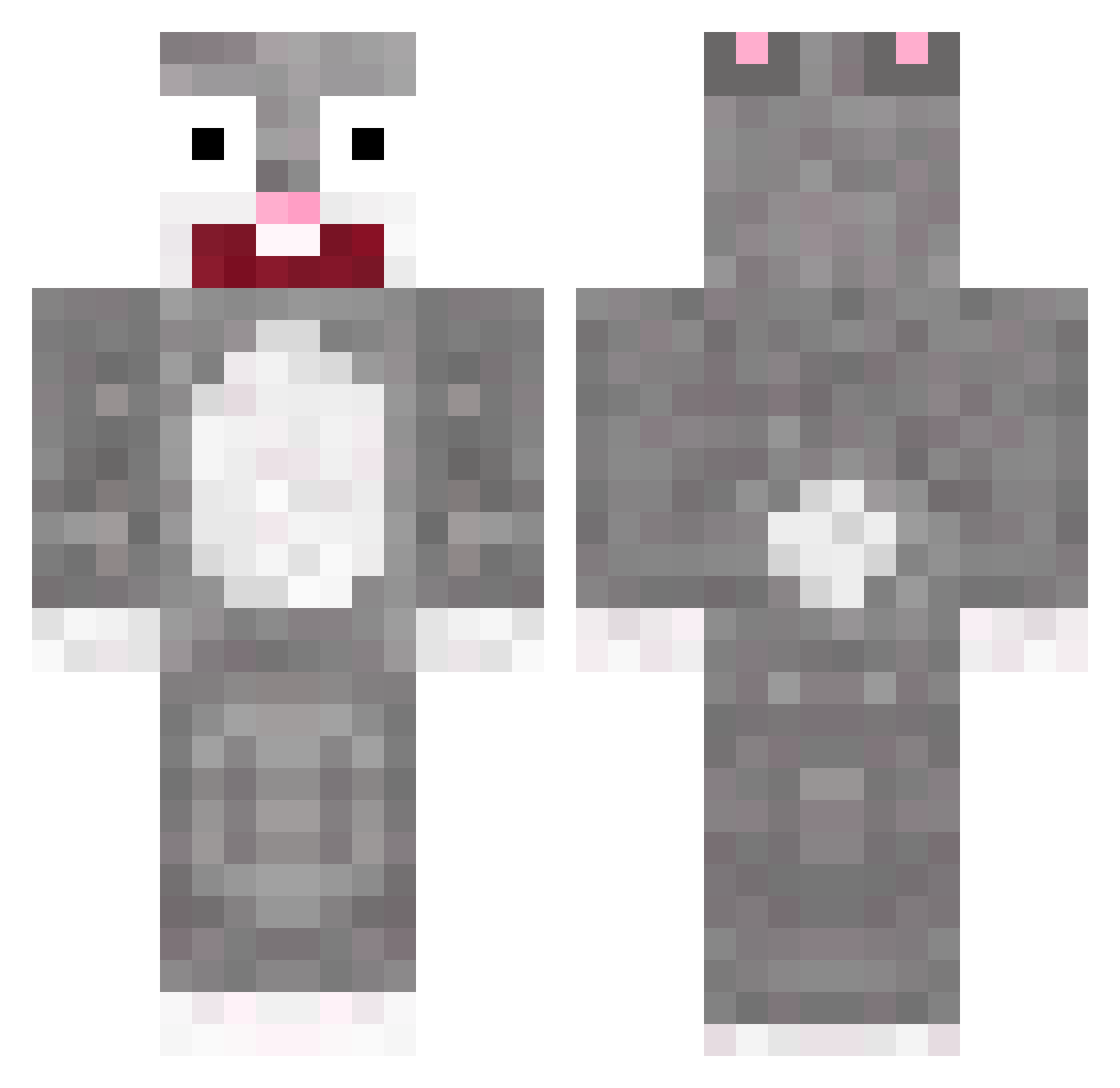
Current Minecraft skin of the player Zeze_1023, loaded from the official Mojang API. Rotate the 3D model with your mouse or finger, then download the skin as a PNG file and use it in Minecraft: Bedrock Edition or Java Edition for free. When Zeze_1023 changes their skin, this page updates automatically and the old skin stays in the history below.
Other players with this skin (77)
Zeze_1023 was the 77th player we have seen with this skin, first spotted on 15.11.2026. The same skin was seen on these players. Open a nickname to see their current skin and skin history.
 Synston Rankedz TypicalSarah0_2 Anana6412 octa7rei Hyun_soon TikyMikk Miffy_Fox rasaned COIDYI 7ame_Alrod B0tyhH Axixu yJoel hoho__o Hqyper_ Shido16 Tesswey General_Faz HQh318 Rabbit60110 PrestoP4d Caswellcraft 050217 HyunR2 neayya padyxx relaxedperson alanap247 FazeBizzle BiggusDiccus77 itcha_ abxent Ray2648 DoloBugs Dovprist Bustin7 plasiast savagefps As2Piiik Nasi8 Xypheral Szaajcar jkim12 LessOfYou soyoung___ Nask0u mylittleponyyy pumpkinpickle1 Curtism97 Moxorotta 30uo SprintToggle2 moomyang ROJOPENDEJAS dohyunmin seru345 154_z Lunik ggimbilly
More Big Chungus Minecraft skins
How to install the Zeze_1023 skin
- Press the Download button above to save the skin as a PNG file.
- Minecraft: Bedrock Edition (PE): open the Dressing Room from the main menu (or tap your character → Edit Character), go to Classic Skins → Owned, press the + (new skin) button, choose the downloaded PNG and pick the Classic (Steve) model. Works on PC and mobile; consoles cannot import custom skins.
- Minecraft: Java Edition: open the Minecraft Launcher, go to the Skins tab, click New Skin, load the PNG, pick the Classic (Steve) model and press Save & Use. You can also upload it at minecraft.net → Profile → Change Skin.
The skin does not show up after import - what should I do?
Restart Minecraft and open the Dressing Room again - imported skins sometimes appear only after a restart. Also make sure you selected the imported skin and picked the Classic (Steve) model.
Which model should I choose, Classic or Slim?
This skin is designed for the Classic (Steve) model. If you pick the wrong model, the arms of the skin will look stretched or squeezed.
Is the skin of Zeze_1023 free to download?
Yes. Press Download, save the PNG file and use it in Minecraft: Bedrock Edition or Java Edition - no payment or registration needed. The skin also works on multiplayer servers and Realms.
More skins
Looking for more? Go back to all Minecraft skins and check the top skins of the week, month and all time, or find any player's skin by nickname.