
ZeroFor0wned - Minecraft Skins & Skin History
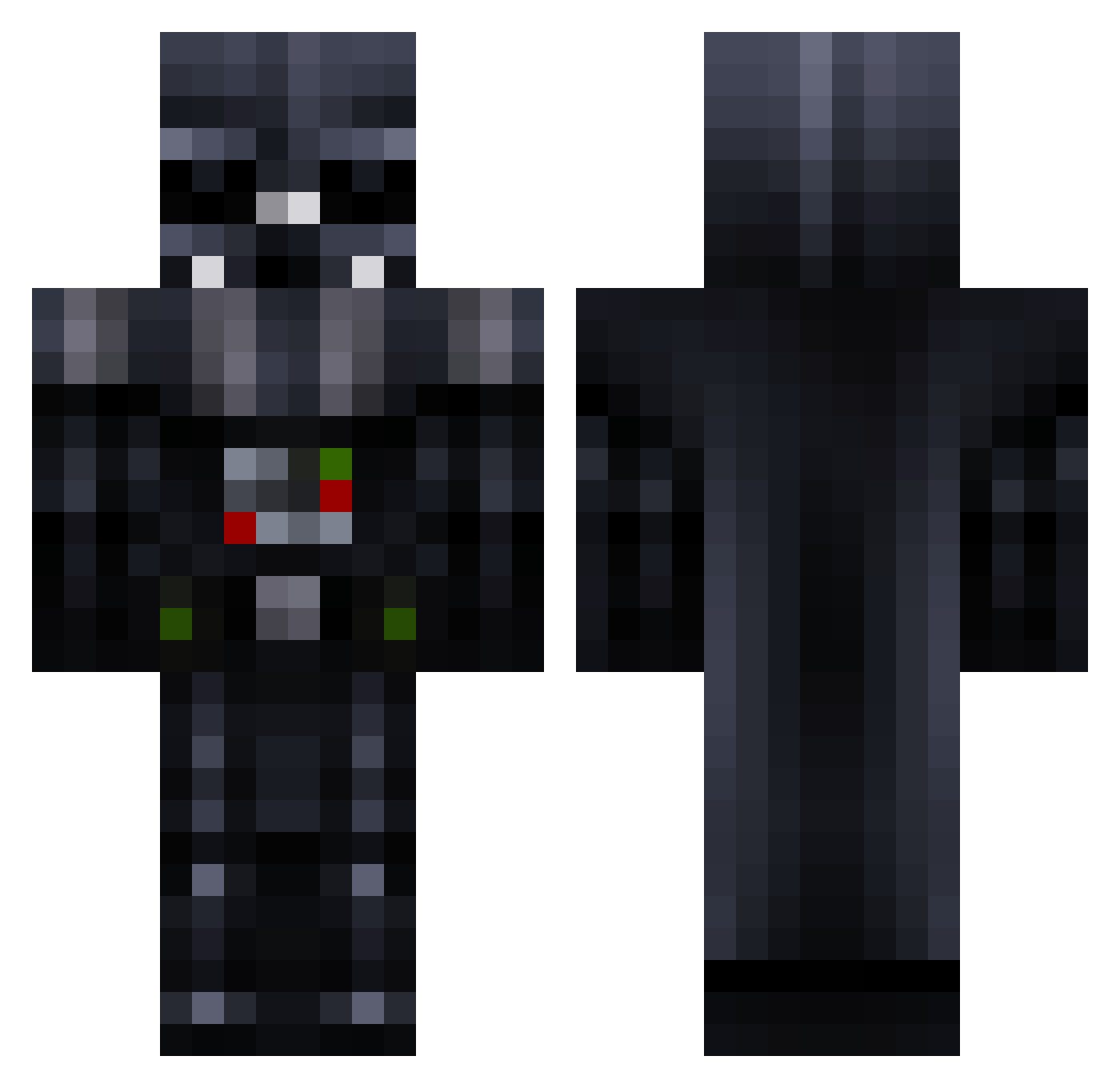
Current Minecraft skin of the player ZeroFor0wned, loaded from the official Mojang API. Rotate the 3D model with your mouse or finger, then download the skin as a PNG file and use it in Minecraft: Bedrock Edition or Java Edition for free. When ZeroFor0wned changes their skin, this page updates automatically and the old skin stays in the history below.
Other players with this skin (967)
ZeroFor0wned was the 857th player we have seen with this skin, first spotted on 08.11.2026. The same skin was seen on these players. Open a nickname to see their current skin and skin history.
 MrZysek Darth_Stantonoid klerer07 JaHo2003 yomom2 TheTorres7 cymbiotica cesarfavero Kagthar Pencil_Thief MyNameIsKael88 Shadowflares Singhville Willcsc watson555 mincraftGOD11 ifloor NightCraweler degglol Ryan4503 ANEPOHL Villham22 Tim_FCK aXsHuNz psychopath2907 zedan4747 Bachsack Sith_Lord2004 Burned2Nothing dunkyhunky1 TouchinPVTs DrzNikki Rakaneishu RookMyster Rage_Quitter_ NormalBlackSlave zorngamer Tranger016 JRBEAN9 soccerlover128 RememberDis BillyBathgate666 Kieran8991 slimeyshom27 Anakin_7 Phantom238 Hotwire2005 Solstice ebarkin Johpie moeni99 LordOfEpicness chrisk372 nexus929 EnzoMonge Hasan587 jupiter123456 DarthDaddy94 Teubpie Inspired315
More Darth Vader Minecraft skins
How to install the ZeroFor0wned skin
- Press the Download button above to save the skin as a PNG file.
- Minecraft: Bedrock Edition (PE): open the Dressing Room from the main menu (or tap your character → Edit Character), go to Classic Skins → Owned, press the + (new skin) button, choose the downloaded PNG and pick the Classic (Steve) model. Works on PC and mobile; consoles cannot import custom skins.
- Minecraft: Java Edition: open the Minecraft Launcher, go to the Skins tab, click New Skin, load the PNG, pick the Classic (Steve) model and press Save & Use. You can also upload it at minecraft.net → Profile → Change Skin.
The skin does not show up after import - what should I do?
Restart Minecraft and open the Dressing Room again - imported skins sometimes appear only after a restart. Also make sure you selected the imported skin and picked the Classic (Steve) model.
Which model should I choose, Classic or Slim?
This skin is designed for the Classic (Steve) model. If you pick the wrong model, the arms of the skin will look stretched or squeezed.
Is the skin of ZeroFor0wned free to download?
Yes. Press Download, save the PNG file and use it in Minecraft: Bedrock Edition or Java Edition - no payment or registration needed. The skin also works on multiplayer servers and Realms.
More skins
Looking for more? Go back to all Minecraft skins and check the top skins of the week, month and all time, or find any player's skin by nickname.