
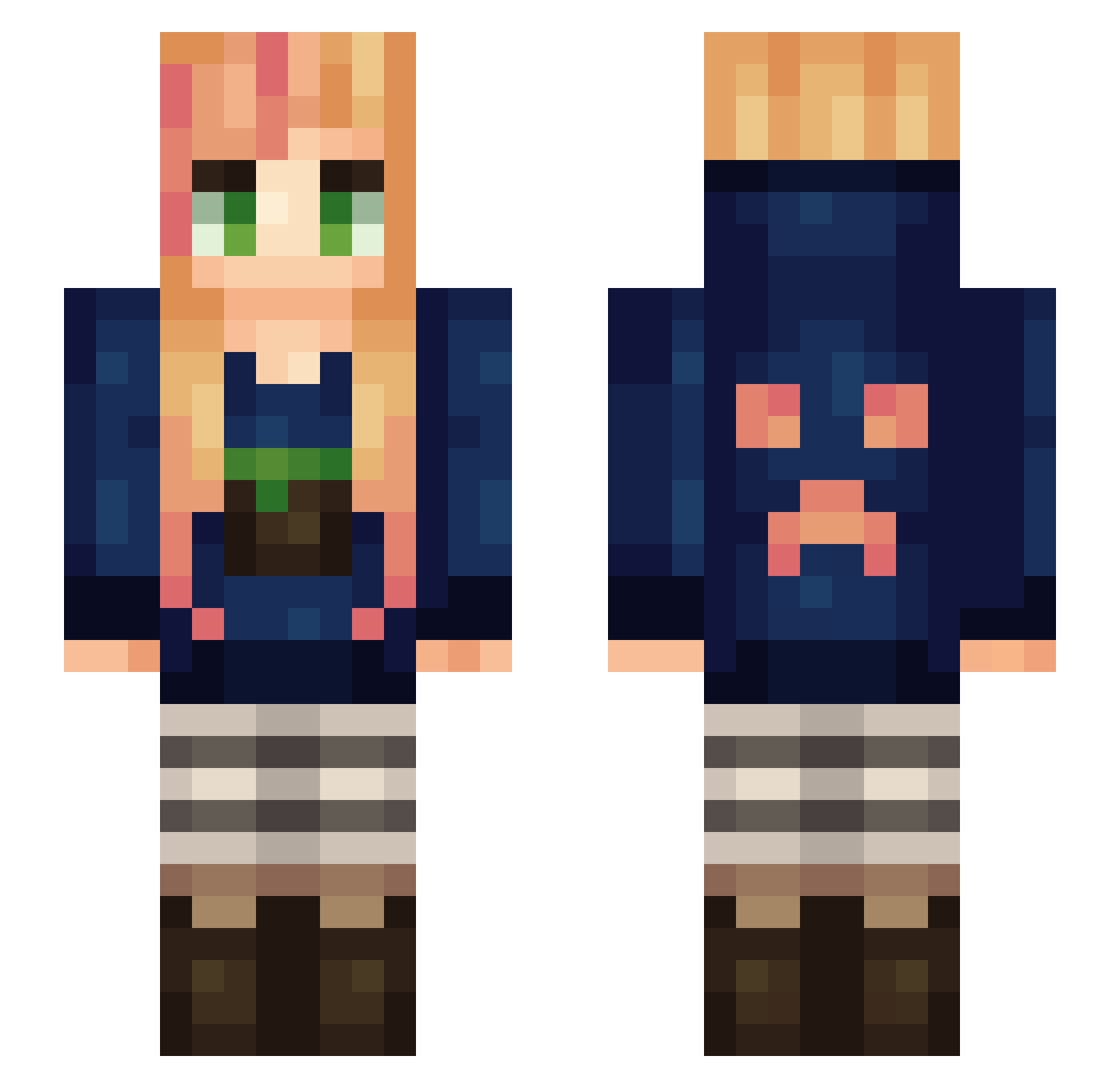
Current Minecraft skin of the player ZeldaDimond, loaded from the official Mojang API. Rotate the 3D model with your mouse or finger, then download the skin as a PNG file and use it in Minecraft: Bedrock Edition or Java Edition for free. When ZeldaDimond changes their skin, this page updates automatically and the old skin stays in the history below.
Other players with this skin (179)
The same skin was seen on these players. Open a nickname to see their current skin and skin history.
 tayastephanie tanyaxox Addie_PlaysMC toughanyM Nong93 emmalund2002 HamtaJian Dovewing31 cloudmanwalker GamerNadia smharald Horselover0407 ElfPD Shdw_Drgn grynet Archmage95 Floopybun sugarfree4me MsMalina1 Sorreax RuackDreib RandomHaylz Warofskies SPRShade Cookie_Tookey xXbridgette163Xx kcard27 greysmiles72 QueenYellow Yoshiomon xXDark_DiamondXx happy5320 Blazerose123 gaminggirll Cammany McQuake Minecraftgal045 AnnikaAndMatty Loempiaa Lizzzardt charlirell brusac77 huskyf Katniss_x Tori_girl kmq223 03annies sarusa55 Ineko94 SkylitAngel nohoho139 ShadowGirl1441 brittymitty gamerzia alex9189 AwesomeDulane lawrencelim Thegameman MysteriousLisa k9felidae
More Girl Minecraft skins
How to install the ZeldaDimond skin
- Press the Download button above to save the skin as a PNG file.
- Minecraft: Bedrock Edition (PE): open the Dressing Room from the main menu (or tap your character → Edit Character), go to Classic Skins → Owned, press the + (new skin) button, choose the downloaded PNG and pick the Slim (Alex) model. Works on PC and mobile; consoles cannot import custom skins.
- Minecraft: Java Edition: open the Minecraft Launcher, go to the Skins tab, click New Skin, load the PNG, pick the Slim (Alex) model and press Save & Use. You can also upload it at minecraft.net → Profile → Change Skin.
The skin does not show up after import - what should I do?
Restart Minecraft and open the Dressing Room again - imported skins sometimes appear only after a restart. Also make sure you selected the imported skin and picked the Slim (Alex) model.
Which model should I choose, Classic or Slim?
This skin is designed for the Slim (Alex) model. If you pick the wrong model, the arms of the skin will look stretched or squeezed.
Is the skin of ZeldaDimond free to download?
Yes. Press Download, save the PNG file and use it in Minecraft: Bedrock Edition or Java Edition - no payment or registration needed. The skin also works on multiplayer servers and Realms.
More skins
Looking for more? Go back to all Minecraft skins and check the top skins of the week, month and all time, or find any player's skin by nickname.