
ZeeTox1 - Minecraft Skins & Skin History
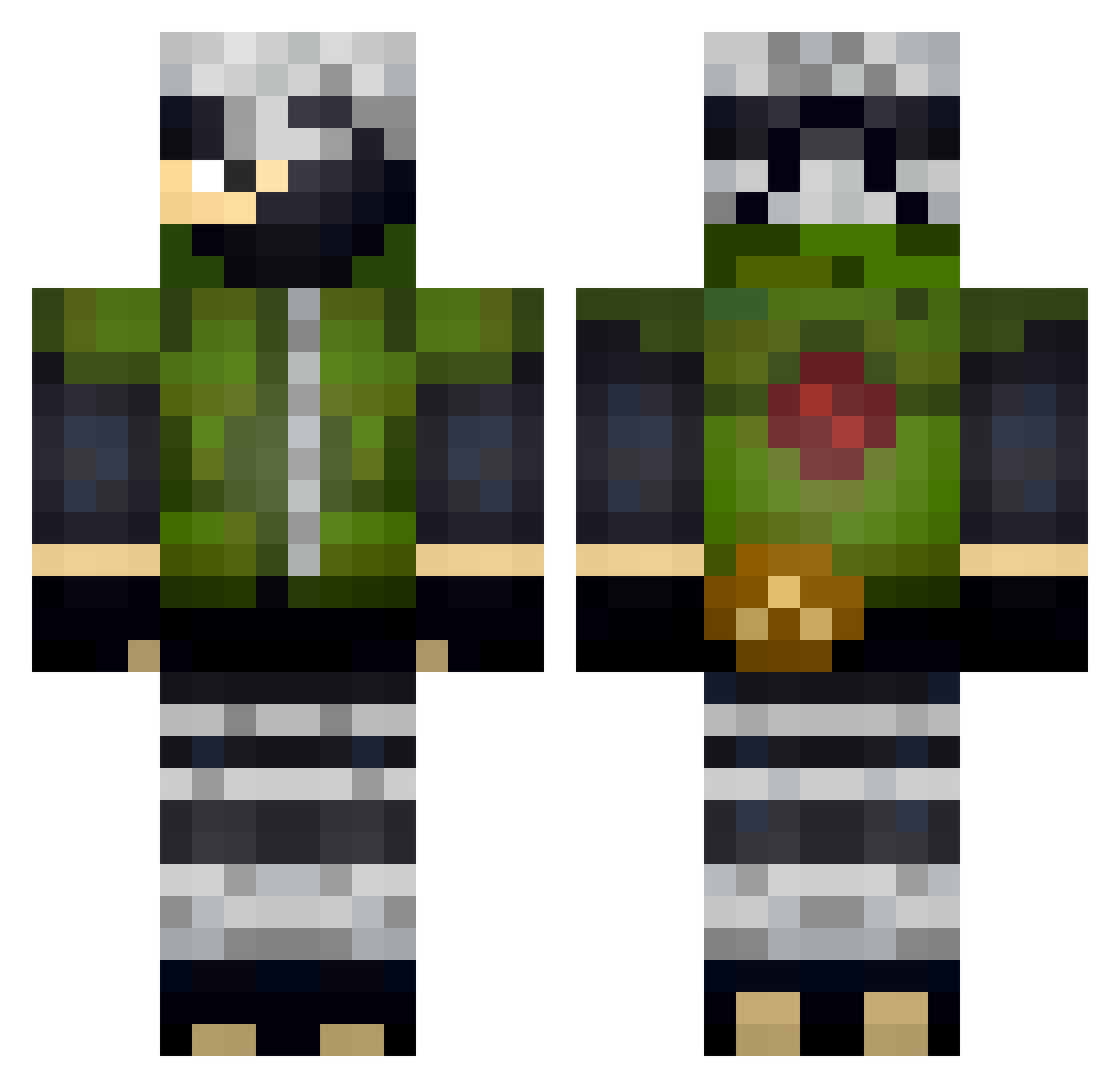
Current Minecraft skin of the player ZeeTox1, loaded from the official Mojang API. Rotate the 3D model with your mouse or finger, then download the skin as a PNG file and use it in Minecraft: Bedrock Edition or Java Edition for free. When ZeeTox1 changes their skin, this page updates automatically and the old skin stays in the history below.
Other players with this skin (330)
ZeeTox1 was the 213th player we have seen with this skin, first spotted on 01.10.2026. The same skin was seen on these players. Open a nickname to see their current skin and skin history.
 qtjaxxx ysois rosaportella Xywelf manixI Nexoninjitsu Lerioooo Ventura222 Cat48 4zaz4L TheBoilet MassiveGigaGay PtitBouch VirgilFox HuntersXXX Hugh1210 ScentlessVirus exterminator356 Sharkaan dinky95 Ensm1ngerBG haitower92 Polacodoido14 Zexa44 MoThabet Karafram RamSuperDuty AWESOME1O1 Tannou Renon86 Crixzel Ryco1 Rommar0407 charly1802 kokuran Azazllo oklawa81 Jospinn Trailnox xSugarCookie Capta1nCooked _Diguin thui_06 Overzimbabwe h_yamamoto XxXD4rkSasukeXxX Veky Tekk09 Revi1s _MrNinjaTurtle tintinmanman Senpai_Ready lllLuca xTCS16 StKZ mellyGang Gdesbonbons Antwhane Kannyones tenebris1002
More Kakashi Hatake Minecraft skins
See all 468 Kakashi Hatake skins
How to install the ZeeTox1 skin
- Press the Download button above to save the skin as a PNG file.
- Minecraft: Bedrock Edition (PE): open the Dressing Room from the main menu (or tap your character → Edit Character), go to Classic Skins → Owned, press the + (new skin) button, choose the downloaded PNG and pick the Classic (Steve) model. Works on PC and mobile; consoles cannot import custom skins.
- Minecraft: Java Edition: open the Minecraft Launcher, go to the Skins tab, click New Skin, load the PNG, pick the Classic (Steve) model and press Save & Use. You can also upload it at minecraft.net → Profile → Change Skin.
The skin does not show up after import - what should I do?
Restart Minecraft and open the Dressing Room again - imported skins sometimes appear only after a restart. Also make sure you selected the imported skin and picked the Classic (Steve) model.
Which model should I choose, Classic or Slim?
This skin is designed for the Classic (Steve) model. If you pick the wrong model, the arms of the skin will look stretched or squeezed.
Is the skin of ZeeTox1 free to download?
Yes. Press Download, save the PNG file and use it in Minecraft: Bedrock Edition or Java Edition - no payment or registration needed. The skin also works on multiplayer servers and Realms.
More skins
Looking for more? Go back to all Minecraft skins and check the top skins of the week, month and all time, or find any player's skin by nickname.