
ZZiga - Minecraft Skins & Skin History
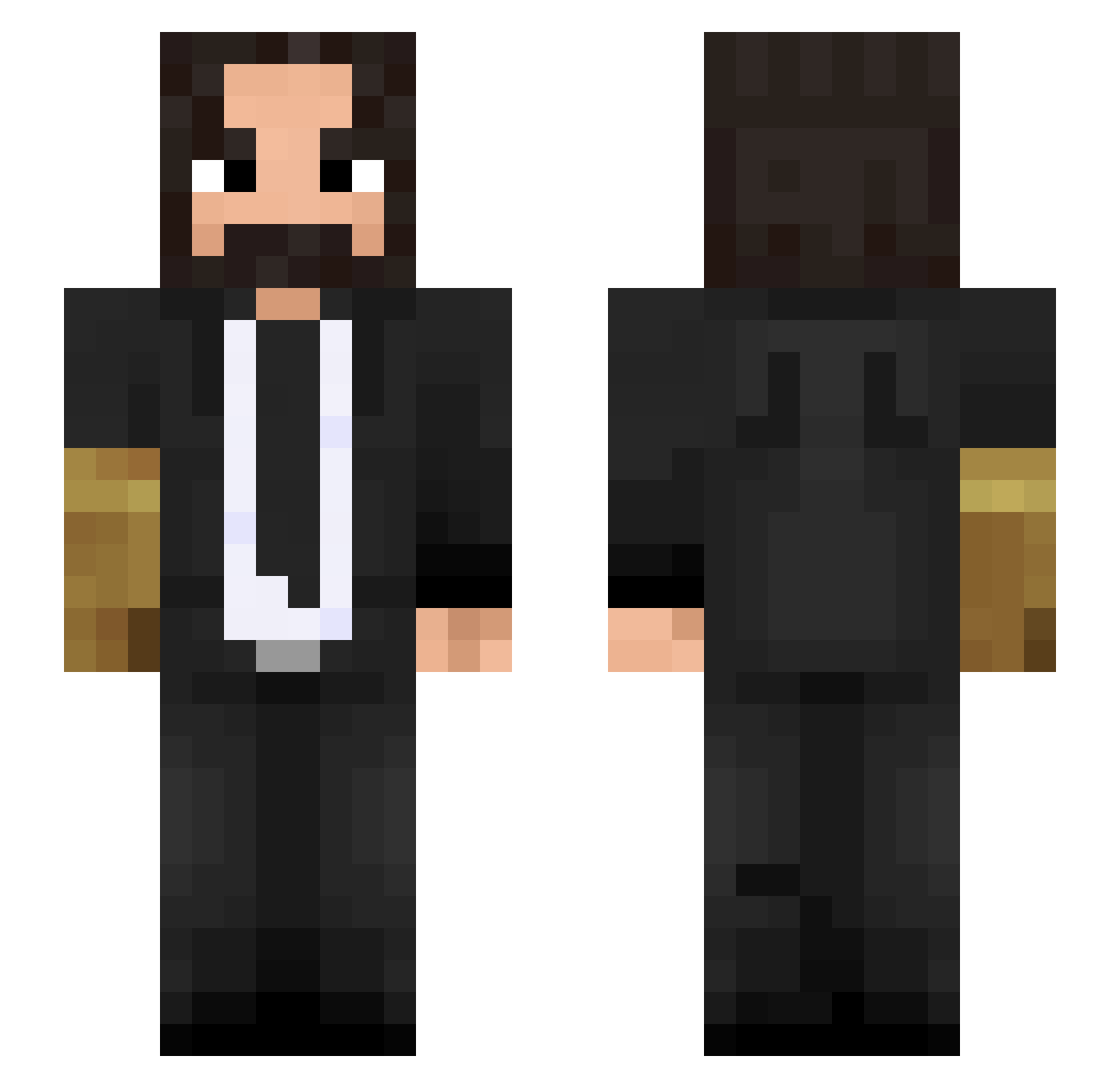
Current Minecraft skin of the player ZZiga, loaded from the official Mojang API. Rotate the 3D model with your mouse or finger, then download the skin as a PNG file and use it in Minecraft: Bedrock Edition or Java Edition for free. When ZZiga changes their skin, this page updates automatically and the old skin stays in the history below.
Other players with this skin (388)
ZZiga was the 295th player we have seen with this skin, first spotted on 06.10.2026. The same skin was seen on these players. Open a nickname to see their current skin and skin history.
 Klito_IV Pompiliuss Inozd s7yxx MasionMargiela Telmicro vincentvdwerf99 OhHai_Mark lemezao GareSD 7jh_Verse_p50 Vais_G Spampenion1305 Color_X1224 marshallman611 Hispanoct ixPingu kacperano0809 Peterpal happysexTW lauuuu16 atomicfire290 Yataman313 Nostikos ThePenguin_Mafia TheGodHands Dahmino Grcnkh ShikariShambu RadicalBeast5272 SpecialSKG Octopuz108 LisaAdjr Drkkilla JohnWick3 Shihyang_ tigz_ Mastercrod103 SalmenWrall12 Stilerr Leonituss kabitsu0 Luissss_47 IllComboYou Znakis turk13t0n Pyxel8 YellowOil Chambita Dalfuri a22vera mrcs64 Dracster141 stefan_vap MessengerMan ZodiacRevenge Mxtsiaz SMJ0518 Natalshadow CaptainDenny
More John Wick Minecraft skins
How to install the ZZiga skin
- Press the Download button above to save the skin as a PNG file.
- Minecraft: Bedrock Edition (PE): open the Dressing Room from the main menu (or tap your character → Edit Character), go to Classic Skins → Owned, press the + (new skin) button, choose the downloaded PNG and pick the Slim (Alex) model. Works on PC and mobile; consoles cannot import custom skins.
- Minecraft: Java Edition: open the Minecraft Launcher, go to the Skins tab, click New Skin, load the PNG, pick the Slim (Alex) model and press Save & Use. You can also upload it at minecraft.net → Profile → Change Skin.
The skin does not show up after import - what should I do?
Restart Minecraft and open the Dressing Room again - imported skins sometimes appear only after a restart. Also make sure you selected the imported skin and picked the Slim (Alex) model.
Which model should I choose, Classic or Slim?
This skin is designed for the Slim (Alex) model. If you pick the wrong model, the arms of the skin will look stretched or squeezed.
Is the skin of ZZiga free to download?
Yes. Press Download, save the PNG file and use it in Minecraft: Bedrock Edition or Java Edition - no payment or registration needed. The skin also works on multiplayer servers and Realms.
More skins
Looking for more? Go back to all Minecraft skins and check the top skins of the week, month and all time, or find any player's skin by nickname.