
ZXiaoMai - Minecraft Skins & Skin History
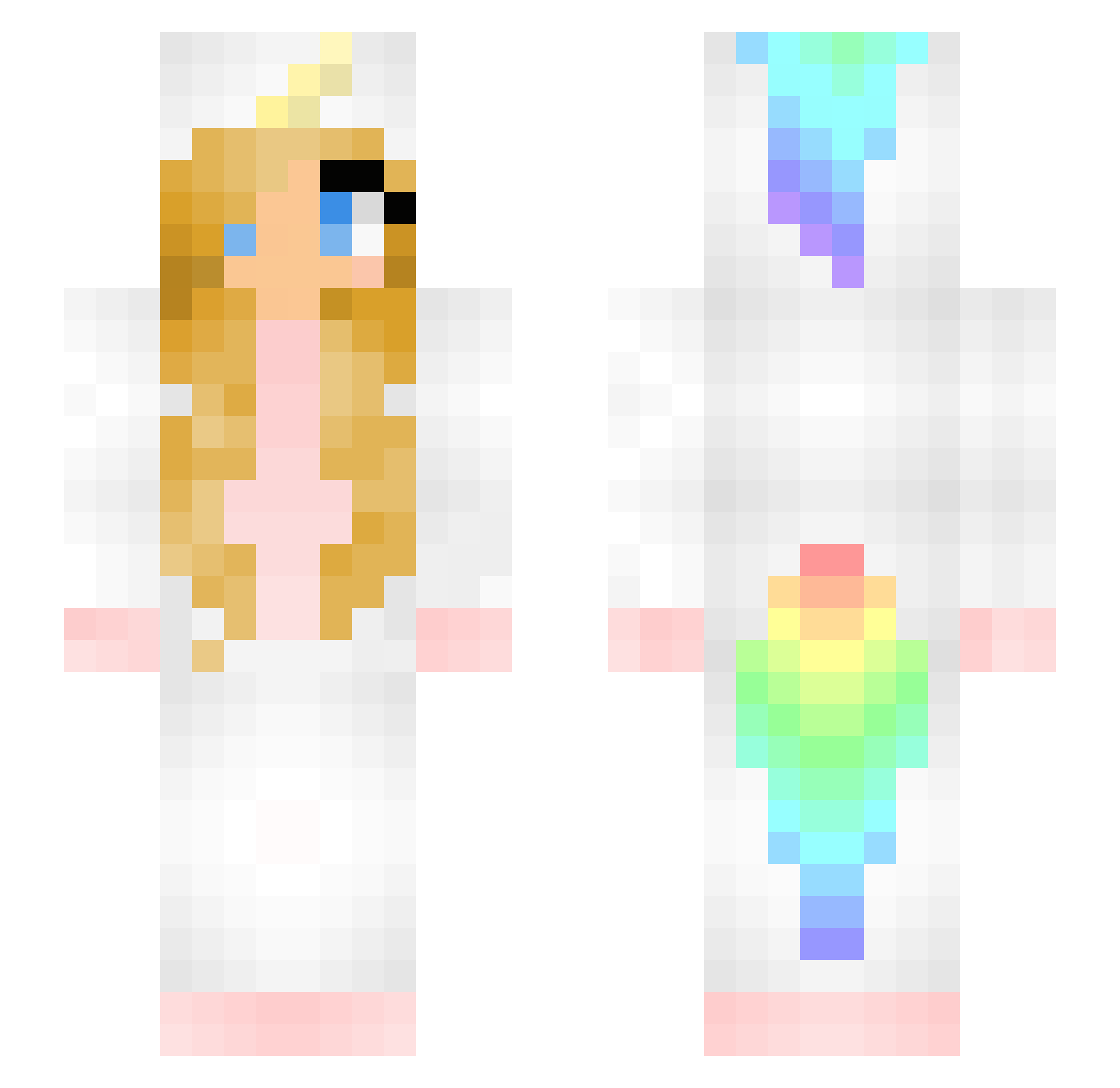
Current Minecraft skin of the player ZXiaoMai, loaded from the official Mojang API. Rotate the 3D model with your mouse or finger, then download the skin as a PNG file and use it in Minecraft: Bedrock Edition or Java Edition for free. When ZXiaoMai changes their skin, this page updates automatically and the old skin stays in the history below.
Other players with this skin (165)
ZXiaoMai was the 40th player we have seen with this skin, first spotted on 16.08.2026. The same skin was seen on these players. Open a nickname to see their current skin and skin history.
 Psique91 NikitasIPhone margo2412 ZoetePopcorn Hesoza vauhtihirmu007 XJpi unicornlover47 Alphalilly EinhornBinax3 wdddlfq sambo_mambo FAMPAN cheekyren DirtyHippie56 Schlit NedostajeMiMDMA cute_prinses706 _kelpie_3 LadyBarby asivol98 Jan_Kochanowski2 Bambie1984 EisMormel MacAdoo2 Mo5727 Psilocyberbully Caitlyn_vp POWER_Gay Doozyyyy abbymath16 _k3nn3dy_ Sharkie1015 ZJYGNN s0pa zr5112 mirtutje dagongzai Peanutsen Sarasaurus wasabiking nuoyuli KDJIAZE dancingunicorns LLLLLZcy GeekAndAHalf Snake44_ MikasaAkm_Jeanne TheD4rk_Dragon_ LFDUSK K3V1NS Limpanzzz Kincso33 moetakaos lillegolle SpacedOutGeek Vinho41 Cheeseandprinkle HarrowP simmebest
More Unicorn Minecraft skins
How to install the ZXiaoMai skin
- Press the Download button above to save the skin as a PNG file.
- Minecraft: Bedrock Edition (PE): open the Dressing Room from the main menu (or tap your character → Edit Character), go to Classic Skins → Owned, press the + (new skin) button, choose the downloaded PNG and pick the Slim (Alex) model. Works on PC and mobile; consoles cannot import custom skins.
- Minecraft: Java Edition: open the Minecraft Launcher, go to the Skins tab, click New Skin, load the PNG, pick the Slim (Alex) model and press Save & Use. You can also upload it at minecraft.net → Profile → Change Skin.
The skin does not show up after import - what should I do?
Restart Minecraft and open the Dressing Room again - imported skins sometimes appear only after a restart. Also make sure you selected the imported skin and picked the Slim (Alex) model.
Which model should I choose, Classic or Slim?
This skin is designed for the Slim (Alex) model. If you pick the wrong model, the arms of the skin will look stretched or squeezed.
Is the skin of ZXiaoMai free to download?
Yes. Press Download, save the PNG file and use it in Minecraft: Bedrock Edition or Java Edition - no payment or registration needed. The skin also works on multiplayer servers and Realms.
More skins
Looking for more? Go back to all Minecraft skins and check the top skins of the week, month and all time, or find any player's skin by nickname.