
Z3tH - Minecraft Skins & Skin History
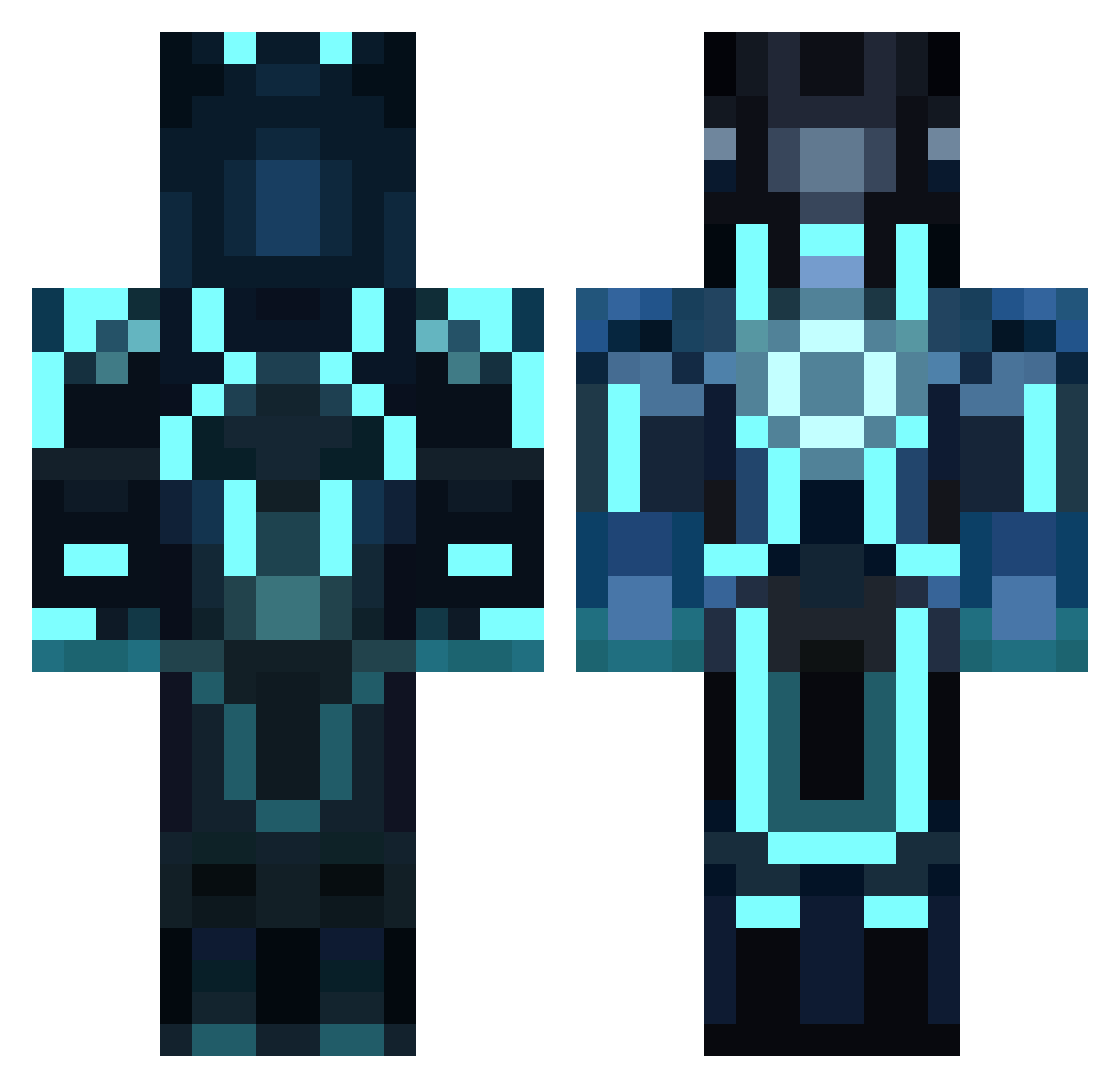
Current Minecraft skin of the player Z3tH, loaded from the official Mojang API. Rotate the 3D model with your mouse or finger, then download the skin as a PNG file and use it in Minecraft: Bedrock Edition or Java Edition for free. When Z3tH changes their skin, this page updates automatically and the old skin stays in the history below.
Other players with this skin (125)
Z3tH was the 55th player we have seen with this skin, first spotted on 06.09.2026. The same skin was seen on these players. Open a nickname to see their current skin and skin history.
 MynameisFade Alumoony ShatterScale coolwhip1738 Nero_BH Jousting183 ar_re_bol Shaeirei undirected_graph Royalspecies BumblingCretin automation_AI hassowuff thirteen333 konkuk_park Jonny5Alive baby_morning messywave Ewal1664 Quasimodo_t tanh_ Mysticx06 ______yo KorayPasa neogeebear jo3pi3czynski Henne52 CheddaShredda Zwei_11 Bravo1231 Hard_As_Calcu1us
 RCAInstructor05 ITJUST Fireston_22 Ricardo_x10 Schwarz26 BrokenMic1 Leerexpaddel Schariff TRON24021308 actually_jc DKsoul94 Daniil1000000 DataMoose iceyboi20 TactileClock crutkowski worstresponder Ratman84 PSGorrden d2dobie doyoulikehodo Xing_Lang FallenTanks executer973 Cere4lz spymargod flemme2troll blacksky49 OnlyTurbines
More Neon Lights Minecraft skins
How to install the Z3tH skin
- Press the Download button above to save the skin as a PNG file.
- Minecraft: Bedrock Edition (PE): open the Dressing Room from the main menu (or tap your character → Edit Character), go to Classic Skins → Owned, press the + (new skin) button, choose the downloaded PNG and pick the Classic (Steve) model. Works on PC and mobile; consoles cannot import custom skins.
- Minecraft: Java Edition: open the Minecraft Launcher, go to the Skins tab, click New Skin, load the PNG, pick the Classic (Steve) model and press Save & Use. You can also upload it at minecraft.net → Profile → Change Skin.
The skin does not show up after import - what should I do?
Restart Minecraft and open the Dressing Room again - imported skins sometimes appear only after a restart. Also make sure you selected the imported skin and picked the Classic (Steve) model.
Which model should I choose, Classic or Slim?
This skin is designed for the Classic (Steve) model. If you pick the wrong model, the arms of the skin will look stretched or squeezed.
Is the skin of Z3tH free to download?
Yes. Press Download, save the PNG file and use it in Minecraft: Bedrock Edition or Java Edition - no payment or registration needed. The skin also works on multiplayer servers and Realms.
More skins
Looking for more? Go back to all Minecraft skins and check the top skins of the week, month and all time, or find any player's skin by nickname.