
Z3R0Plague - Minecraft Skins & Skin History
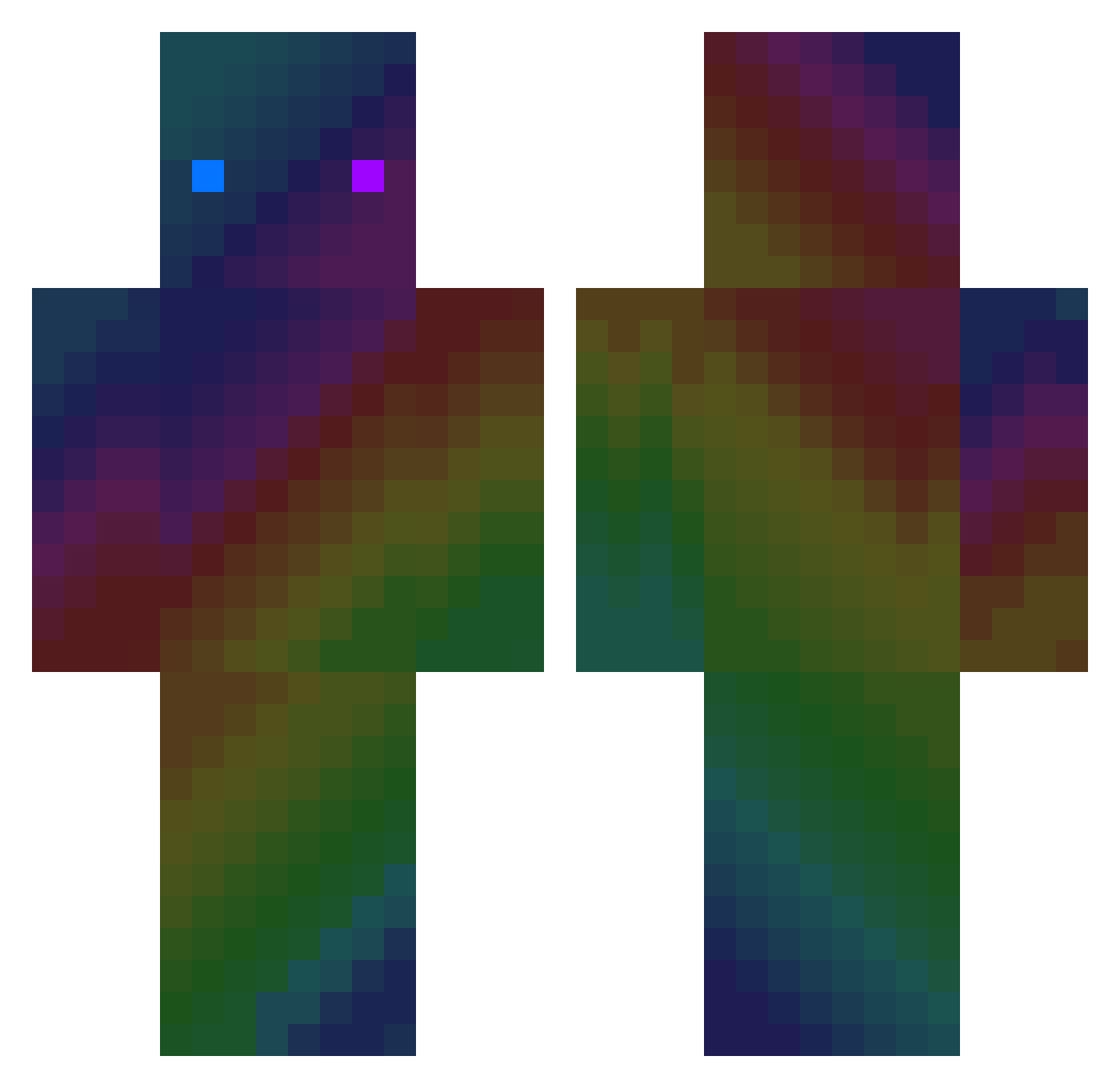
Current Minecraft skin of the player Z3R0Plague, loaded from the official Mojang API. Rotate the 3D model with your mouse or finger, then download the skin as a PNG file and use it in Minecraft: Bedrock Edition or Java Edition for free. When Z3R0Plague changes their skin, this page updates automatically and the old skin stays in the history below.
Other players with this skin (412)
Z3R0Plague was the 98th player we have seen with this skin, first spotted on 24.08.2026. The same skin was seen on these players. Open a nickname to see their current skin and skin history.
 euxsuxg AwesomeNameNO Pierredf12 Salziger_Salzas Fruitsalad2810 BloxPro17 MaxenceChocolat Raaffa_GPlay overkill002 iMamo5900 GalaxyPuchi MicroSushii Slidoo dkdldldlddkd Midas233 lyove4554 makskuk1 KIM060210 Cassycakes geloge williamaagren Manuelitos_195 raphatus AbelBravo2003 PetroSailor Phil_Tattune oHOoOHo Javendorg exnetbe kosa310 Todbringer9 ostanovkaoko Nonelz UKillMe235 schlennie Kingplayer66 VP_AdiQ TABErO Slimekkkkk MaxNaxMax20 AlanHsieh_1215 B4pti xShayn_ NRGZIFL12 Wir3xia eodibiti R3MOS_120 Txtianaa HobbelPJ Last_Marcox MZmonsterzz66 Hedi_moi iDeeeeb DrayYv Tamowitz derFreedy PogChampio mauro14400 M4melouk afternoon_tea_
How to install the Z3R0Plague skin
- Press the Download button above to save the skin as a PNG file.
- Minecraft: Bedrock Edition (PE): open the Dressing Room from the main menu (or tap your character → Edit Character), go to Classic Skins → Owned, press the + (new skin) button, choose the downloaded PNG and pick the Classic (Steve) model. Works on PC and mobile; consoles cannot import custom skins.
- Minecraft: Java Edition: open the Minecraft Launcher, go to the Skins tab, click New Skin, load the PNG, pick the Classic (Steve) model and press Save & Use. You can also upload it at minecraft.net → Profile → Change Skin.
The skin does not show up after import - what should I do?
Restart Minecraft and open the Dressing Room again - imported skins sometimes appear only after a restart. Also make sure you selected the imported skin and picked the Classic (Steve) model.
Which model should I choose, Classic or Slim?
This skin is designed for the Classic (Steve) model. If you pick the wrong model, the arms of the skin will look stretched or squeezed.
Is the skin of Z3R0Plague free to download?
Yes. Press Download, save the PNG file and use it in Minecraft: Bedrock Edition or Java Edition - no payment or registration needed. The skin also works on multiplayer servers and Realms.
More skins
Looking for more? Go back to all Minecraft skins and check the top skins of the week, month and all time, or find any player's skin by nickname.