
Current Minecraft skin of the player YungSkimp, loaded from the official Mojang API. Rotate the 3D model with your mouse or finger, then download the skin as a PNG file and use it in Minecraft: Bedrock Edition or Java Edition for free. When YungSkimp changes their skin, this page updates automatically and the old skin stays in the history below.
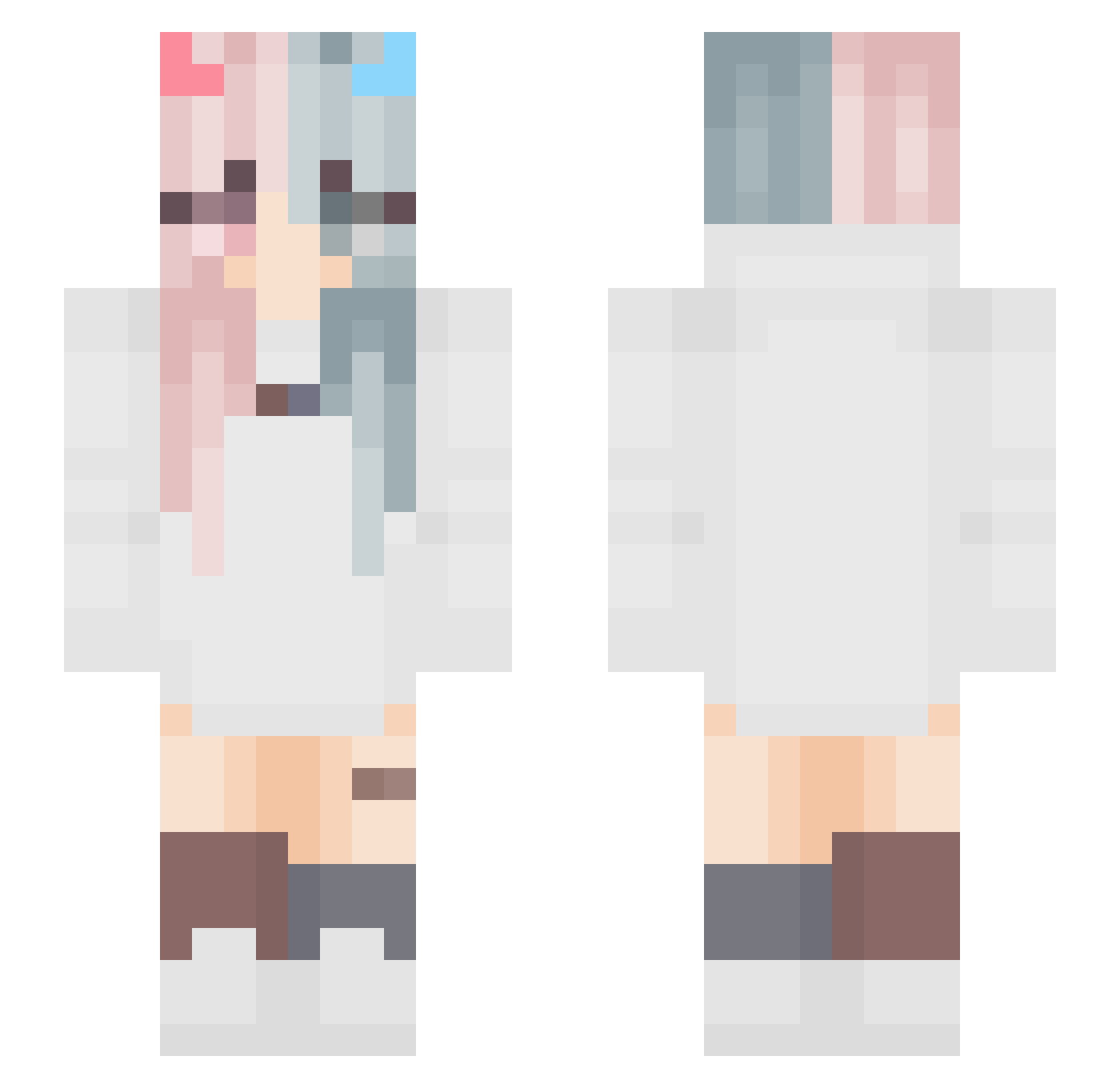
Other players with this skin (44)
The same skin was seen on these players. Open a nickname to see their current skin and skin history.
 flameVSflame ItzAileen jasper_kriss Dominik_2018 Powerxxgamer xinyunJ sydney_liao torschi Triplee_A1 SmuchY21 maria031621 ArthurTW NylubLaRacaille AngelicBlueberry Jana_LOL gugugu_fu mew4687 ai_Krystal JimmyOaO0131 MELODY8359 wentkarz Magical_Amythest LaviniaFire Mixkeee hnyr_ StellariaStar GDthreemoon YHeric Diias999 huppower GSAZSSM_peeeeear Lamentis2077 Speechless22 DarknessCalls Shirowooo niningjji Spiralia7 WhiteSpectro_ qiyano1 xAqua__ dieko_m Marie_Allison08 Dorasin IsaChen
More Pastel Minecraft skins
How to install the YungSkimp skin
- Press the Download button above to save the skin as a PNG file.
- Minecraft: Bedrock Edition (PE): open the Dressing Room from the main menu (or tap your character → Edit Character), go to Classic Skins → Owned, press the + (new skin) button, choose the downloaded PNG and pick the Slim (Alex) model. Works on PC and mobile; consoles cannot import custom skins.
- Minecraft: Java Edition: open the Minecraft Launcher, go to the Skins tab, click New Skin, load the PNG, pick the Slim (Alex) model and press Save & Use. You can also upload it at minecraft.net → Profile → Change Skin.
The skin does not show up after import - what should I do?
Restart Minecraft and open the Dressing Room again - imported skins sometimes appear only after a restart. Also make sure you selected the imported skin and picked the Slim (Alex) model.
Which model should I choose, Classic or Slim?
This skin is designed for the Slim (Alex) model. If you pick the wrong model, the arms of the skin will look stretched or squeezed.
Is the skin of YungSkimp free to download?
Yes. Press Download, save the PNG file and use it in Minecraft: Bedrock Edition or Java Edition - no payment or registration needed. The skin also works on multiplayer servers and Realms.
More skins
Looking for more? Go back to all Minecraft skins and check the top skins of the week, month and all time, or find any player's skin by nickname.