
YungFishBTW - Minecraft Skins & Skin History
Current Minecraft skin of the player YungFishBTW, loaded from the official Mojang API. Rotate the 3D model with your mouse or finger, then download the skin as a PNG file and use it in Minecraft: Bedrock Edition or Java Edition for free. When YungFishBTW changes their skin, this page updates automatically and the old skin stays in the history below.
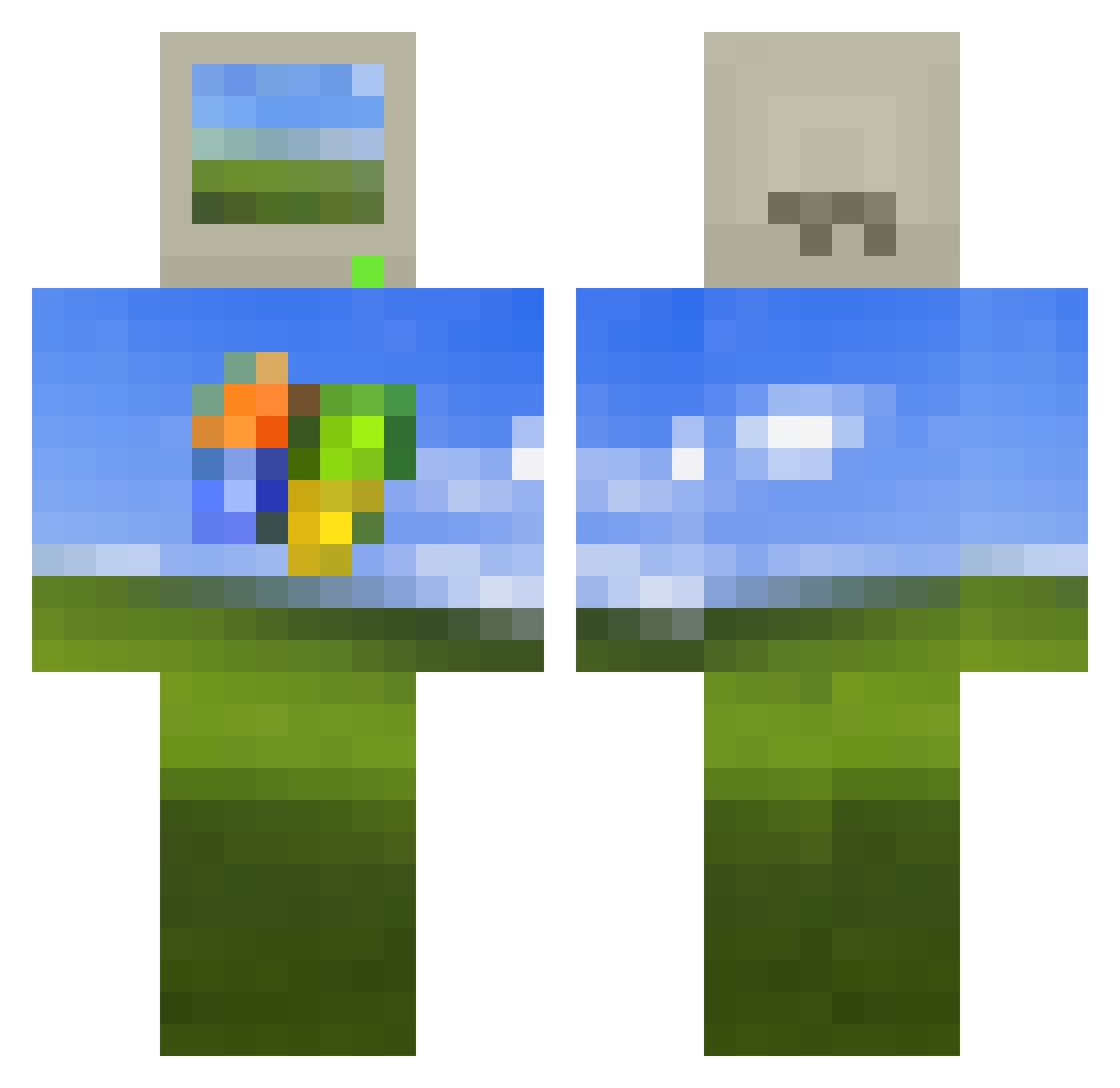
Other players with this skin (513)
YungFishBTW was the 468th player we have seen with this skin, first spotted on 23.10.2026. The same skin was seen on these players. Open a nickname to see their current skin and skin history.
 Cookie7594 MelonKamuii Nauva MilkMelkMalkMolk Zionixx1 Lod4wg tossueboxs SolsitaComeTetas irfanbb wirrae kengrif BlockByrd Packof3Ninjas OmneyA PaintedSpot ParallaxHuxley BrockBradigan Beffstew StupidKid MAXFOOO muffins0 TheRealOP SsZzFf sf202099 MinXi521 ASentientPDP11 rebel332 SoyRichy Larrysaurus chirik1122 BaaaadPanda matiiiss nadrojfloop _Fanta Yocisco21 capsvl3 FormlessAura ZHANGxm MADZ177 XCrypt1c69 nine2k16 n2otradamus CubeFine Spxizy acexclxd zCaliBear augurleo Dableef Keeggann FeloMatus suskiyou onxzukv kingspurs kendrivk KreamyKumfart p4pmp4777 uareon9 amsay2001 AKRSGAMER jamesndge
More Windows XP Minecraft skins
How to install the YungFishBTW skin
- Press the Download button above to save the skin as a PNG file.
- Minecraft: Bedrock Edition (PE): open the Dressing Room from the main menu (or tap your character → Edit Character), go to Classic Skins → Owned, press the + (new skin) button, choose the downloaded PNG and pick the Classic (Steve) model. Works on PC and mobile; consoles cannot import custom skins.
- Minecraft: Java Edition: open the Minecraft Launcher, go to the Skins tab, click New Skin, load the PNG, pick the Classic (Steve) model and press Save & Use. You can also upload it at minecraft.net → Profile → Change Skin.
The skin does not show up after import - what should I do?
Restart Minecraft and open the Dressing Room again - imported skins sometimes appear only after a restart. Also make sure you selected the imported skin and picked the Classic (Steve) model.
Which model should I choose, Classic or Slim?
This skin is designed for the Classic (Steve) model. If you pick the wrong model, the arms of the skin will look stretched or squeezed.
Is the skin of YungFishBTW free to download?
Yes. Press Download, save the PNG file and use it in Minecraft: Bedrock Edition or Java Edition - no payment or registration needed. The skin also works on multiplayer servers and Realms.
More skins
Looking for more? Go back to all Minecraft skins and check the top skins of the week, month and all time, or find any player's skin by nickname.