
Yumesiita - Minecraft Skins & Skin History
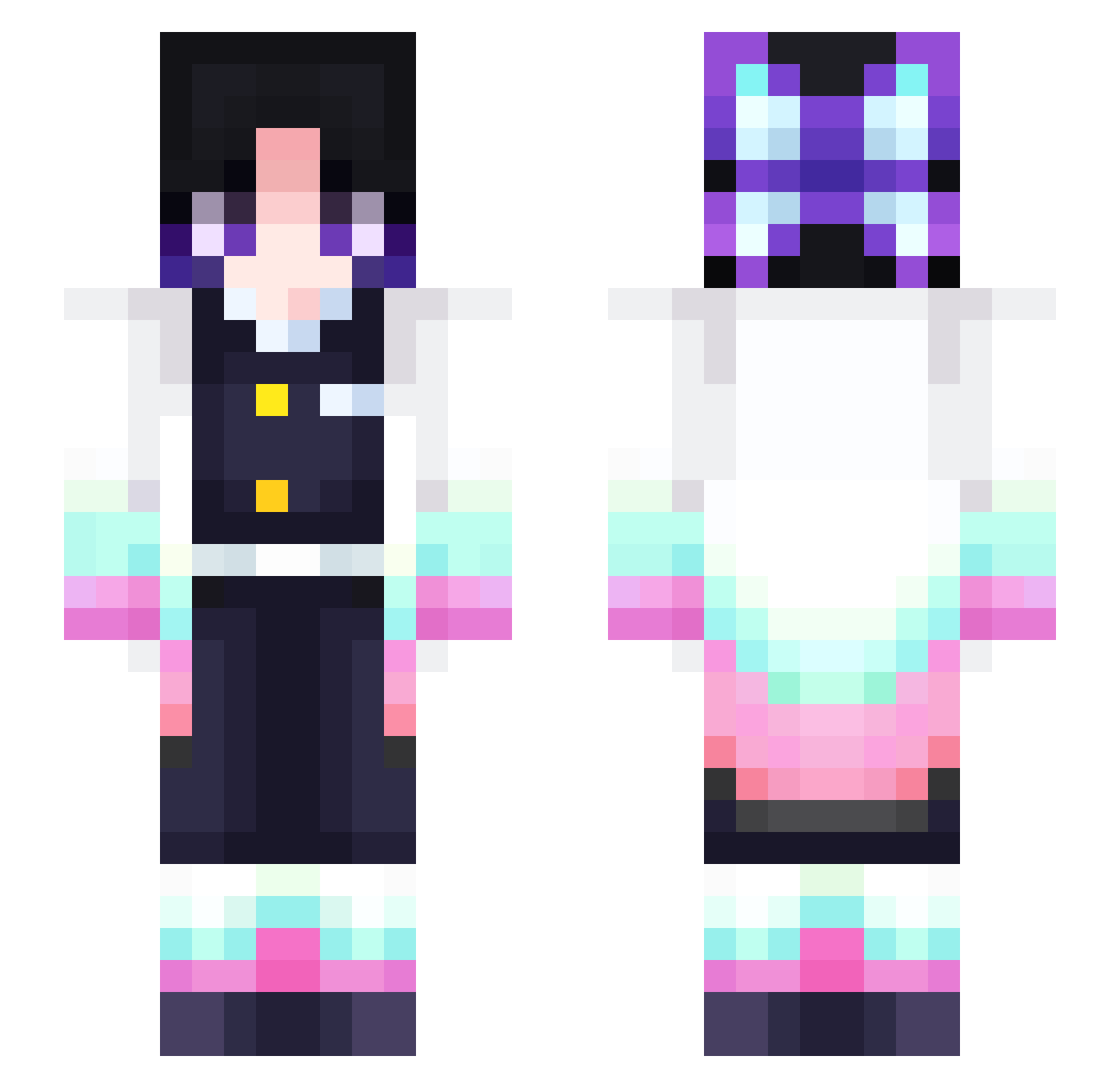
Current Minecraft skin of the player Yumesiita, loaded from the official Mojang API. Rotate the 3D model with your mouse or finger, then download the skin as a PNG file and use it in Minecraft: Bedrock Edition or Java Edition for free. When Yumesiita changes their skin, this page updates automatically and the old skin stays in the history below.
Other players with this skin (312)
Yumesiita was the 193rd player we have seen with this skin, first spotted on 01.10.2026. The same skin was seen on these players. Open a nickname to see their current skin and skin history.
 GetoEND DayronX kyungmon MisoTheeStallion iSanjay x_Kippi_x Maple_Leafl MunTut Starlight_GY Elemental2327 Yasan99_GNS Ewenki stereojpg Cony26 Maxvideogameplay Bingzsu rainn145 AltoBailey117 ThumpyDumpy LOVECGJ enae93 Bia_gamer LigthNing Mandarin_086 XRandolphX Amayachelle Polland roylo36 koddr happy_Jenny MajinBoo73 Qwick_Dip patootiepie mckahz LamMysterion Shinobu3756 LiquidSilent Hasaki_Covid_99 xiaoxiaohuang123 CardHolders confraaa WilloAndy AeraWasTaken LtRamen edamarron QueensloveCats lokisprung Naturelvis Chuurrooo Kandog_0325 shinobu21 Yuu0219 Defxult69420 TEBASAKIDA lemon1211 Ten095 shu6ii Audiah To05024 SkrimeGo
More Shinobu Kocho Minecraft skins
See all 127 Shinobu Kocho skins
How to install the Yumesiita skin
- Press the Download button above to save the skin as a PNG file.
- Minecraft: Bedrock Edition (PE): open the Dressing Room from the main menu (or tap your character → Edit Character), go to Classic Skins → Owned, press the + (new skin) button, choose the downloaded PNG and pick the Slim (Alex) model. Works on PC and mobile; consoles cannot import custom skins.
- Minecraft: Java Edition: open the Minecraft Launcher, go to the Skins tab, click New Skin, load the PNG, pick the Slim (Alex) model and press Save & Use. You can also upload it at minecraft.net → Profile → Change Skin.
The skin does not show up after import - what should I do?
Restart Minecraft and open the Dressing Room again - imported skins sometimes appear only after a restart. Also make sure you selected the imported skin and picked the Slim (Alex) model.
Which model should I choose, Classic or Slim?
This skin is designed for the Slim (Alex) model. If you pick the wrong model, the arms of the skin will look stretched or squeezed.
Is the skin of Yumesiita free to download?
Yes. Press Download, save the PNG file and use it in Minecraft: Bedrock Edition or Java Edition - no payment or registration needed. The skin also works on multiplayer servers and Realms.
More skins
Looking for more? Go back to all Minecraft skins and check the top skins of the week, month and all time, or find any player's skin by nickname.