
Yue0130 - Minecraft Skins & Skin History
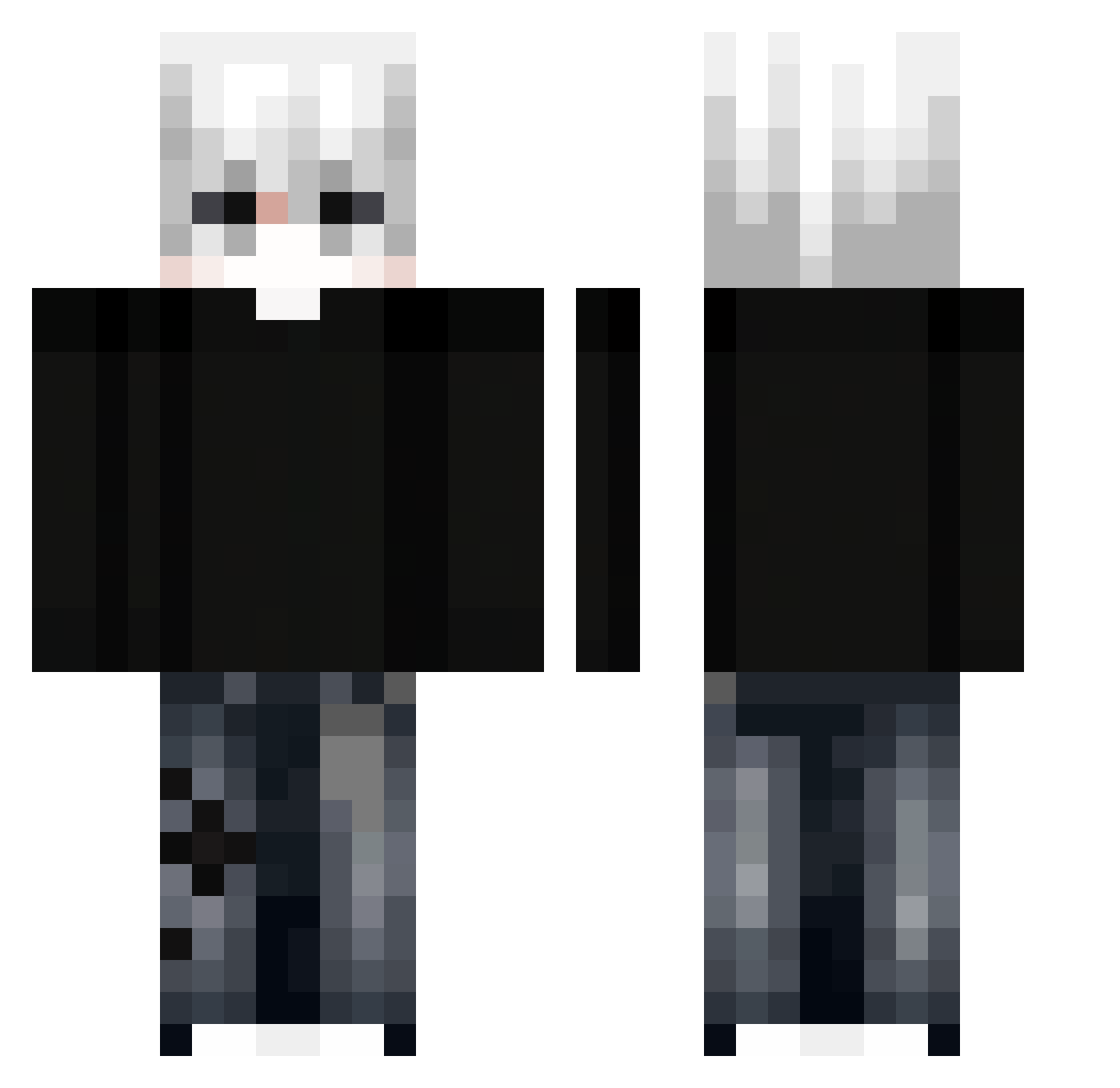
Current Minecraft skin of the player Yue0130, loaded from the official Mojang API. Rotate the 3D model with your mouse or finger, then download the skin as a PNG file and use it in Minecraft: Bedrock Edition or Java Edition for free. When Yue0130 changes their skin, this page updates automatically and the old skin stays in the history below.
Other players with this skin (298)
Yue0130 was the 272nd player we have seen with this skin, first spotted on 14.10.2026. The same skin was seen on these players. Open a nickname to see their current skin and skin history.
 Caltsyy as_karas crocker126 manguibas xBreckzinx fullmebj Mugbu hoangsamm LeooJK Aholicsxl DiDiAhr FabriVzla Bombiarz_Dobry oliveiraksk pieck4200 Alexjoestarr The_Night_We_Met Missy_77 domilou22 Tiago515 0_TheDragon_0 Tutu2025 bronzfit GHUELHP Fhzsds _Viciously venomix777 Tumblexion noichigo156 Khanh_xyz_Hao sau1y Shan_712 Gloxyz Narkomaniak101 TristeTemps__ Jemattos Tom99009 YeDoly VeryTox1c GothicRunes Zoro_strawhat Zainul759 XDYang YusufBoss NamLuvCat JBforlove15 NotSaehzz RDcoolV Fenyx5915 AsteroidCar2269 Ddrewie i7_12700h Frustare Phil__XD klal01 FezuGames ice_cream1234545 M1ntnt CeilingFan_12 Loocje
More E-Boy Minecraft skins
How to install the Yue0130 skin
- Press the Download button above to save the skin as a PNG file.
- Minecraft: Bedrock Edition (PE): open the Dressing Room from the main menu (or tap your character → Edit Character), go to Classic Skins → Owned, press the + (new skin) button, choose the downloaded PNG and pick the Classic (Steve) model. Works on PC and mobile; consoles cannot import custom skins.
- Minecraft: Java Edition: open the Minecraft Launcher, go to the Skins tab, click New Skin, load the PNG, pick the Classic (Steve) model and press Save & Use. You can also upload it at minecraft.net → Profile → Change Skin.
The skin does not show up after import - what should I do?
Restart Minecraft and open the Dressing Room again - imported skins sometimes appear only after a restart. Also make sure you selected the imported skin and picked the Classic (Steve) model.
Which model should I choose, Classic or Slim?
This skin is designed for the Classic (Steve) model. If you pick the wrong model, the arms of the skin will look stretched or squeezed.
Is the skin of Yue0130 free to download?
Yes. Press Download, save the PNG file and use it in Minecraft: Bedrock Edition or Java Edition - no payment or registration needed. The skin also works on multiplayer servers and Realms.
More skins
Looking for more? Go back to all Minecraft skins and check the top skins of the week, month and all time, or find any player's skin by nickname.