
YuZhi2233 - Minecraft Skins & Skin History
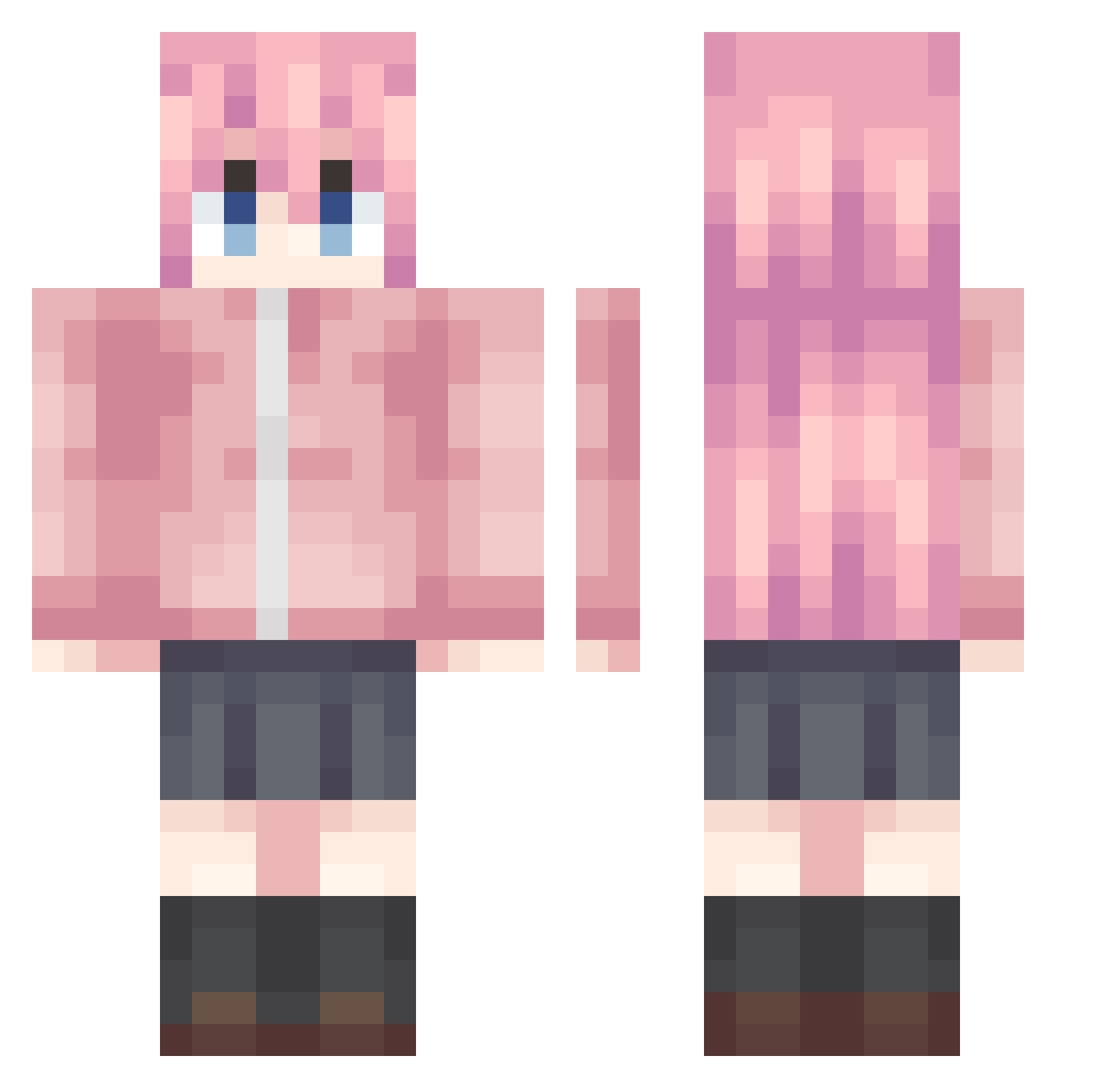
Current Minecraft skin of the player YuZhi2233, loaded from the official Mojang API. Rotate the 3D model with your mouse or finger, then download the skin as a PNG file and use it in Minecraft: Bedrock Edition or Java Edition for free. When YuZhi2233 changes their skin, this page updates automatically and the old skin stays in the history below.
Other players with this skin (992)
YuZhi2233 was the 726th player we have seen with this skin, first spotted on 09.10.2026. The same skin was seen on these players. Open a nickname to see their current skin and skin history.
 yincha_sensei kx_13 IQAQL haojihui233 momu12138 Little_Guan_tb DouZhan Dopagogo sugou123 RefR41Nly Nek02333 ho_5Onim_06_11 oupai_565 SuperSinaku Jimmy_MiaoGill BocchiZz Halation_1024 Zn2FePO4_2 Izatio menhenra_1 linxiangk Abysmcold fystar wangyunpeng Sunnyfish628 Hoshino_Sakuya mmwcy Q_RT pkio777 popovvv Linic77 axxpro7 mr_bocchi Red168 ptxgyh Adaidaia Kita194 pcsyf liangAlex Promisehr Neko_Daze zzyj bronerya Ediskrad Selquist613 BaiShan222 OuMyGod Beatlesss lovelyplanet qfmab ZcoperDK Quinndetta mannyST yty332211 Mht_awa Al1biMySe xiaohiuji ArimaRinne Marlborous Iodinechan
More Bocchi Minecraft skins
How to install the YuZhi2233 skin
- Press the Download button above to save the skin as a PNG file.
- Minecraft: Bedrock Edition (PE): open the Dressing Room from the main menu (or tap your character → Edit Character), go to Classic Skins → Owned, press the + (new skin) button, choose the downloaded PNG and pick the Classic (Steve) model. Works on PC and mobile; consoles cannot import custom skins.
- Minecraft: Java Edition: open the Minecraft Launcher, go to the Skins tab, click New Skin, load the PNG, pick the Classic (Steve) model and press Save & Use. You can also upload it at minecraft.net → Profile → Change Skin.
The skin does not show up after import - what should I do?
Restart Minecraft and open the Dressing Room again - imported skins sometimes appear only after a restart. Also make sure you selected the imported skin and picked the Classic (Steve) model.
Which model should I choose, Classic or Slim?
This skin is designed for the Classic (Steve) model. If you pick the wrong model, the arms of the skin will look stretched or squeezed.
Is the skin of YuZhi2233 free to download?
Yes. Press Download, save the PNG file and use it in Minecraft: Bedrock Edition or Java Edition - no payment or registration needed. The skin also works on multiplayer servers and Realms.
More skins
Looking for more? Go back to all Minecraft skins and check the top skins of the week, month and all time, or find any player's skin by nickname.