
YuMeng14 - Minecraft Skins & Skin History
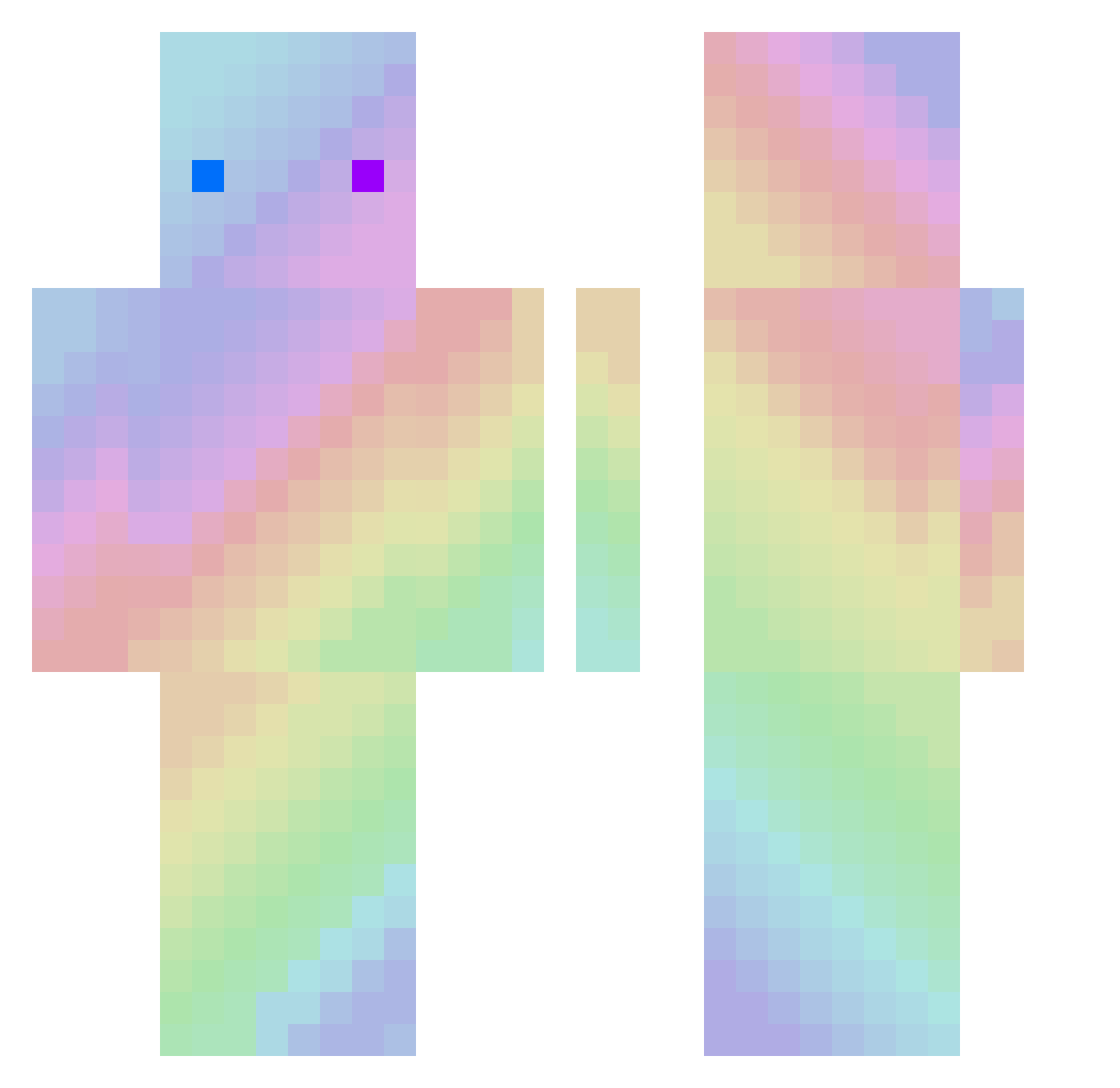
Current Minecraft skin of the player YuMeng14, loaded from the official Mojang API. Rotate the 3D model with your mouse or finger, then download the skin as a PNG file and use it in Minecraft: Bedrock Edition or Java Edition for free. When YuMeng14 changes their skin, this page updates automatically and the old skin stays in the history below.
Other players with this skin (221)
YuMeng14 was the 201st player we have seen with this skin, first spotted on 09.11.2026. The same skin was seen on these players. Open a nickname to see their current skin and skin history.
 ryychan MiSery_awa Iear_sata epdro_ QWYiYi yy0916 kjh1_031 LSAIOP ydGGbao sinji1124 zxzx42 AkaNully Tiratea Pepito_3 Camellia2024 keun15 itsmistymint KoiBlink DesirableHeart JUNGHOEUN UserAusZATE ValorEnder BaBoBoy9 wuhuqifeifei DividedFever0 VAKJL From0 Rasds rieusgg Q_Shy_Q yimei233 Kayo66 yzgaga Twistzztrue Boreal babystonerr shizukuhk zxyvvv thecube1241 Liooo1223 harlequinheart saeaa morangse wuzhi_111 EOAN48 _A_long Dirt_one FIRSTabc Orlando1337 Mrsshu TimBergling123 I_want_a_Labubu ThePartay nangong001122 groundball LostTale Q_KKSK bimple114 ShelAkin iiTzEden
How to install the YuMeng14 skin
- Press the Download button above to save the skin as a PNG file.
- Minecraft: Bedrock Edition (PE): open the Dressing Room from the main menu (or tap your character → Edit Character), go to Classic Skins → Owned, press the + (new skin) button, choose the downloaded PNG and pick the Classic (Steve) model. Works on PC and mobile; consoles cannot import custom skins.
- Minecraft: Java Edition: open the Minecraft Launcher, go to the Skins tab, click New Skin, load the PNG, pick the Classic (Steve) model and press Save & Use. You can also upload it at minecraft.net → Profile → Change Skin.
The skin does not show up after import - what should I do?
Restart Minecraft and open the Dressing Room again - imported skins sometimes appear only after a restart. Also make sure you selected the imported skin and picked the Classic (Steve) model.
Which model should I choose, Classic or Slim?
This skin is designed for the Classic (Steve) model. If you pick the wrong model, the arms of the skin will look stretched or squeezed.
Is the skin of YuMeng14 free to download?
Yes. Press Download, save the PNG file and use it in Minecraft: Bedrock Edition or Java Edition - no payment or registration needed. The skin also works on multiplayer servers and Realms.
More skins
Looking for more? Go back to all Minecraft skins and check the top skins of the week, month and all time, or find any player's skin by nickname.