
YouMingYeFeng - Minecraft Skins & Skin History
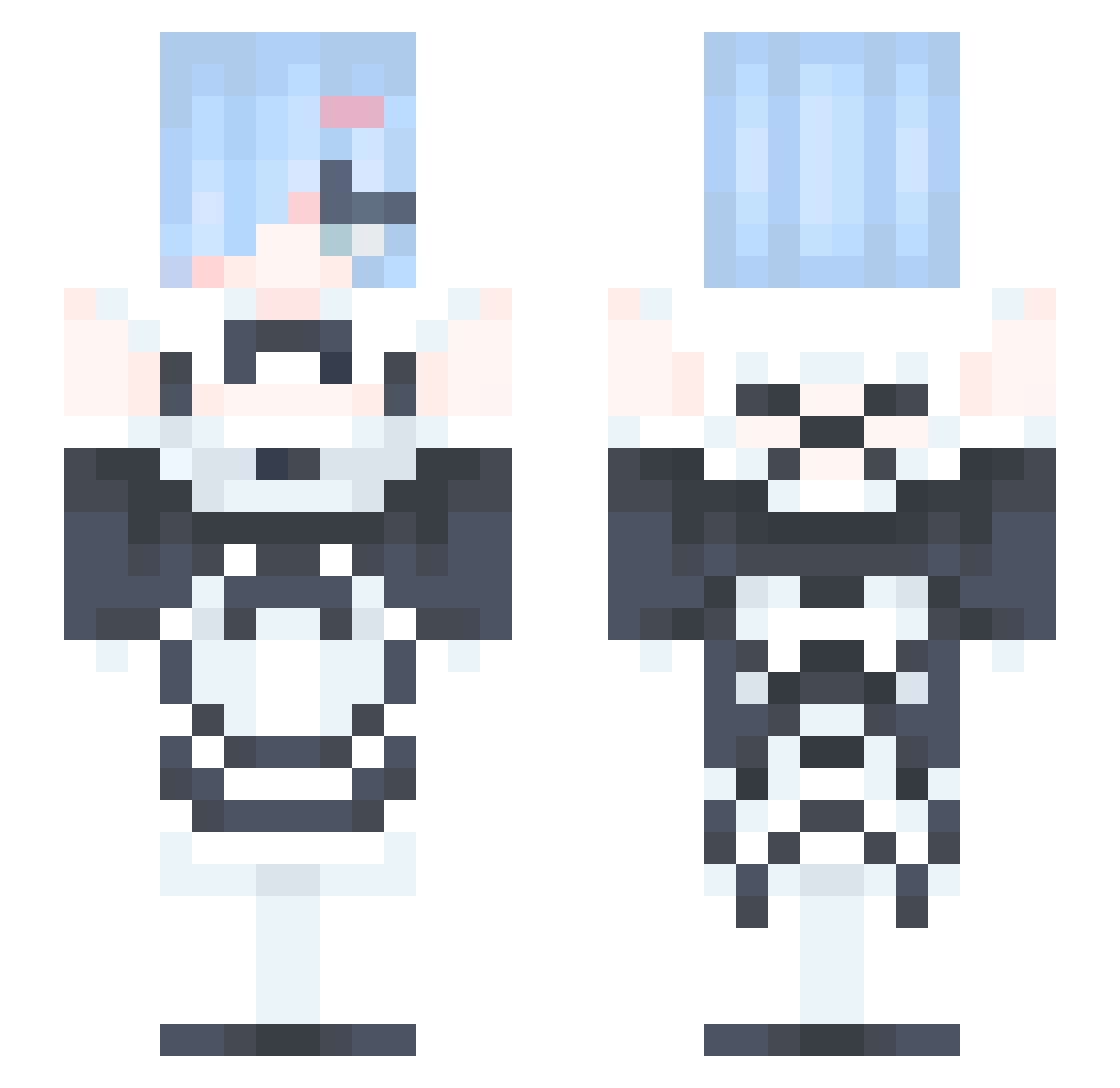
Current Minecraft skin of the player YouMingYeFeng, loaded from the official Mojang API. Rotate the 3D model with your mouse or finger, then download the skin as a PNG file and use it in Minecraft: Bedrock Edition or Java Edition for free. When YouMingYeFeng changes their skin, this page updates automatically and the old skin stays in the history below.
Other players with this skin (329)
YouMingYeFeng was the 69th player we have seen with this skin, first spotted on 13.08.2026. The same skin was seen on these players. Open a nickname to see their current skin and skin history.
 steph_kirby Bluelove_Rem gamingpooh08 Narugisa Toblooo Eshlie HokageKING luo_637 zensekainaitomea nannada_ Noone4342 waynetermelons SeeleMagic Bombo4ka WhyJuju42 jimin0101 DRkkMM JORGEMBP james0726 yuribr193 Coinslot02 Riuv_ UNODAN
 4ntonella iJubah tytypanda OscarKT4v2 Keepyourlove Hasha72 Y_szOR chungryang Piero364 BlockByBlock283 Kyotoer daryas Bigdurff llaks ting_3359 Fixgaret sho12345 lucifel_yuki Cooper94666 ira0904 AnissaEGirl ZYJamYoung_Rem chickenlittle tksktea __Chelovek__ DdonKatsu Nea194 ngsmwy Thewaiyu vietkun karetyan FDZZ44
 DollynhOtaku Lukeskyjc the_real_blob ShadoWiz644 RiverMoonZ
More Rem Minecraft skins
How to install the YouMingYeFeng skin
- Press the Download button above to save the skin as a PNG file.
- Minecraft: Bedrock Edition (PE): open the Dressing Room from the main menu (or tap your character → Edit Character), go to Classic Skins → Owned, press the + (new skin) button, choose the downloaded PNG and pick the Slim (Alex) model. Works on PC and mobile; consoles cannot import custom skins.
- Minecraft: Java Edition: open the Minecraft Launcher, go to the Skins tab, click New Skin, load the PNG, pick the Slim (Alex) model and press Save & Use. You can also upload it at minecraft.net → Profile → Change Skin.
The skin does not show up after import - what should I do?
Restart Minecraft and open the Dressing Room again - imported skins sometimes appear only after a restart. Also make sure you selected the imported skin and picked the Slim (Alex) model.
Which model should I choose, Classic or Slim?
This skin is designed for the Slim (Alex) model. If you pick the wrong model, the arms of the skin will look stretched or squeezed.
Is the skin of YouMingYeFeng free to download?
Yes. Press Download, save the PNG file and use it in Minecraft: Bedrock Edition or Java Edition - no payment or registration needed. The skin also works on multiplayer servers and Realms.
More skins
Looking for more? Go back to all Minecraft skins and check the top skins of the week, month and all time, or find any player's skin by nickname.