
YouChristmasMan - Minecraft Skins & Skin History
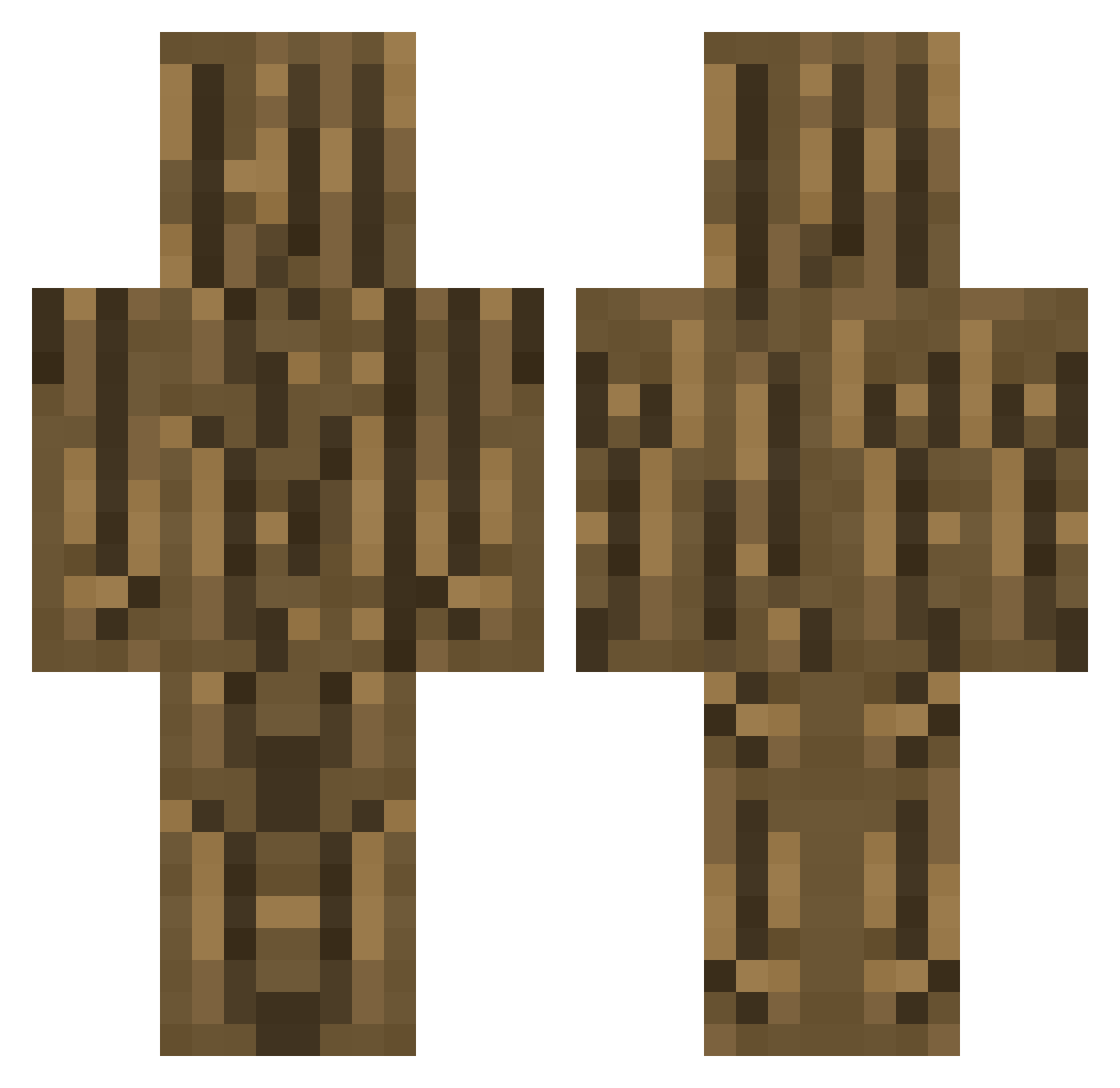
Current Minecraft skin of the player YouChristmasMan, loaded from the official Mojang API. Rotate the 3D model with your mouse or finger, then download the skin as a PNG file and use it in Minecraft: Bedrock Edition or Java Edition for free. When YouChristmasMan changes their skin, this page updates automatically and the old skin stays in the history below.
Other players with this skin (253)
YouChristmasMan was the 94th player we have seen with this skin, first spotted on 26.08.2026. The same skin was seen on these players. Open a nickname to see their current skin and skin history.
 timbered_wood LittleDragon15 AKUKINfanboy Acalex095 Felixlou _blackEyes_L ErenPLAT PetarFallsInVoid Zane970504 Schaldag Zone_Pro chrologia TooManyKeys LRStech heeehaaa Feliposo21 JamsynTheXero ssan039 hitorimeshi startae fuTon_INK C1DRIN ryan09487 Ethozs shinRahTan Leb__ PesadoMP ultraraio dirkreloaded RaxleS kaki611 gamingwithjj09 Likasome
 TonyEditz Fanilla_ once0504 Hemteho WingsJohnson BossLine killua31 mensch_sdm TheGentle8335 PiaLovemaker Joe_the_llama EkRoMaD Aujinoo TAK0B 4wj SasTamas MozarD33 a_procrastinator jfc_13 Truve___ Mauzki therealfriedo theGaxter HyperSquad_ YeetIntoSpace Hoanghuy7 00mike0MJ00
More Log Minecraft skins
How to install the YouChristmasMan skin
- Press the Download button above to save the skin as a PNG file.
- Minecraft: Bedrock Edition (PE): open the Dressing Room from the main menu (or tap your character → Edit Character), go to Classic Skins → Owned, press the + (new skin) button, choose the downloaded PNG and pick the Classic (Steve) model. Works on PC and mobile; consoles cannot import custom skins.
- Minecraft: Java Edition: open the Minecraft Launcher, go to the Skins tab, click New Skin, load the PNG, pick the Classic (Steve) model and press Save & Use. You can also upload it at minecraft.net → Profile → Change Skin.
The skin does not show up after import - what should I do?
Restart Minecraft and open the Dressing Room again - imported skins sometimes appear only after a restart. Also make sure you selected the imported skin and picked the Classic (Steve) model.
Which model should I choose, Classic or Slim?
This skin is designed for the Classic (Steve) model. If you pick the wrong model, the arms of the skin will look stretched or squeezed.
Is the skin of YouChristmasMan free to download?
Yes. Press Download, save the PNG file and use it in Minecraft: Bedrock Edition or Java Edition - no payment or registration needed. The skin also works on multiplayer servers and Realms.
More skins
Looking for more? Go back to all Minecraft skins and check the top skins of the week, month and all time, or find any player's skin by nickname.