
Yona_32 - Minecraft Skins & Skin History
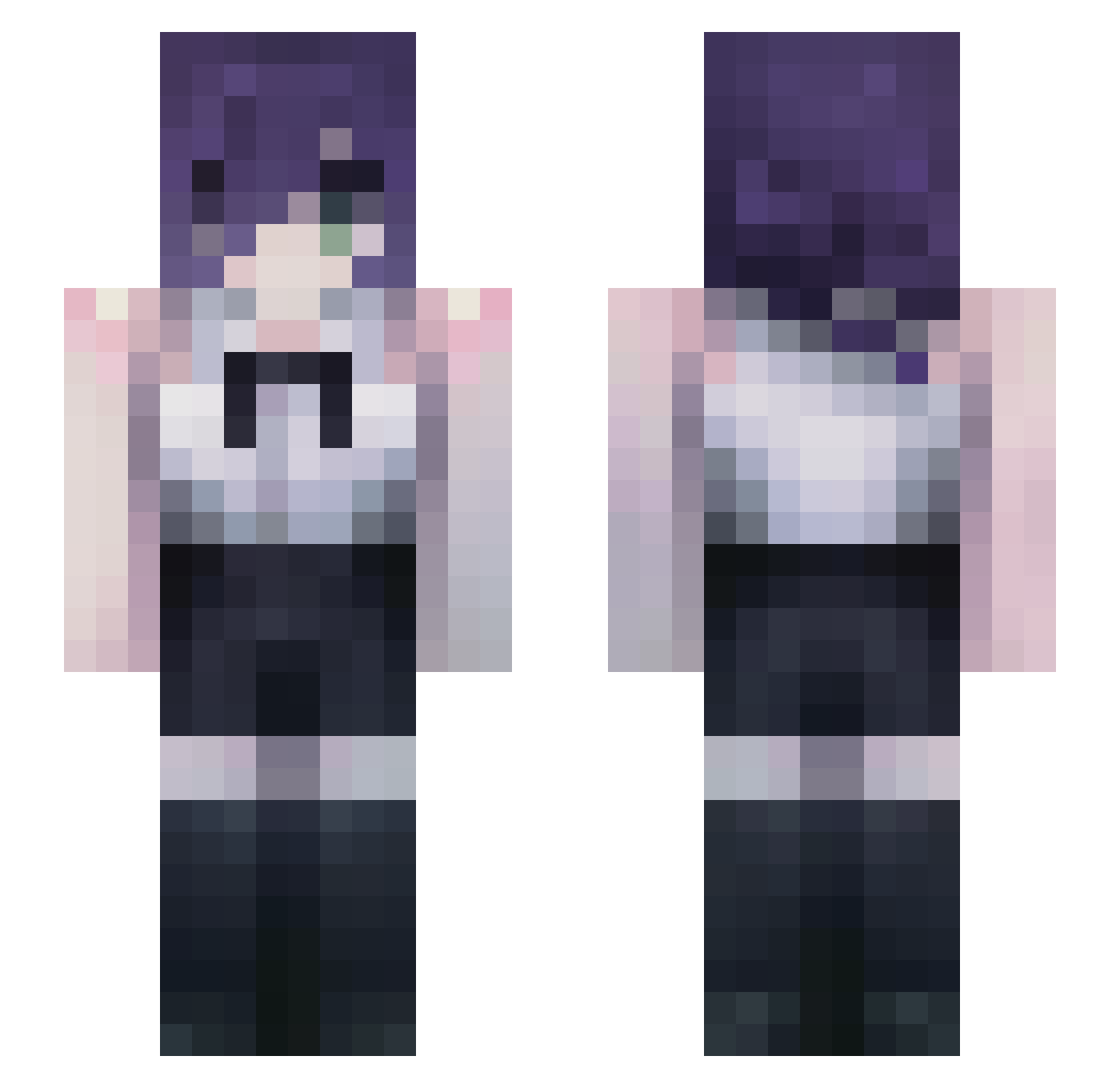
Current Minecraft skin of the player Yona_32, loaded from the official Mojang API. Rotate the 3D model with your mouse or finger, then download the skin as a PNG file and use it in Minecraft: Bedrock Edition or Java Edition for free. When Yona_32 changes their skin, this page updates automatically and the old skin stays in the history below.
Other players with this skin (52)
Yona_32 was the 16th player we have seen with this skin, first spotted on 28.08.2026. The same skin was seen on these players. Open a nickname to see their current skin and skin history.
 Encryption_002 _Vivienne_x iamhellchang Fuegman MiticoZiN
 fedeblix Mayalls avoqado_ Adoschkilive secretofbeauty EmirCilan _Soomshigi Starmt John_Sin HuTao70 Gesshoku GIGANG_ Bomis404 LimiwaLeVrai Sediahh lurasl ma4k1ma _tfxd eatmydiko Kiska79 ItzDarkTaco3006 BeniZ13 Narikan Wen_dyy Miotaba YoRHa0811 Happyjiwoo1107 xSadlife Reze_1015 Macjak01 tuna1248 The_s0s_ 19saya HonoriGhost sillypasta0 meinunu XBRUR ssayuu AH_ULin Yu_m4o _bj0rk xhsyx2900 ARIOT117 Re_tree LuKyuuu_ AppleMeow52 Segorpada
More Reze Minecraft skins
How to install the Yona_32 skin
- Press the Download button above to save the skin as a PNG file.
- Minecraft: Bedrock Edition (PE): open the Dressing Room from the main menu (or tap your character → Edit Character), go to Classic Skins → Owned, press the + (new skin) button, choose the downloaded PNG and pick the Slim (Alex) model. Works on PC and mobile; consoles cannot import custom skins.
- Minecraft: Java Edition: open the Minecraft Launcher, go to the Skins tab, click New Skin, load the PNG, pick the Slim (Alex) model and press Save & Use. You can also upload it at minecraft.net → Profile → Change Skin.
The skin does not show up after import - what should I do?
Restart Minecraft and open the Dressing Room again - imported skins sometimes appear only after a restart. Also make sure you selected the imported skin and picked the Slim (Alex) model.
Which model should I choose, Classic or Slim?
This skin is designed for the Slim (Alex) model. If you pick the wrong model, the arms of the skin will look stretched or squeezed.
Is the skin of Yona_32 free to download?
Yes. Press Download, save the PNG file and use it in Minecraft: Bedrock Edition or Java Edition - no payment or registration needed. The skin also works on multiplayer servers and Realms.
More skins
Looking for more? Go back to all Minecraft skins and check the top skins of the week, month and all time, or find any player's skin by nickname.