
Yenessey - Minecraft Skins & Skin History
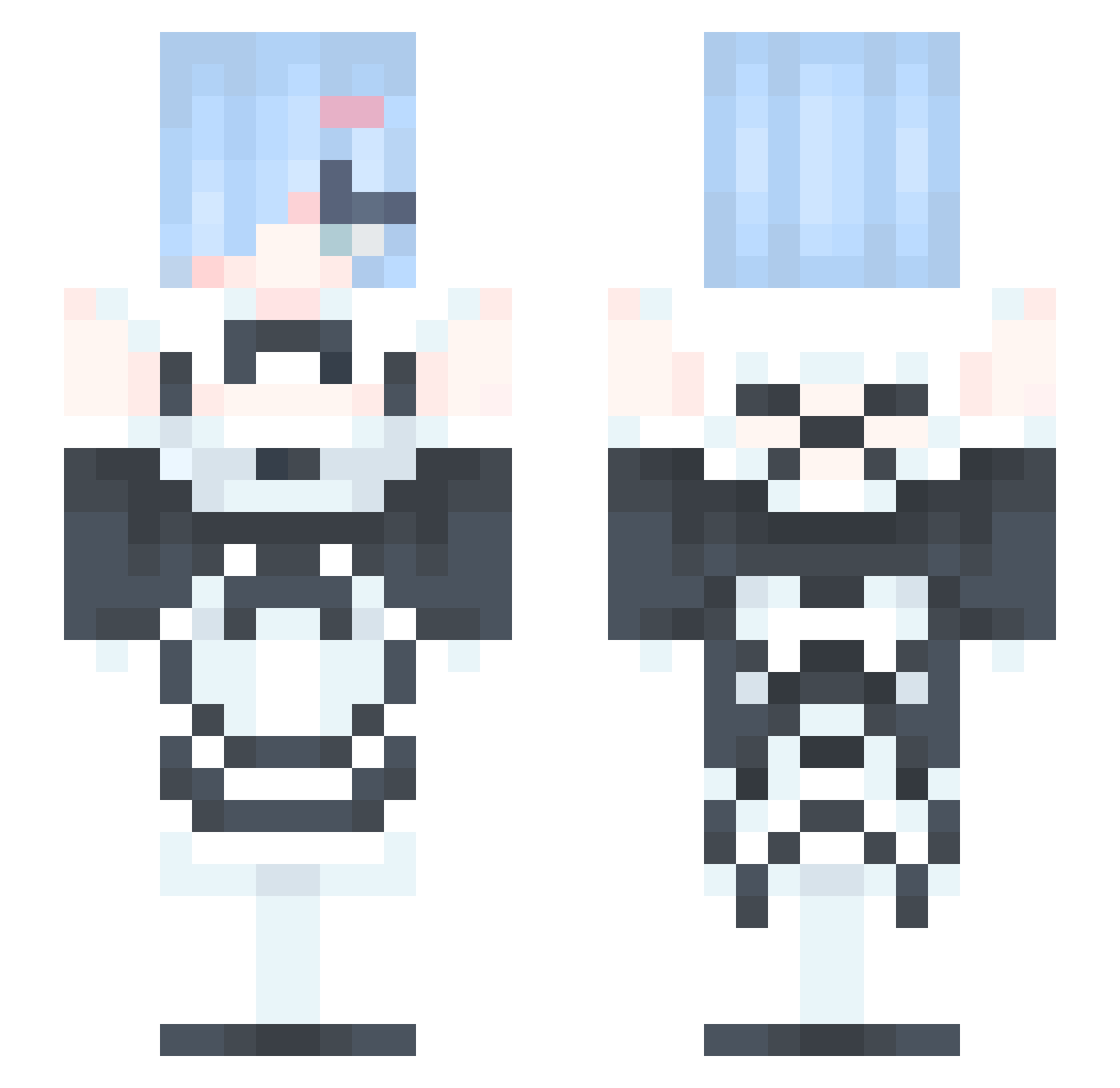
Current Minecraft skin of the player Yenessey, loaded from the official Mojang API. Rotate the 3D model with your mouse or finger, then download the skin as a PNG file and use it in Minecraft: Bedrock Edition or Java Edition for free. When Yenessey changes their skin, this page updates automatically and the old skin stays in the history below.
Other players with this skin (389)
Yenessey was the 357th player we have seen with this skin, first spotted on 01.11.2026. The same skin was seen on these players. Open a nickname to see their current skin and skin history.
 Cst2009117 baleejr LIMBOSMELLS gymoooooo damass69 gabber12 Mei009 humidfever wwsprint Zocker144 ZHAOHAN666666 KING_JUN439 Mooshy_Shroom Sleeepy_y gom_jap 1WaifuSlayer daodejia 1213131231 Van1ILa SuperTurtle0331 DavidChen Vedran007 KinkyStinky420 AhriNyaa qq1092095852 root192 GiorGioSGoD Rain1019 Rem4ever22 jdproboszcz Lish_Dish_ X_bding neonhoneymoon _cosb Vaundaubulet HLMING0101 TREEEEEEEEEEECKO kvrolciaa_ AestheticCraft SeonGoo DivineKlein DetoxDetox haaland1332 dudzzzio beautydiary Garald_Wilson Ju_nyeong mertefee D4vour00 HanaAmy Dorin0308 LemonT_ CAZA2000 RedoxFox nimojunmo YourOnDoxBin PeterWong718 zuimeng14 Rainier_Luston TaehwaR_M_T
More Rem Minecraft skins
How to install the Yenessey skin
- Press the Download button above to save the skin as a PNG file.
- Minecraft: Bedrock Edition (PE): open the Dressing Room from the main menu (or tap your character → Edit Character), go to Classic Skins → Owned, press the + (new skin) button, choose the downloaded PNG and pick the Slim (Alex) model. Works on PC and mobile; consoles cannot import custom skins.
- Minecraft: Java Edition: open the Minecraft Launcher, go to the Skins tab, click New Skin, load the PNG, pick the Slim (Alex) model and press Save & Use. You can also upload it at minecraft.net → Profile → Change Skin.
The skin does not show up after import - what should I do?
Restart Minecraft and open the Dressing Room again - imported skins sometimes appear only after a restart. Also make sure you selected the imported skin and picked the Slim (Alex) model.
Which model should I choose, Classic or Slim?
This skin is designed for the Slim (Alex) model. If you pick the wrong model, the arms of the skin will look stretched or squeezed.
Is the skin of Yenessey free to download?
Yes. Press Download, save the PNG file and use it in Minecraft: Bedrock Edition or Java Edition - no payment or registration needed. The skin also works on multiplayer servers and Realms.
More skins
Looking for more? Go back to all Minecraft skins and check the top skins of the week, month and all time, or find any player's skin by nickname.