
Yashiket - Minecraft Skins & Skin History
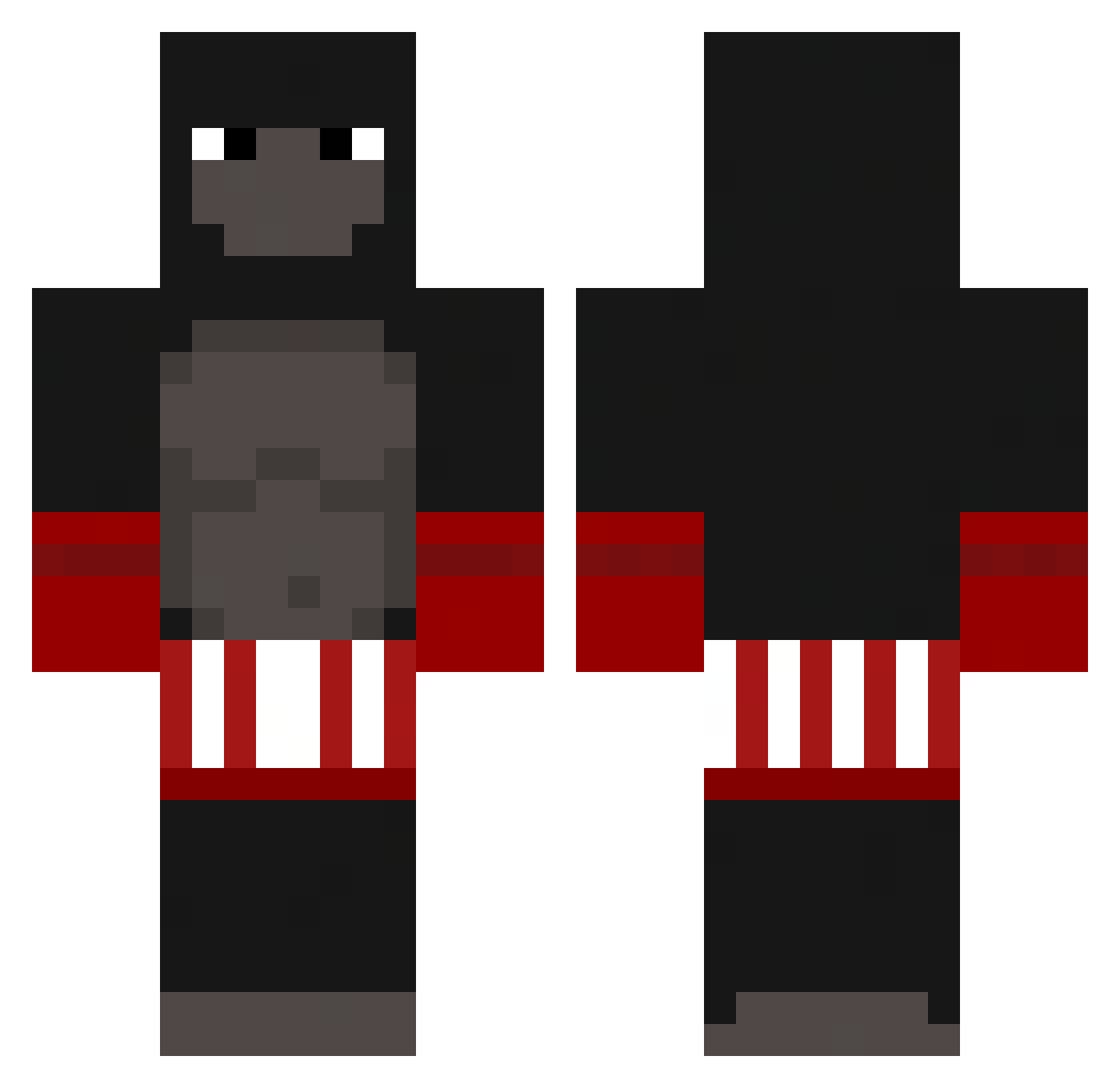
Current Minecraft skin of the player Yashiket, loaded from the official Mojang API. Rotate the 3D model with your mouse or finger, then download the skin as a PNG file and use it in Minecraft: Bedrock Edition or Java Edition for free. When Yashiket changes their skin, this page updates automatically and the old skin stays in the history below.
Other players with this skin (236)
Yashiket was the 89th player we have seen with this skin, first spotted on 09.09.2026. The same skin was seen on these players. Open a nickname to see their current skin and skin history.
 0b1oo
0b1oo OTAK0o Jasonlinlin Bulldozeren_Phil benhen01 Rovario Arain34 CrownMule JWLAME hippie_petra drailleul MTS777 oC_Qo kaiyoi _Pyra DAVIP37 leoncinhonon Lekov Squirtavious bigmaks PANDORApm SafeCandle32729 FozZz Monke_Bananas Warmonger_ Edex11 J0RJAO xDzbaniello Rxctf22 yovalery Barista_2 headphonemonkey Mogens_Henriksen Jackesteak24833 osaruno_antonio RyanDannial DerSaffe Kalan54321 NONOOOOOOOOOOOO csutt TigasonMaliki George_H24 AndDuarte emirkirdar01 unknown_harry thebreezy516 FrostyIsKool Agvania monkeyinter HulluBaluluMand Flemsefader DarkDragonFight RyuZapU Gorilado 5400s PecheNkaNyams cuffia Vivian_Vasquez _GoldBan_ LaFrite02
More Boxer Minecraft skins
How to install the Yashiket skin
- Press the Download button above to save the skin as a PNG file.
- Minecraft: Bedrock Edition (PE): open the Dressing Room from the main menu (or tap your character → Edit Character), go to Classic Skins → Owned, press the + (new skin) button, choose the downloaded PNG and pick the Classic (Steve) model. Works on PC and mobile; consoles cannot import custom skins.
- Minecraft: Java Edition: open the Minecraft Launcher, go to the Skins tab, click New Skin, load the PNG, pick the Classic (Steve) model and press Save & Use. You can also upload it at minecraft.net → Profile → Change Skin.
The skin does not show up after import - what should I do?
Restart Minecraft and open the Dressing Room again - imported skins sometimes appear only after a restart. Also make sure you selected the imported skin and picked the Classic (Steve) model.
Which model should I choose, Classic or Slim?
This skin is designed for the Classic (Steve) model. If you pick the wrong model, the arms of the skin will look stretched or squeezed.
Is the skin of Yashiket free to download?
Yes. Press Download, save the PNG file and use it in Minecraft: Bedrock Edition or Java Edition - no payment or registration needed. The skin also works on multiplayer servers and Realms.
More skins
Looking for more? Go back to all Minecraft skins and check the top skins of the week, month and all time, or find any player's skin by nickname.