
YamaAR04 - Minecraft Skins & Skin History
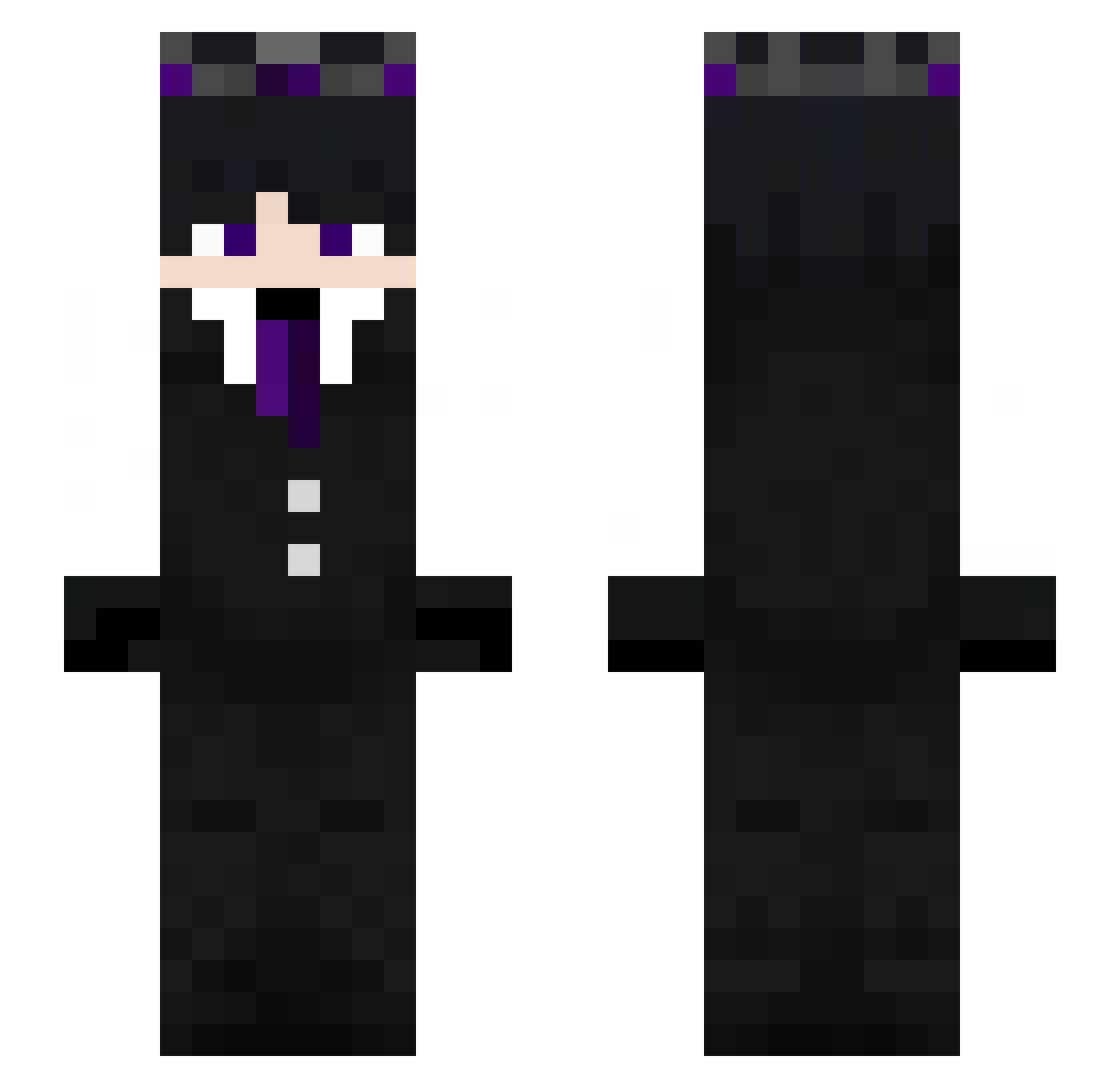
Current Minecraft skin of the player YamaAR04, loaded from the official Mojang API. Rotate the 3D model with your mouse or finger, then download the skin as a PNG file and use it in Minecraft: Bedrock Edition or Java Edition for free. When YamaAR04 changes their skin, this page updates automatically and the old skin stays in the history below.
Other players with this skin (273)
YamaAR04 was the 194th player we have seen with this skin, first spotted on 07.10.2026. The same skin was seen on these players. Open a nickname to see their current skin and skin history.
 Radxiant wrh1114 poattys 983950 Haus7_R4 Simonii64 Hayorc XxromeyLOLxX Shelter27 idkbruh1210 NKhair MCRas_ M7M_FZ SJP_xKapsle COL_sebas Liamino_667 ThiagoZT NicoIlPro JustLessa ToTiAMonsTeR bernardo_rosa Oski77 Blaidd11 jorgitoxx GermanByGalaxy XOOGamestv dogmeatt MrshadowNC Leozixx_ ItzAltay hamits__ Azszure Dark_usagi Catzila54 8t3a DAKSHU2811 Godvampire LinhxHGCW19UwU gabidabidoo SebastianAndrs1 Patximp St4rlite_ cairocuestaff KenCry nathanAMG AKKying itsYourBatman Ludovica_ Fame_July6 Esteban25425 Taj_RasK25 MrbeastUSA_168 konk2yt Fortisaks Baloboboo Duck123_XD Ahhhhcrap xXAlphaShadowXx SALLyS_03 Rainfall7
More Ender King Minecraft skins
How to install the YamaAR04 skin
- Press the Download button above to save the skin as a PNG file.
- Minecraft: Bedrock Edition (PE): open the Dressing Room from the main menu (or tap your character → Edit Character), go to Classic Skins → Owned, press the + (new skin) button, choose the downloaded PNG and pick the Slim (Alex) model. Works on PC and mobile; consoles cannot import custom skins.
- Minecraft: Java Edition: open the Minecraft Launcher, go to the Skins tab, click New Skin, load the PNG, pick the Slim (Alex) model and press Save & Use. You can also upload it at minecraft.net → Profile → Change Skin.
The skin does not show up after import - what should I do?
Restart Minecraft and open the Dressing Room again - imported skins sometimes appear only after a restart. Also make sure you selected the imported skin and picked the Slim (Alex) model.
Which model should I choose, Classic or Slim?
This skin is designed for the Slim (Alex) model. If you pick the wrong model, the arms of the skin will look stretched or squeezed.
Is the skin of YamaAR04 free to download?
Yes. Press Download, save the PNG file and use it in Minecraft: Bedrock Edition or Java Edition - no payment or registration needed. The skin also works on multiplayer servers and Realms.
More skins
Looking for more? Go back to all Minecraft skins and check the top skins of the week, month and all time, or find any player's skin by nickname.