
Yagarat - Minecraft Skins & Skin History
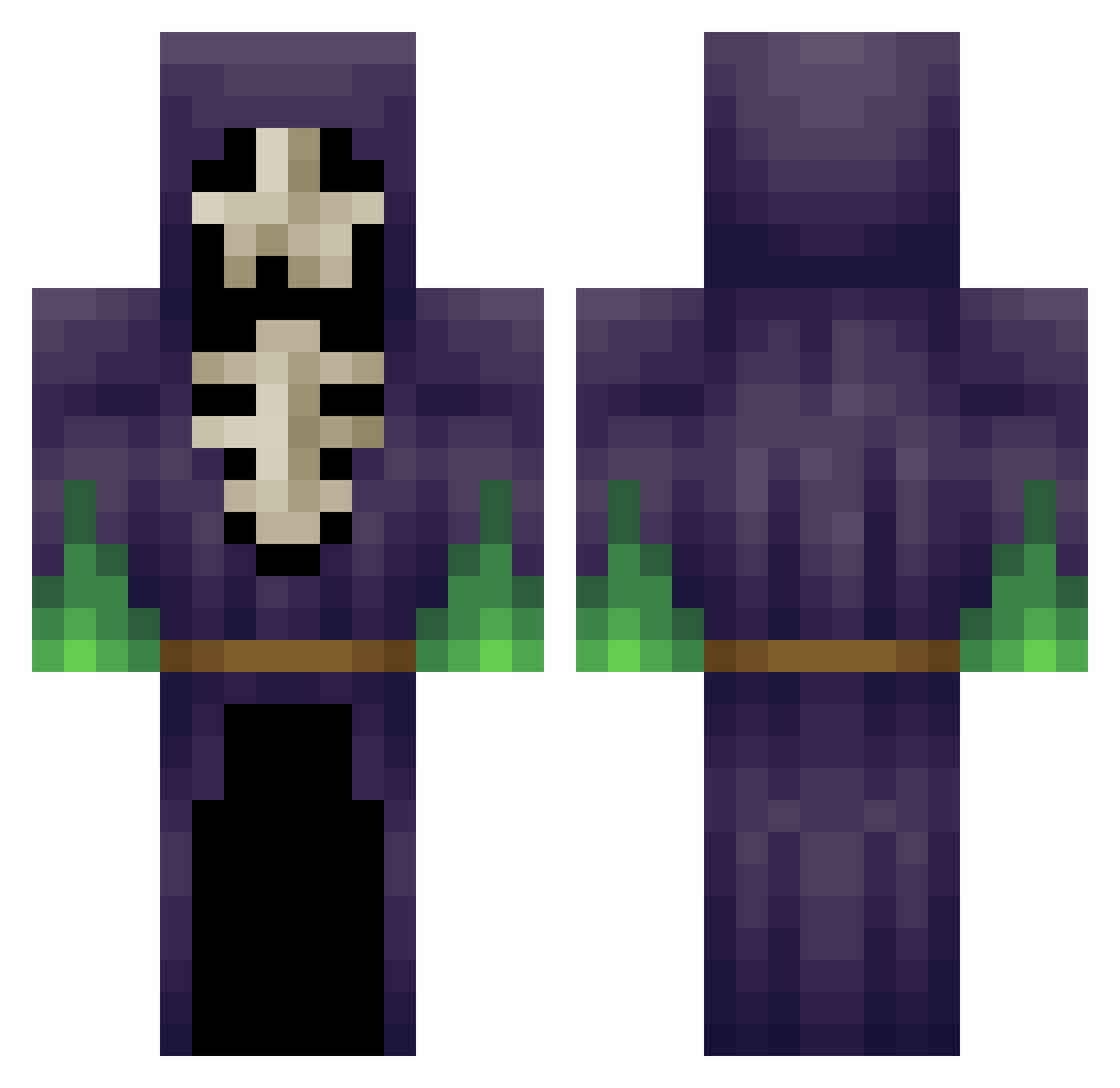
Current Minecraft skin of the player Yagarat, loaded from the official Mojang API. Rotate the 3D model with your mouse or finger, then download the skin as a PNG file and use it in Minecraft: Bedrock Edition or Java Edition for free. When Yagarat changes their skin, this page updates automatically and the old skin stays in the history below.
Other players with this skin (265)
Yagarat was the 185th player we have seen with this skin, first spotted on 12.10.2026. The same skin was seen on these players. Open a nickname to see their current skin and skin history.
 koralekPL defel1995 Azaarik vatterix v0uny modernpeepo MysticBow9 OnlyBassoon6048 brandon8249 resolve_ DurbaDain Stabylo FifeFX wuzher Big_Willy_Dilly Exshifu GusGuizmo geitjenummer3 hisser77 txakurtxi X4KU papachaac Sumalia JakeStevens96 Hypixel_BR weyrit Voids_Pawn Drazankhar Vyclon LeRuben__ PjTruthSF VibratingLemur berkebzc Gears1828 HurgBurg bGm95 _Quibus_ Vanjorm Dr_V00d00 kyuun12 meemtzekiZ9 SwissBanker55 Juskazann Rfqm0012 Drin_E Godronamus TalkingCattle malgros blasscaster maldraxxus JU4NTRX Goopy234 Mabra2002 PlanetaAlvaro Kiremitt destroyer3169 Gruugod IcedOut_Gurke snoq zach5770
More Necromancer Minecraft skins
How to install the Yagarat skin
- Press the Download button above to save the skin as a PNG file.
- Minecraft: Bedrock Edition (PE): open the Dressing Room from the main menu (or tap your character → Edit Character), go to Classic Skins → Owned, press the + (new skin) button, choose the downloaded PNG and pick the Classic (Steve) model. Works on PC and mobile; consoles cannot import custom skins.
- Minecraft: Java Edition: open the Minecraft Launcher, go to the Skins tab, click New Skin, load the PNG, pick the Classic (Steve) model and press Save & Use. You can also upload it at minecraft.net → Profile → Change Skin.
The skin does not show up after import - what should I do?
Restart Minecraft and open the Dressing Room again - imported skins sometimes appear only after a restart. Also make sure you selected the imported skin and picked the Classic (Steve) model.
Which model should I choose, Classic or Slim?
This skin is designed for the Classic (Steve) model. If you pick the wrong model, the arms of the skin will look stretched or squeezed.
Is the skin of Yagarat free to download?
Yes. Press Download, save the PNG file and use it in Minecraft: Bedrock Edition or Java Edition - no payment or registration needed. The skin also works on multiplayer servers and Realms.
More skins
Looking for more? Go back to all Minecraft skins and check the top skins of the week, month and all time, or find any player's skin by nickname.