
Ya_k1t0r - Minecraft Skins & Skin History
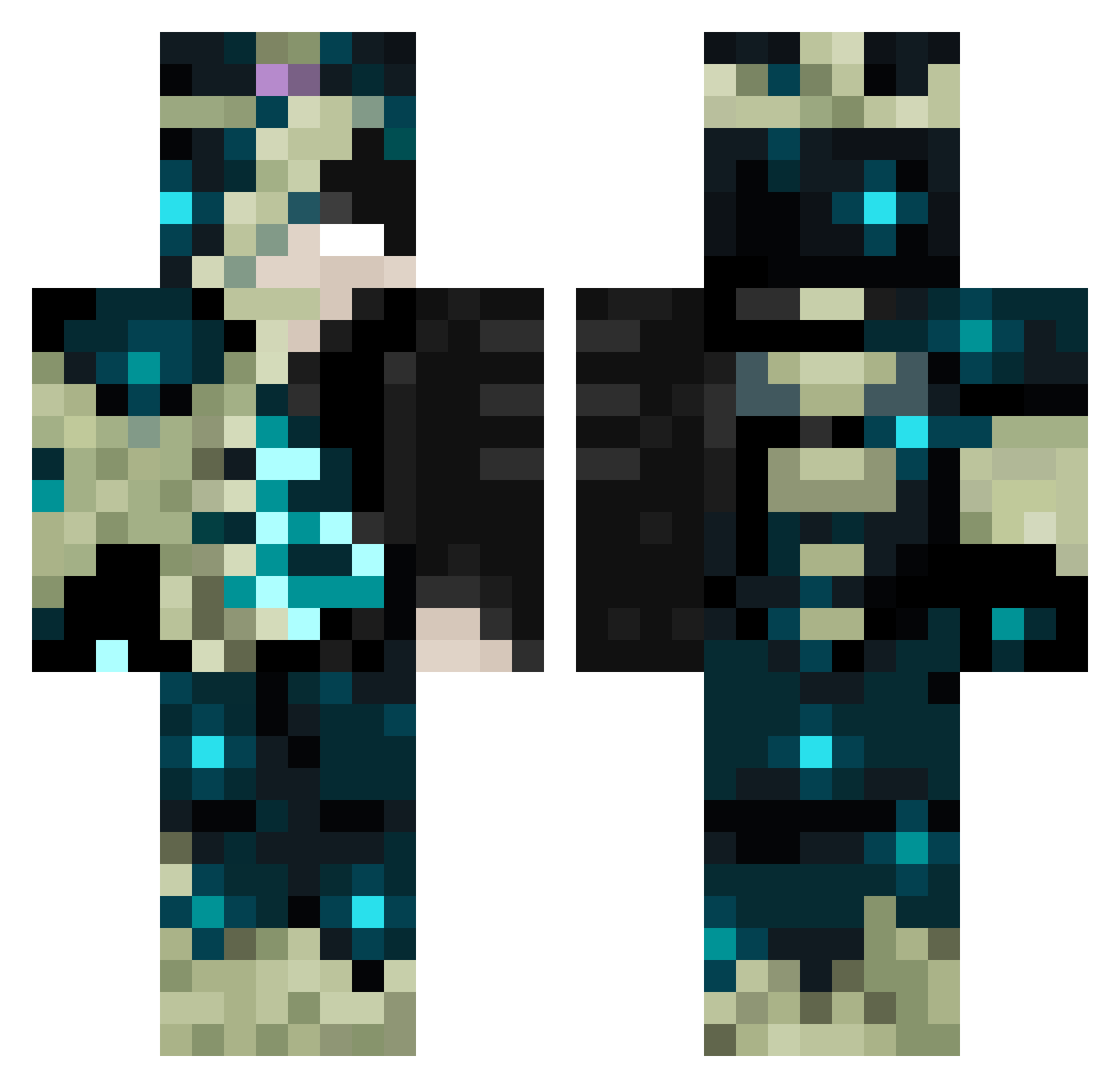
Current Minecraft skin of the player Ya_k1t0r, loaded from the official Mojang API. Rotate the 3D model with your mouse or finger, then download the skin as a PNG file and use it in Minecraft: Bedrock Edition or Java Edition for free. When Ya_k1t0r changes their skin, this page updates automatically and the old skin stays in the history below.
Other players with this skin (103)
Ya_k1t0r was the 77th player we have seen with this skin, first spotted on 11.10.2026. The same skin was seen on these players. Open a nickname to see their current skin and skin history.
 4TernalyLoon bizzone_0 Kakaoschaum MarceloSBranco LyxxW GuyGamer2015 Lvc3k VoltVyper0 _XeXblue_ Nathan4004 gg_den_k AlphaEt3 Kaelitox juke014 ReplicantMen PerPetek arthurkohagura XNovaxi tinchotf NineKunG Mini_Axel Marcelota Slate_fox20 CristianVT3 Sweatylol6901 king_wym OrangeEnergy Lordh00 kunkun1233 Yeral26 Controlling_you hmt190919 youyou18 samaya7914 Cupid_51 Chrsleonn Lil_r3x x1__zx LORD_DANTEHD Zawalt WitherGGamer TheRenzovic SoleGabriele FRITLORY CHICKENSWN zPot_YT GoldWingsV2 Kuina_1107 ManuelBA Murlen22 Yazawawavy200 hugo1119 jack12345678901 neirVorus LIEL2204 yaoyunchengy everydayrain NTM4ZQ MorgaannN_ DohyunKo
More Warden Minecraft skins
How to install the Ya_k1t0r skin
- Press the Download button above to save the skin as a PNG file.
- Minecraft: Bedrock Edition (PE): open the Dressing Room from the main menu (or tap your character → Edit Character), go to Classic Skins → Owned, press the + (new skin) button, choose the downloaded PNG and pick the Classic (Steve) model. Works on PC and mobile; consoles cannot import custom skins.
- Minecraft: Java Edition: open the Minecraft Launcher, go to the Skins tab, click New Skin, load the PNG, pick the Classic (Steve) model and press Save & Use. You can also upload it at minecraft.net → Profile → Change Skin.
The skin does not show up after import - what should I do?
Restart Minecraft and open the Dressing Room again - imported skins sometimes appear only after a restart. Also make sure you selected the imported skin and picked the Classic (Steve) model.
Which model should I choose, Classic or Slim?
This skin is designed for the Classic (Steve) model. If you pick the wrong model, the arms of the skin will look stretched or squeezed.
Is the skin of Ya_k1t0r free to download?
Yes. Press Download, save the PNG file and use it in Minecraft: Bedrock Edition or Java Edition - no payment or registration needed. The skin also works on multiplayer servers and Realms.
More skins
Looking for more? Go back to all Minecraft skins and check the top skins of the week, month and all time, or find any player's skin by nickname.