
YULM00 - Minecraft Skins & Skin History
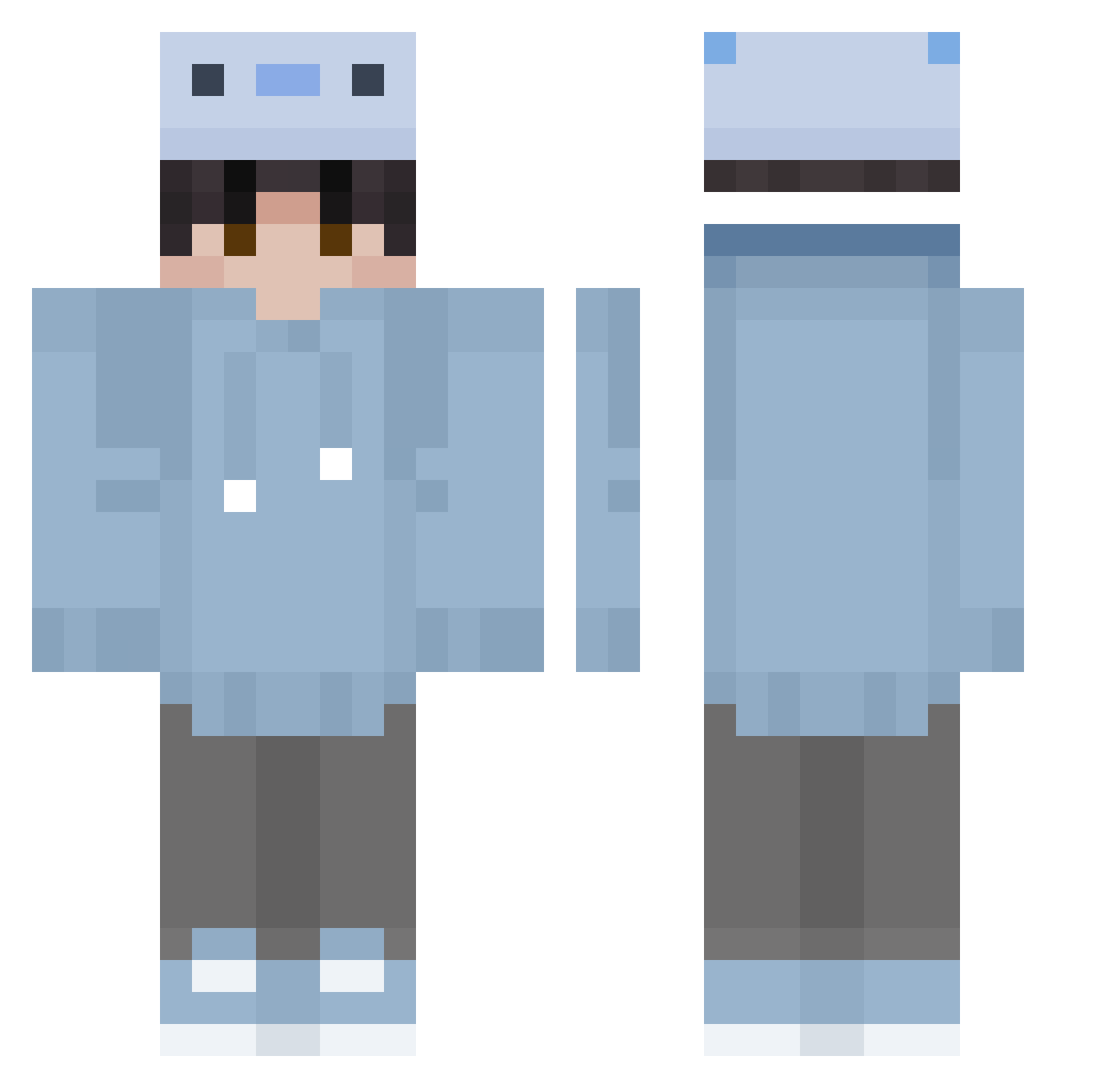
Current Minecraft skin of the player YULM00, loaded from the official Mojang API. Rotate the 3D model with your mouse or finger, then download the skin as a PNG file and use it in Minecraft: Bedrock Edition or Java Edition for free. When YULM00 changes their skin, this page updates automatically and the old skin stays in the history below.
Other players with this skin (354)
YULM00 was the 40th player we have seen with this skin, first spotted on 09.08.2026. The same skin was seen on these players. Open a nickname to see their current skin and skin history.
 bari_shoo huaqiao233 Dobby47235 ccxz1 Yunpi_ lolololol_e Water5210 xkeef TheCloudTTV XkorniaczekX D2W1L MortaLTvT buwan510 maxmil255658 lacno29 b23x2 DoraTheAltF4 Jerem1as_ Vobu_ masavirus Gaengmo FLiO_523 Djiro5 akaTruh Mikkel3007 BAD0NKAD0NK discountlizard leoplayz3050 Luciyussy Lodl_44 wobushineige unstupid TheNoue Ant_spower Floating14 VIPABDOO ikunasvd Echo4622 HiwTeenX 11620926 uynfmd n45vdre xiaoan0015 Amonguspumbael ZarNarK NikAIxA zenpaiisreal ArryNari_1331 IconFreak S_akuraO_o fmtyu AxolSkyy MaDs1903 jeongmu
 XDFishyy nKwanny GKLK NerdyReindeer ShoneBear412330 solleim1
How to install the YULM00 skin
- Press the Download button above to save the skin as a PNG file.
- Minecraft: Bedrock Edition (PE): open the Dressing Room from the main menu (or tap your character → Edit Character), go to Classic Skins → Owned, press the + (new skin) button, choose the downloaded PNG and pick the Classic (Steve) model. Works on PC and mobile; consoles cannot import custom skins.
- Minecraft: Java Edition: open the Minecraft Launcher, go to the Skins tab, click New Skin, load the PNG, pick the Classic (Steve) model and press Save & Use. You can also upload it at minecraft.net → Profile → Change Skin.
The skin does not show up after import - what should I do?
Restart Minecraft and open the Dressing Room again - imported skins sometimes appear only after a restart. Also make sure you selected the imported skin and picked the Classic (Steve) model.
Which model should I choose, Classic or Slim?
This skin is designed for the Classic (Steve) model. If you pick the wrong model, the arms of the skin will look stretched or squeezed.
Is the skin of YULM00 free to download?
Yes. Press Download, save the PNG file and use it in Minecraft: Bedrock Edition or Java Edition - no payment or registration needed. The skin also works on multiplayer servers and Realms.
More skins
Looking for more? Go back to all Minecraft skins and check the top skins of the week, month and all time, or find any player's skin by nickname.