
YUJA_0 - Minecraft Skins & Skin History
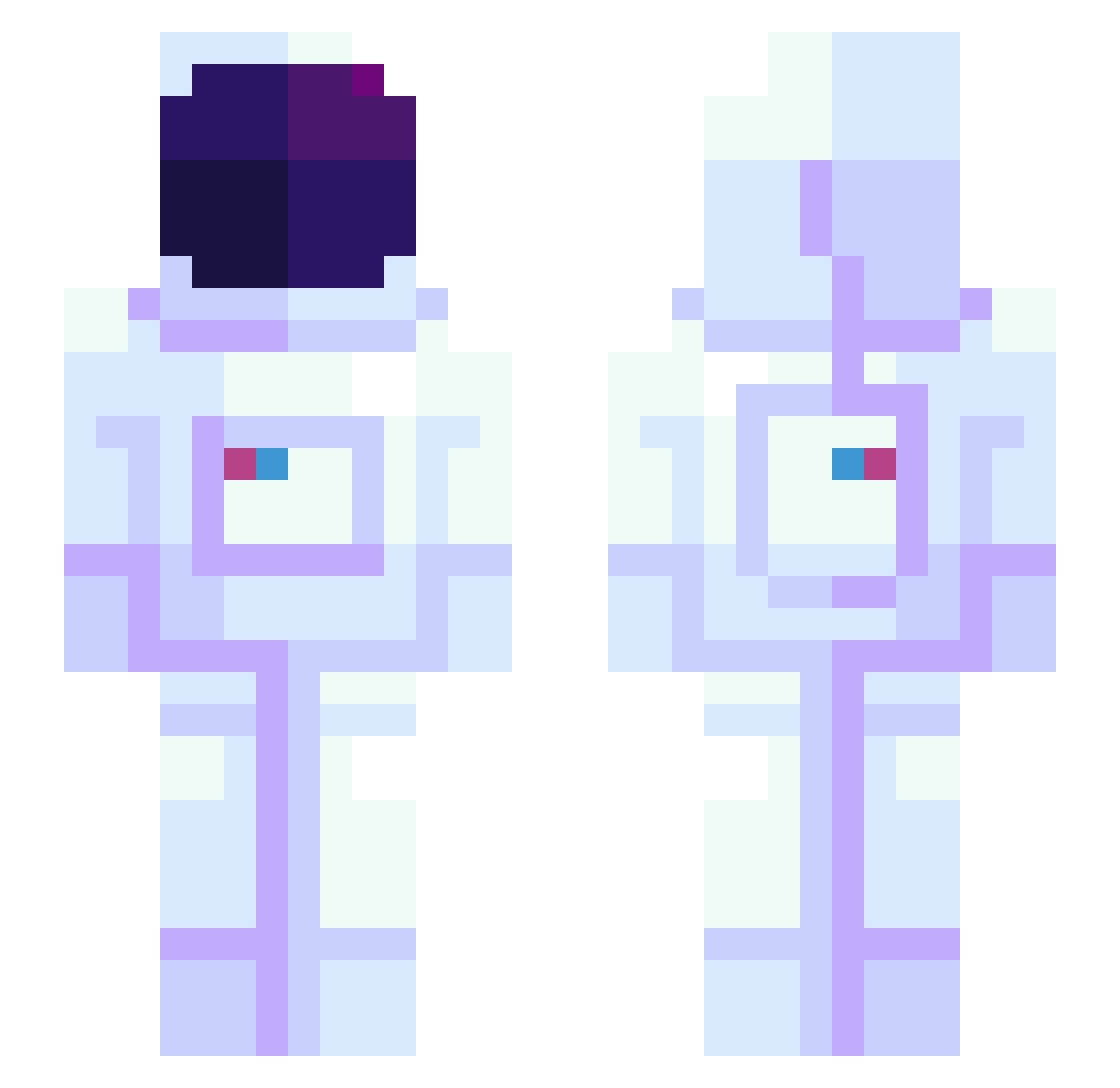
Current Minecraft skin of the player YUJA_0, loaded from the official Mojang API. Rotate the 3D model with your mouse or finger, then download the skin as a PNG file and use it in Minecraft: Bedrock Edition or Java Edition for free. When YUJA_0 changes their skin, this page updates automatically and the old skin stays in the history below.
Other players with this skin (945)
YUJA_0 was the 427th player we have seen with this skin, first spotted on 15.09.2026. The same skin was seen on these players. Open a nickname to see their current skin and skin history.
 Risland pkgdtfm Aurora9191 Black_ck Semai23 UrloDelSium V2L0 JoshuaServin Fearnes gorgeea KBerd MetaKnightmare35 vortex00 Danai Mezzek Milou1097 20Days OsBug Jaguarhundi pearBlue45012 FrogHead5 GoodBoyKAP Parabellum00 WhoIsTalos havsfagel Eyelessmetal32 Rockingjman TTgrandz TheLastronaut iRazZito tktkpanic S0m30m3_Unk0wn Frenzzyz 0_SuperNova_0 Zkwed HumbyWumby bluewonjun Gudulu jsnlw PrettyBoyPops Cakt1s pguerrerog910 arn365 hesssj IvanKosar Ash_bubs itsthai cokecake itskoemu Socks0729 Nick108s KKWE DuckOnSomeQuack Reple dongkyoo DaveTheDev20 Corsrr CaptainGuayakill XenTheGhost Fifiss
More Astronaut Minecraft skins
How to install the YUJA_0 skin
- Press the Download button above to save the skin as a PNG file.
- Minecraft: Bedrock Edition (PE): open the Dressing Room from the main menu (or tap your character → Edit Character), go to Classic Skins → Owned, press the + (new skin) button, choose the downloaded PNG and pick the Slim (Alex) model. Works on PC and mobile; consoles cannot import custom skins.
- Minecraft: Java Edition: open the Minecraft Launcher, go to the Skins tab, click New Skin, load the PNG, pick the Slim (Alex) model and press Save & Use. You can also upload it at minecraft.net → Profile → Change Skin.
The skin does not show up after import - what should I do?
Restart Minecraft and open the Dressing Room again - imported skins sometimes appear only after a restart. Also make sure you selected the imported skin and picked the Slim (Alex) model.
Which model should I choose, Classic or Slim?
This skin is designed for the Slim (Alex) model. If you pick the wrong model, the arms of the skin will look stretched or squeezed.
Is the skin of YUJA_0 free to download?
Yes. Press Download, save the PNG file and use it in Minecraft: Bedrock Edition or Java Edition - no payment or registration needed. The skin also works on multiplayer servers and Realms.
More skins
Looking for more? Go back to all Minecraft skins and check the top skins of the week, month and all time, or find any player's skin by nickname.