
YOUNGJASIULEK - Minecraft Skins & Skin History
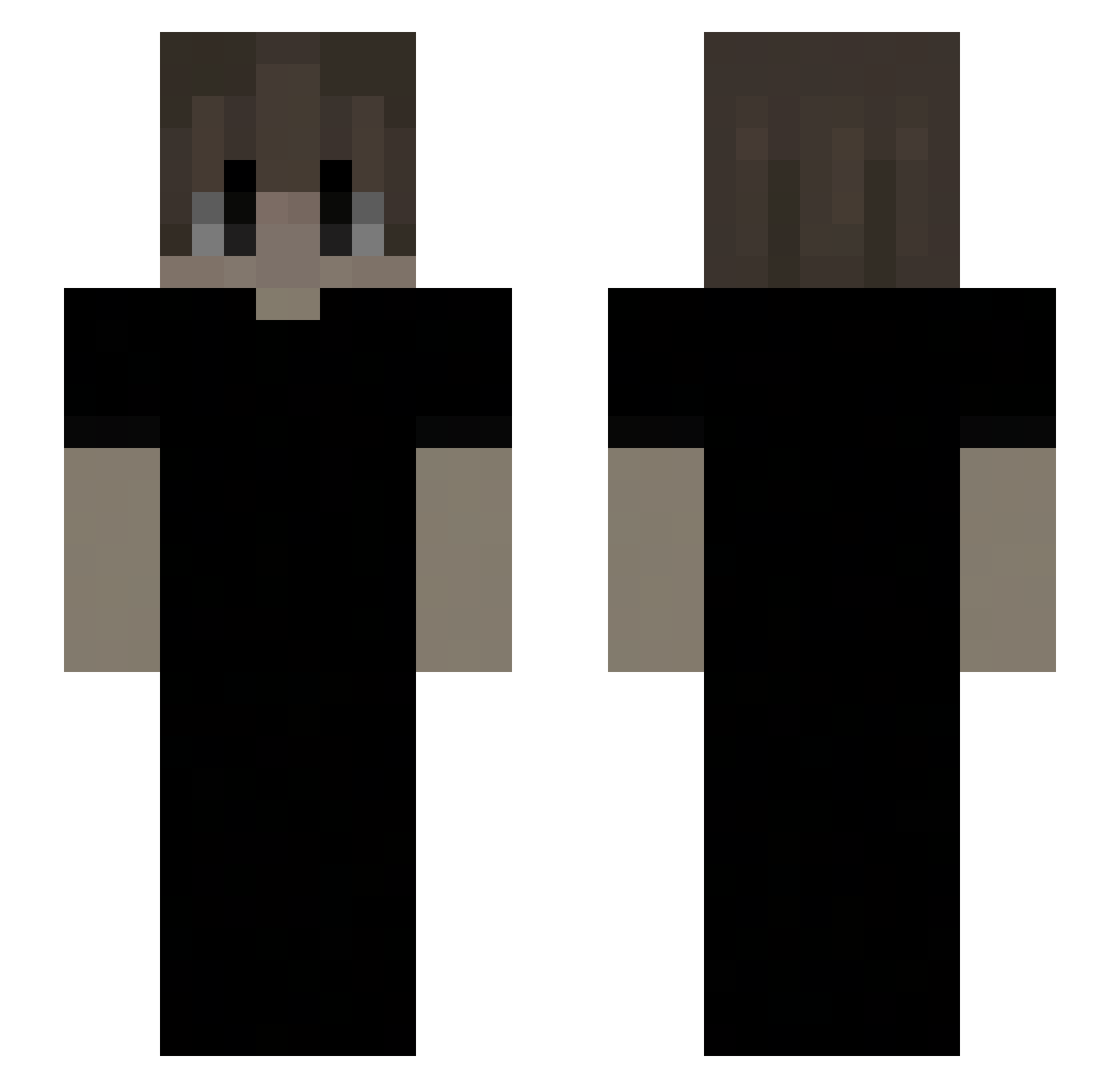
Current Minecraft skin of the player YOUNGJASIULEK, loaded from the official Mojang API. Rotate the 3D model with your mouse or finger, then download the skin as a PNG file and use it in Minecraft: Bedrock Edition or Java Edition for free. When YOUNGJASIULEK changes their skin, this page updates automatically and the old skin stays in the history below.
Other players with this skin (184)
YOUNGJASIULEK was the 172nd player we have seen with this skin, first spotted on 10.11.2026. The same skin was seen on these players. Open a nickname to see their current skin and skin history.
 nvm7 sxuv quskly SantiagoXI 54278 CHISPOPjr onyx141 filippleir27 kaedoe hullo_too_famous hyenf Registered1709 mourrnix ryskxx BayDavidGod NoSkinNr1 dryxy Hunt3rL3fl3r ItsYahiaa yaszyho spoconybip Kalendium jcbbbbbbb kokoispoopi dog_in MechanikFyziu WaniCaliente PRNZZS Auzz_z MatthewsLima Facarda walidtak Acuminate Dxsloyal CVJETICANIN Diploit Thanakorn11 P4qi kugama779 BellaBlueGirl voidatomic Wraithz5696 Skylog147 gjghfht Ajxeer wimf ZXWITTY Volera Adriprosito2305 Trasurea Yuki3492 Andr3y76 wzneves alevks Limoky Z590PROWIFI ZEMTORIX SkibidiMatysek De_Matthias1 Maschcow
How to install the YOUNGJASIULEK skin
- Press the Download button above to save the skin as a PNG file.
- Minecraft: Bedrock Edition (PE): open the Dressing Room from the main menu (or tap your character → Edit Character), go to Classic Skins → Owned, press the + (new skin) button, choose the downloaded PNG and pick the Slim (Alex) model. Works on PC and mobile; consoles cannot import custom skins.
- Minecraft: Java Edition: open the Minecraft Launcher, go to the Skins tab, click New Skin, load the PNG, pick the Slim (Alex) model and press Save & Use. You can also upload it at minecraft.net → Profile → Change Skin.
The skin does not show up after import - what should I do?
Restart Minecraft and open the Dressing Room again - imported skins sometimes appear only after a restart. Also make sure you selected the imported skin and picked the Slim (Alex) model.
Which model should I choose, Classic or Slim?
This skin is designed for the Slim (Alex) model. If you pick the wrong model, the arms of the skin will look stretched or squeezed.
Is the skin of YOUNGJASIULEK free to download?
Yes. Press Download, save the PNG file and use it in Minecraft: Bedrock Edition or Java Edition - no payment or registration needed. The skin also works on multiplayer servers and Realms.
More skins
Looking for more? Go back to all Minecraft skins and check the top skins of the week, month and all time, or find any player's skin by nickname.