
Y3llowCase - Minecraft Skins & Skin History
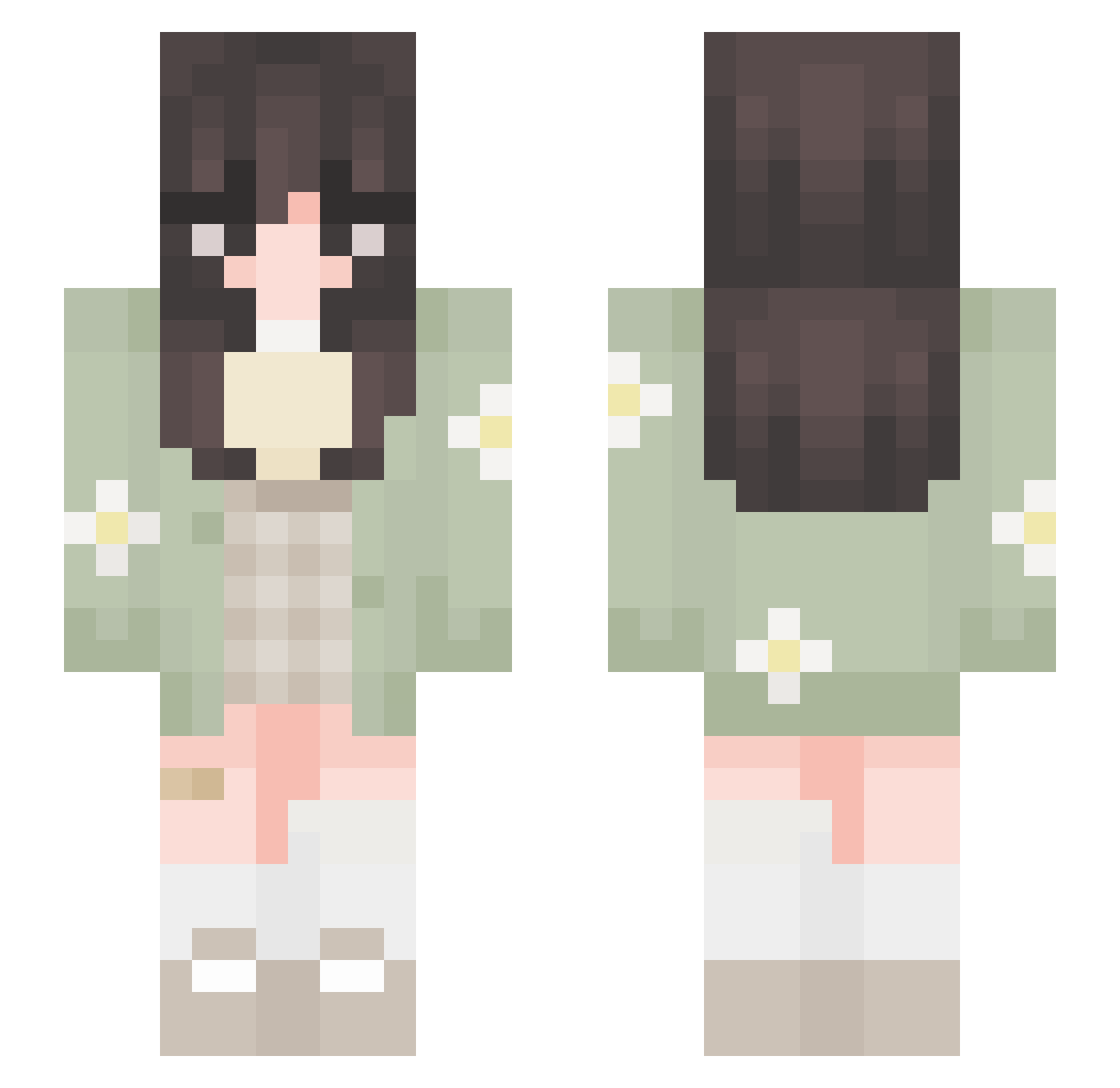
Current Minecraft skin of the player Y3llowCase, loaded from the official Mojang API. Rotate the 3D model with your mouse or finger, then download the skin as a PNG file and use it in Minecraft: Bedrock Edition or Java Edition for free. When Y3llowCase changes their skin, this page updates automatically and the old skin stays in the history below.
Other players with this skin (652)
Y3llowCase was the 249th player we have seen with this skin, first spotted on 03.09.2026. The same skin was seen on these players. Open a nickname to see their current skin and skin history.
 Alice___27 armutt_ YOyYO3D Crazycruickshank Xiiovixa tukemono_3 elsalou suzume1272
 _simplynoodles medusuv DuckyLove49 FranticHira SquareNipps TensDead SnowyCho HONEY_COW_ xiinyue XuanJ6 GuyMalaysia68 Tamagko bibia7683 sammyann Celiacc4 anzumajo alyssa2214 iluvtswizzle eeilsl SalmonRhodes claire4727 esh9l Enderika7 Vannesse flof1o Soapysaggg achurita Shellbelle05 forest__fox stellala kaesuh dhifaaya Rikka9045 fujiisito LaraLemss kaazvos mushumii aurilau YouForgotTheKey Marmolada0 nyumins fhunter ShrimpHeaven7 bubblepoppengi technotessa Mvruwu Sumshine22 michili00 Mss_UwU Shiro572 carola13 mooniemooncake
More Daisy Minecraft skins
How to install the Y3llowCase skin
- Press the Download button above to save the skin as a PNG file.
- Minecraft: Bedrock Edition (PE): open the Dressing Room from the main menu (or tap your character → Edit Character), go to Classic Skins → Owned, press the + (new skin) button, choose the downloaded PNG and pick the Slim (Alex) model. Works on PC and mobile; consoles cannot import custom skins.
- Minecraft: Java Edition: open the Minecraft Launcher, go to the Skins tab, click New Skin, load the PNG, pick the Slim (Alex) model and press Save & Use. You can also upload it at minecraft.net → Profile → Change Skin.
The skin does not show up after import - what should I do?
Restart Minecraft and open the Dressing Room again - imported skins sometimes appear only after a restart. Also make sure you selected the imported skin and picked the Slim (Alex) model.
Which model should I choose, Classic or Slim?
This skin is designed for the Slim (Alex) model. If you pick the wrong model, the arms of the skin will look stretched or squeezed.
Is the skin of Y3llowCase free to download?
Yes. Press Download, save the PNG file and use it in Minecraft: Bedrock Edition or Java Edition - no payment or registration needed. The skin also works on multiplayer servers and Realms.
More skins
Looking for more? Go back to all Minecraft skins and check the top skins of the week, month and all time, or find any player's skin by nickname.