
Xyst_ - Minecraft Skins & Skin History
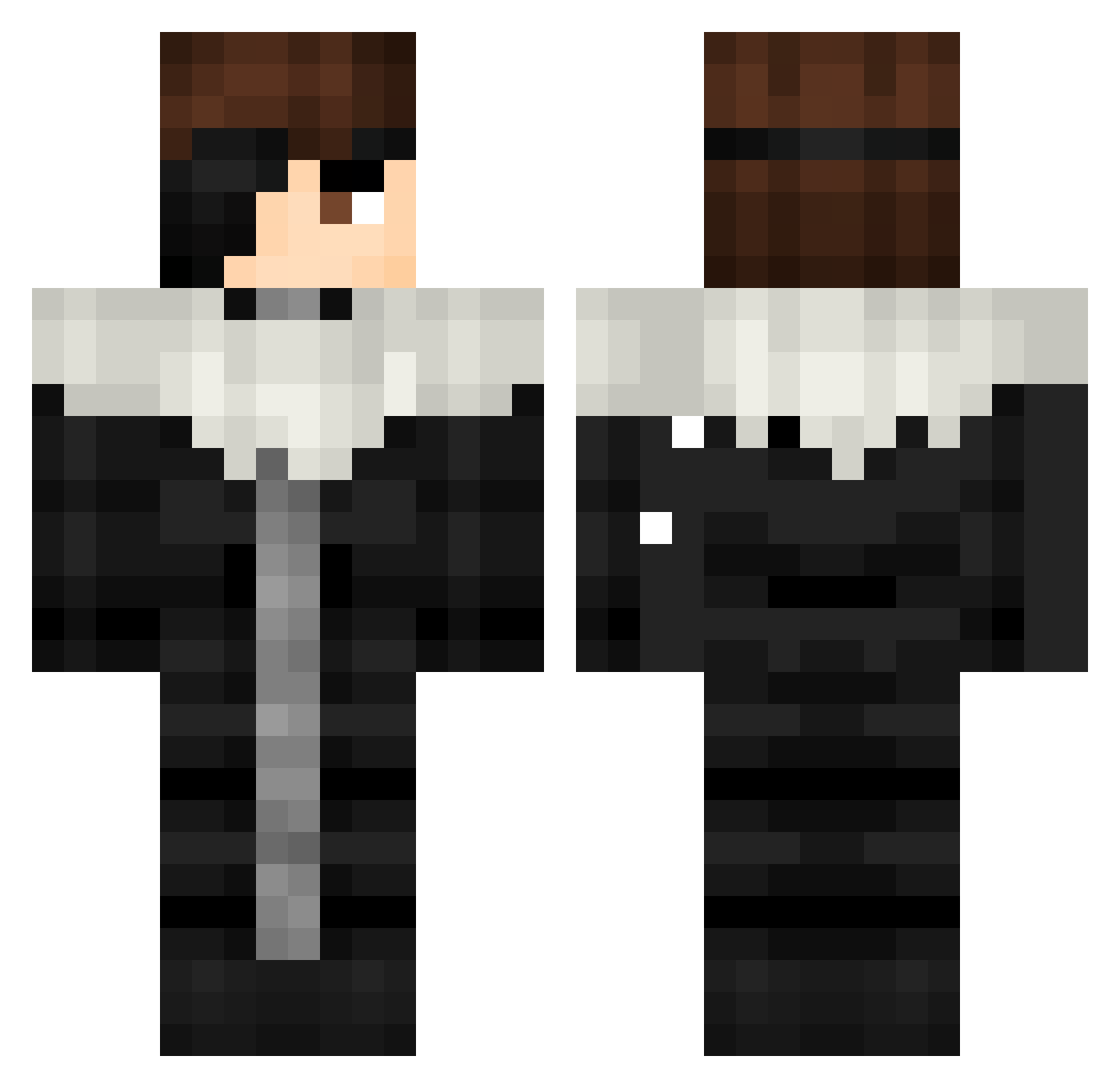
Current Minecraft skin of the player Xyst_, loaded from the official Mojang API. Rotate the 3D model with your mouse or finger, then download the skin as a PNG file and use it in Minecraft: Bedrock Edition or Java Edition for free. When Xyst_ changes their skin, this page updates automatically and the old skin stays in the history below.
Other players with this skin (459)
Xyst_ was the 196th player we have seen with this skin, first spotted on 13.09.2026. The same skin was seen on these players. Open a nickname to see their current skin and skin history.
 A1zennnn mikaelson7 SlothyBoi9 Tiberioxid Apfelkuchen_cuya avgplayed Admin250 Diegobrando32 Drachen_Lord_88 TheNoblesse0 _Shockdoesstuff_ Shadow_Pangolin tejel Samgetsu theburgergod Raf3kele LOLWHAT192 Links145 souzoneskkj Sheaques Exel49 S1nje olaf436 LeVraiJawbus DeucalionBR Queviva_lapeppa KyosukeAizen aizen66 H3r0TV_YT darkflame00 Kurohitsugii z7hair eclipzz420 J9Sari Velj4a S0AL0NE PI10 Rgarrido25 Bhaty0 AntiVillain8864
 xDOVEIDERx Duffyduck39 Naaxuait Rider_Foxy44 SpqceTime MiguelCalla Teteu008 lordpe333 JonasSchu Aizen78 NickPCz SkyFallZer0 SangueDeBarata XTAZX04 1v1Pronote Glitched_Kai dinnersword WOOJI0813 S_Ayanokoji idid911_
More Squall Leonhart Minecraft skins
See all 3 Squall Leonhart skins
How to install the Xyst_ skin
- Press the Download button above to save the skin as a PNG file.
- Minecraft: Bedrock Edition (PE): open the Dressing Room from the main menu (or tap your character → Edit Character), go to Classic Skins → Owned, press the + (new skin) button, choose the downloaded PNG and pick the Classic (Steve) model. Works on PC and mobile; consoles cannot import custom skins.
- Minecraft: Java Edition: open the Minecraft Launcher, go to the Skins tab, click New Skin, load the PNG, pick the Classic (Steve) model and press Save & Use. You can also upload it at minecraft.net → Profile → Change Skin.
The skin does not show up after import - what should I do?
Restart Minecraft and open the Dressing Room again - imported skins sometimes appear only after a restart. Also make sure you selected the imported skin and picked the Classic (Steve) model.
Which model should I choose, Classic or Slim?
This skin is designed for the Classic (Steve) model. If you pick the wrong model, the arms of the skin will look stretched or squeezed.
Is the skin of Xyst_ free to download?
Yes. Press Download, save the PNG file and use it in Minecraft: Bedrock Edition or Java Edition - no payment or registration needed. The skin also works on multiplayer servers and Realms.
More skins
Looking for more? Go back to all Minecraft skins and check the top skins of the week, month and all time, or find any player's skin by nickname.