
XxJackpotJokerxX - Minecraft Skins & Skin History
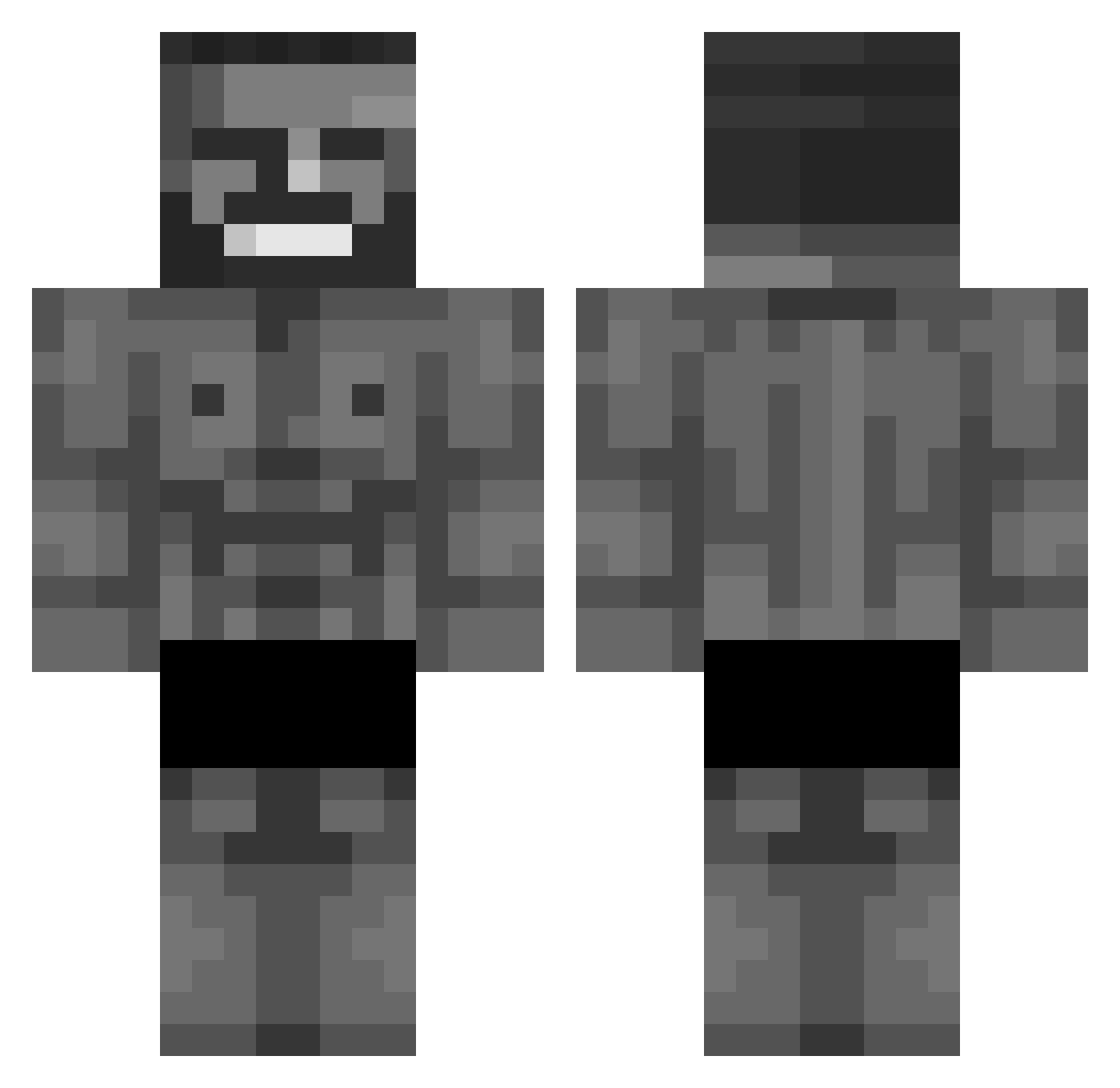
Current Minecraft skin of the player XxJackpotJokerxX, loaded from the official Mojang API. Rotate the 3D model with your mouse or finger, then download the skin as a PNG file and use it in Minecraft: Bedrock Edition or Java Edition for free. When XxJackpotJokerxX changes their skin, this page updates automatically and the old skin stays in the history below.
Other players with this skin (875)
XxJackpotJokerxX was the 740th player we have seen with this skin, first spotted on 19.10.2026. The same skin was seen on these players. Open a nickname to see their current skin and skin history.
 ComedyTree RiceCooker433 Zitzi07 ohsoyou1 Lop2sided Gorgonzolaw veggiebush Gonzasoto22 ramosproo vPylas SkullPoison 47ahmet NightKiro Plenkich haribomisiekpl igottoomany sillyVVarrior rx323 HalfHorseMike Voltichock matiber1 Ayyydolf Roshu70 firren112 Lorel31_ Rxnd9m datouyi Im_Skynix DaForstner Vaimplaiz JonnyGee22 Ashe1127 BigChuck666 Tracken44 real_Hubix glizzyanihilator Monogamer26 MAZI317 ParNeo LincolnLima05 St0rmmy HaiTeng lyaire mark82883 p0tato42o ScremerMemer Mr_Stea1YoGr1 NotRTw BadKevv Cepillin28 Kirs00 martyba Spiderboy900X ChadModeAzure VincentMares BeekyBoy mallu34 Zamis13 Koleslav chxd_
More Gigachad Minecraft skins
How to install the XxJackpotJokerxX skin
- Press the Download button above to save the skin as a PNG file.
- Minecraft: Bedrock Edition (PE): open the Dressing Room from the main menu (or tap your character → Edit Character), go to Classic Skins → Owned, press the + (new skin) button, choose the downloaded PNG and pick the Classic (Steve) model. Works on PC and mobile; consoles cannot import custom skins.
- Minecraft: Java Edition: open the Minecraft Launcher, go to the Skins tab, click New Skin, load the PNG, pick the Classic (Steve) model and press Save & Use. You can also upload it at minecraft.net → Profile → Change Skin.
The skin does not show up after import - what should I do?
Restart Minecraft and open the Dressing Room again - imported skins sometimes appear only after a restart. Also make sure you selected the imported skin and picked the Classic (Steve) model.
Which model should I choose, Classic or Slim?
This skin is designed for the Classic (Steve) model. If you pick the wrong model, the arms of the skin will look stretched or squeezed.
Is the skin of XxJackpotJokerxX free to download?
Yes. Press Download, save the PNG file and use it in Minecraft: Bedrock Edition or Java Edition - no payment or registration needed. The skin also works on multiplayer servers and Realms.
More skins
Looking for more? Go back to all Minecraft skins and check the top skins of the week, month and all time, or find any player's skin by nickname.