
Xu_BaoZi - Minecraft Skins & Skin History
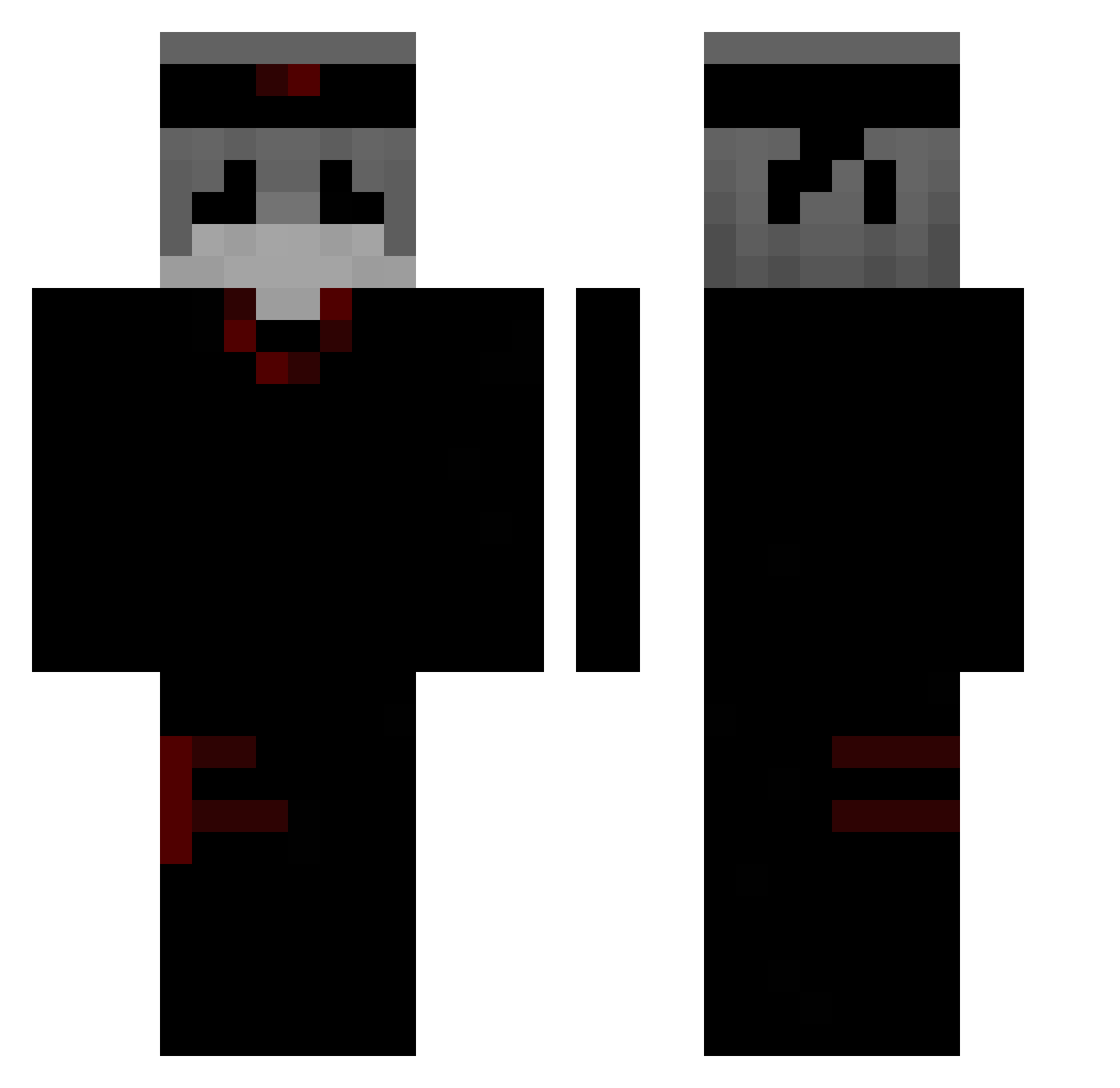
Current Minecraft skin of the player Xu_BaoZi, loaded from the official Mojang API. Rotate the 3D model with your mouse or finger, then download the skin as a PNG file and use it in Minecraft: Bedrock Edition or Java Edition for free. When Xu_BaoZi changes their skin, this page updates automatically and the old skin stays in the history below.
Other players with this skin (303)
Xu_BaoZi was the 177th player we have seen with this skin, first spotted on 26.09.2026. The same skin was seen on these players. Open a nickname to see their current skin and skin history.
 Blackoutss denim119 _KAKTUZZ_ magiati0 chxnseyz Brii1216_ XIAOBEIXI iTzLeader bandaotieheqvq OneTap23 SirAppo _Nalowk_ Tiranisu versiculow Bonezz187er kaizen_kiyotaka NotSkye_ schnegge1984 AV_RY12 atworie Spoconykasztanek CornAlibaba vernichtiger Dragoste_ D1daa thomaxxxx tito117 m4ss1g4m3r7 parasit4d Polzix WescDeath ducksito Mroz3kk Jerrykooss Mr_Irt Yongha09 ztqry pawelvv kayfan4ik baimen1 YuAnZhY MoxiChan SuperMatth23 DAAAANNNYY Proven77 yitianyidao Lee_your_Darling N0thingless Abu_Tariq Flavor34 Xx_Leon_ita xyz_al4n Su__nan xyaizx jyqesimp gojosensei43 CesarUzaki Lustiges MJhang gustavooth
More Ninja Minecraft skins
How to install the Xu_BaoZi skin
- Press the Download button above to save the skin as a PNG file.
- Minecraft: Bedrock Edition (PE): open the Dressing Room from the main menu (or tap your character → Edit Character), go to Classic Skins → Owned, press the + (new skin) button, choose the downloaded PNG and pick the Classic (Steve) model. Works on PC and mobile; consoles cannot import custom skins.
- Minecraft: Java Edition: open the Minecraft Launcher, go to the Skins tab, click New Skin, load the PNG, pick the Classic (Steve) model and press Save & Use. You can also upload it at minecraft.net → Profile → Change Skin.
The skin does not show up after import - what should I do?
Restart Minecraft and open the Dressing Room again - imported skins sometimes appear only after a restart. Also make sure you selected the imported skin and picked the Classic (Steve) model.
Which model should I choose, Classic or Slim?
This skin is designed for the Classic (Steve) model. If you pick the wrong model, the arms of the skin will look stretched or squeezed.
Is the skin of Xu_BaoZi free to download?
Yes. Press Download, save the PNG file and use it in Minecraft: Bedrock Edition or Java Edition - no payment or registration needed. The skin also works on multiplayer servers and Realms.
More skins
Looking for more? Go back to all Minecraft skins and check the top skins of the week, month and all time, or find any player's skin by nickname.