
Xrare_TV - Minecraft Skins & Skin History
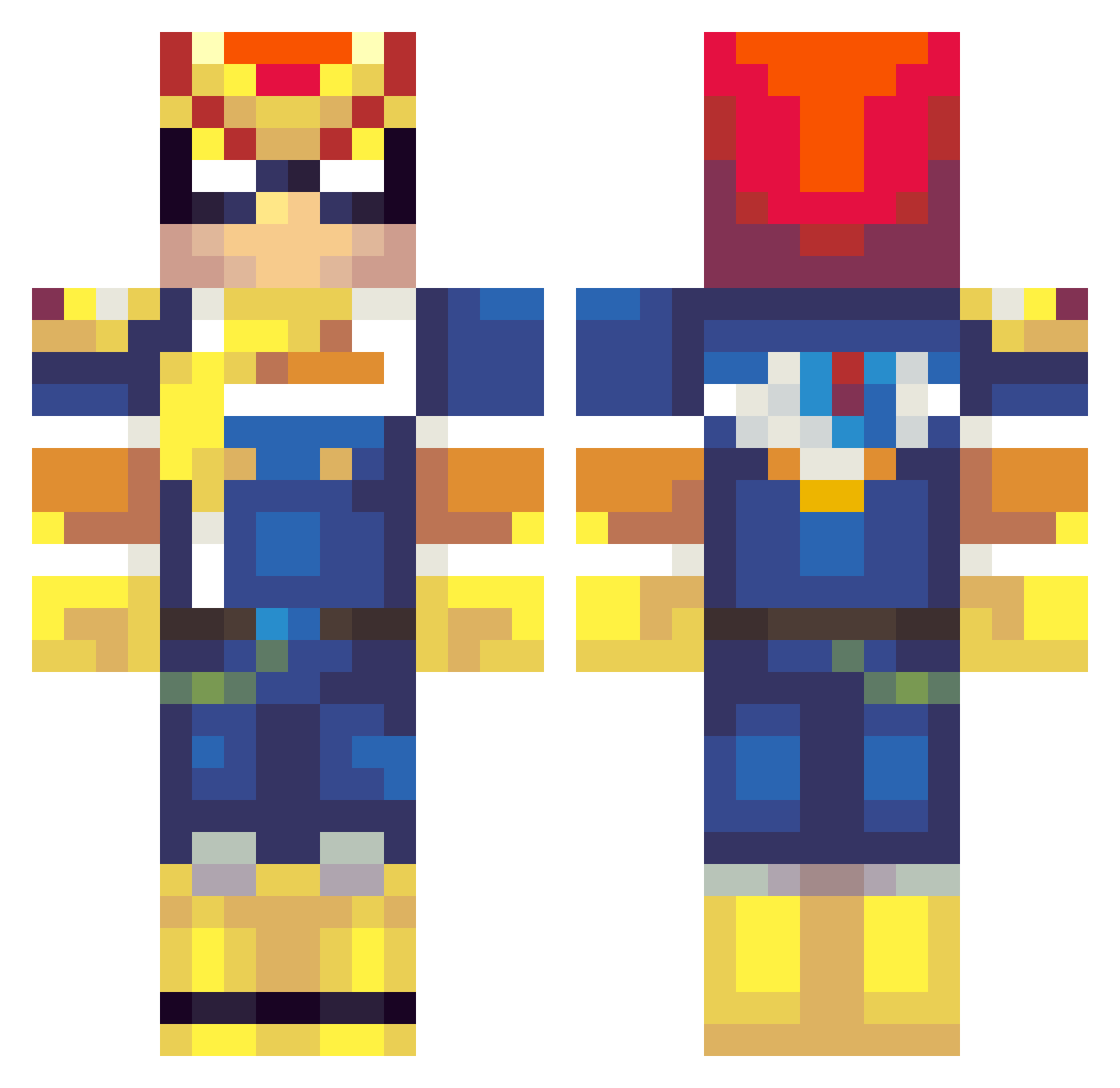
Current Minecraft skin of the player Xrare_TV, loaded from the official Mojang API. Rotate the 3D model with your mouse or finger, then download the skin as a PNG file and use it in Minecraft: Bedrock Edition or Java Edition for free. When Xrare_TV changes their skin, this page updates automatically and the old skin stays in the history below.
Other players with this skin (261)
Xrare_TV was the 95th player we have seen with this skin, first spotted on 31.08.2026. The same skin was seen on these players. Open a nickname to see their current skin and skin history.
 Gr1ffindork Nineten ultramegaman1999 Mr_Alto_99 Bradells MrTummness kemalizawesome block5648 luk4lew Buss713 Jonoo_ sparta11 tweedieman EYECANNOTSEE So_Dank foxtrot8tv Larrykyns AkiYu0318 beshi888 CerealFalcon xAquaRegia _mikes jrhun Ranthom enderowl0205 ashke HarrysTightVag DaPwnLord PickleDaCat PhillerG MiniMannen3 Tnekniv opa0827 Newdul JohnQuincyAdams evertoniandragon pipisbepsi Slimeore ddvick14 Deadsolace Sonjiah_Sauceboy W0ozie radiantdiviner rinzler340 StylezJR Haze_kikoo Count_Exile TheGrayTy thegilgameshlore PocketPicker Tenebriz Cobal syfr_ Traceypoo ferrarifan1313 rhaydenus Powerchouquette Ostrawma Bobberoony CatInDaHatt
More F Zero Minecraft skins
How to install the Xrare_TV skin
- Press the Download button above to save the skin as a PNG file.
- Minecraft: Bedrock Edition (PE): open the Dressing Room from the main menu (or tap your character → Edit Character), go to Classic Skins → Owned, press the + (new skin) button, choose the downloaded PNG and pick the Classic (Steve) model. Works on PC and mobile; consoles cannot import custom skins.
- Minecraft: Java Edition: open the Minecraft Launcher, go to the Skins tab, click New Skin, load the PNG, pick the Classic (Steve) model and press Save & Use. You can also upload it at minecraft.net → Profile → Change Skin.
The skin does not show up after import - what should I do?
Restart Minecraft and open the Dressing Room again - imported skins sometimes appear only after a restart. Also make sure you selected the imported skin and picked the Classic (Steve) model.
Which model should I choose, Classic or Slim?
This skin is designed for the Classic (Steve) model. If you pick the wrong model, the arms of the skin will look stretched or squeezed.
Is the skin of Xrare_TV free to download?
Yes. Press Download, save the PNG file and use it in Minecraft: Bedrock Edition or Java Edition - no payment or registration needed. The skin also works on multiplayer servers and Realms.
More skins
Looking for more? Go back to all Minecraft skins and check the top skins of the week, month and all time, or find any player's skin by nickname.