
XpG - Minecraft Skins & Skin History
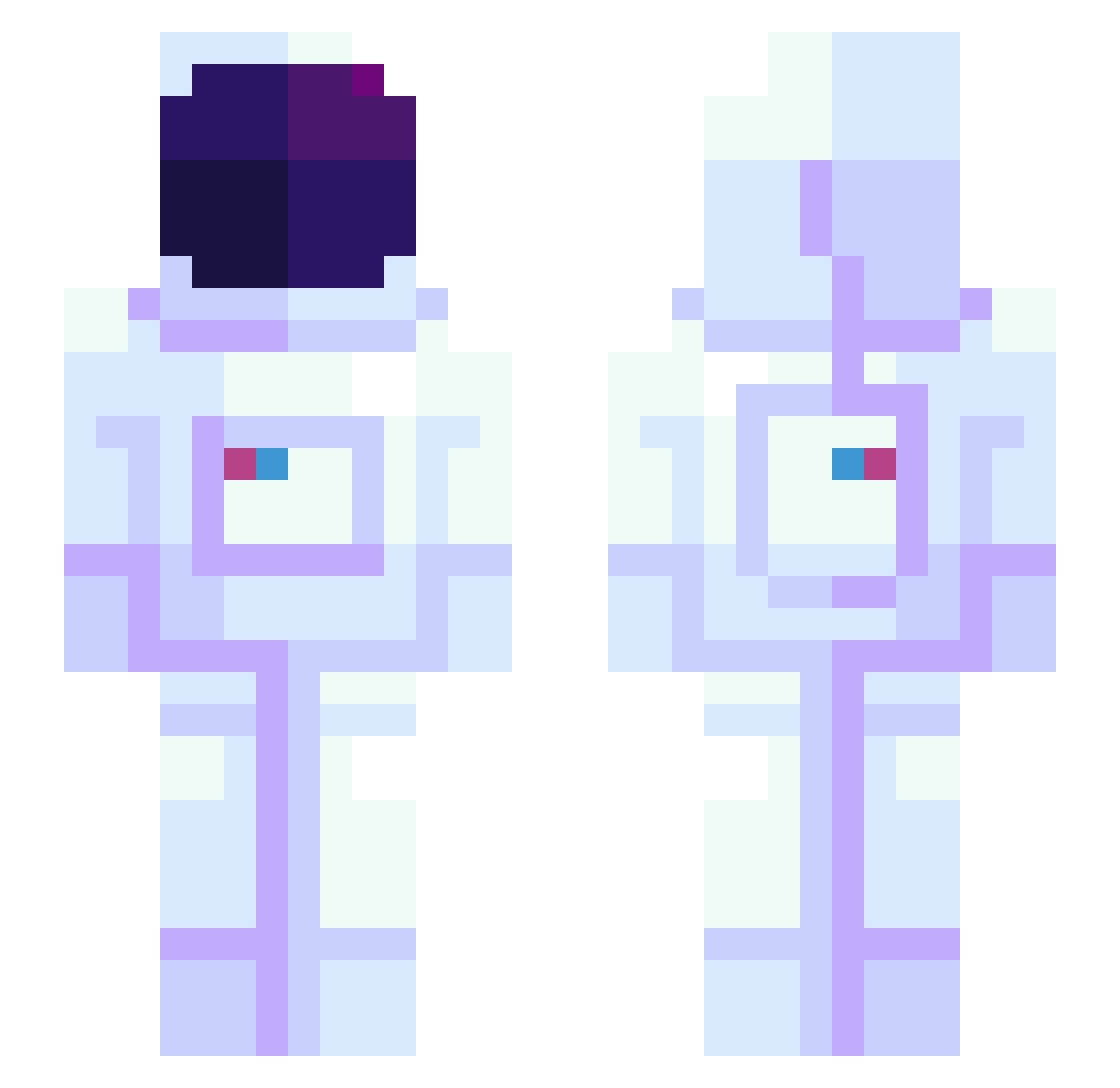
Current Minecraft skin of the player XpG, loaded from the official Mojang API. Rotate the 3D model with your mouse or finger, then download the skin as a PNG file and use it in Minecraft: Bedrock Edition or Java Edition for free. When XpG changes their skin, this page updates automatically and the old skin stays in the history below.
Other players with this skin (945)
XpG was the 618th player we have seen with this skin, first spotted on 03.10.2026. The same skin was seen on these players. Open a nickname to see their current skin and skin history.
 100VULGO LuckerDog21 Kuvonize BumBumtBarbarian Bapt_1528 MrWiro jnova3 MrMillertron Mirkhan M_izma Eltait08 AR3G0 snakesguy DanTheCrow Hendriix56 carcass_ 5wan fishycatpuns Moisturizerski OSMusic Kaua0006 TheWhiteGamer InvisibleBlade1 Knickerboo nori114514 Darian0110 Soldan13 GJD1906 minmin715 Carter1943 sasstronaut928 ColorfulDayz jOhN__LeMOnE broskilius _marxi_ anto810 keenerthanyou ZigizMC MiloPeep Volruptus johnprice42 QuantumBaconator NIMOMORU Monteu Kolorant Fireryfox10 CouchPanda420 SpacePhoenix minikbidodge G_G_Yun williekill sofyanlive TheRoyalJordan FAIDANCE CorbinxBleu Choco_Disco inv1ctus mikas12 itsManners Hyndyde
More Astronaut Minecraft skins
How to install the XpG skin
- Press the Download button above to save the skin as a PNG file.
- Minecraft: Bedrock Edition (PE): open the Dressing Room from the main menu (or tap your character → Edit Character), go to Classic Skins → Owned, press the + (new skin) button, choose the downloaded PNG and pick the Slim (Alex) model. Works on PC and mobile; consoles cannot import custom skins.
- Minecraft: Java Edition: open the Minecraft Launcher, go to the Skins tab, click New Skin, load the PNG, pick the Slim (Alex) model and press Save & Use. You can also upload it at minecraft.net → Profile → Change Skin.
The skin does not show up after import - what should I do?
Restart Minecraft and open the Dressing Room again - imported skins sometimes appear only after a restart. Also make sure you selected the imported skin and picked the Slim (Alex) model.
Which model should I choose, Classic or Slim?
This skin is designed for the Slim (Alex) model. If you pick the wrong model, the arms of the skin will look stretched or squeezed.
Is the skin of XpG free to download?
Yes. Press Download, save the PNG file and use it in Minecraft: Bedrock Edition or Java Edition - no payment or registration needed. The skin also works on multiplayer servers and Realms.
More skins
Looking for more? Go back to all Minecraft skins and check the top skins of the week, month and all time, or find any player's skin by nickname.