
Xorellion - Minecraft Skins & Skin History
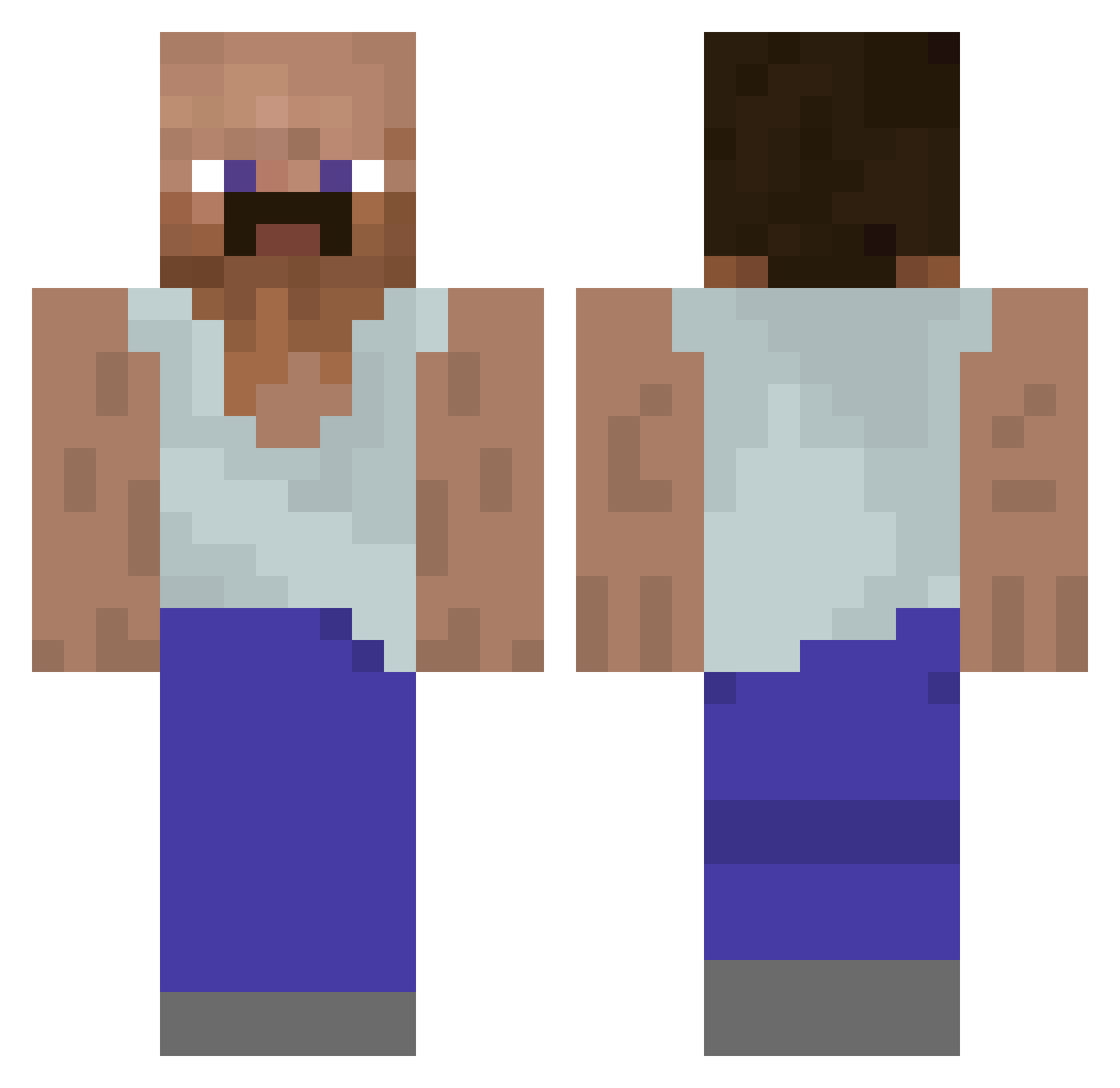
Current Minecraft skin of the player Xorellion, loaded from the official Mojang API. Rotate the 3D model with your mouse or finger, then download the skin as a PNG file and use it in Minecraft: Bedrock Edition or Java Edition for free. When Xorellion changes their skin, this page updates automatically and the old skin stays in the history below.
Other players with this skin (928)
Xorellion was the 369th player we have seen with this skin, first spotted on 02.09.2026. The same skin was seen on these players. Open a nickname to see their current skin and skin history.
 MrUnlocker Alpaca_Mc_Maca _J6B laurentios SirQuanto Mongraft Dev1nov1tsch Sushi_Inc lalalal99 _r0dzynka_ sag0nga WielkiBebech urmum12356 aderian08 aaronyovng AzizNeo lyzcnr Necmettin ogbigpapa69 xPeaRx davibrna GardLunde G2Hepton Popelkevin TheoSwag187 BlackSwap Petranka mysteerinenkebab Black_Swordman_ macmac77 Tyban_ NLPlayer777 Sulkyboy gaming_gaming631 aaronderaffe _Jamppa_ 21Banana LeonS93 brookybb KSupreme3 terveluke CarlderSchmale Adde2009 Shayan88 Yegz lasercat2000 gigadads Phantom_Sigi Sunnyyy1 kangkang777 Talon179 Noobonium MAZC Royman_ akongpig RoyalMacs WaffleOfDoom568 TIAGO85 Oliwejer699 theoliven
More Mustache Minecraft skins
How to install the Xorellion skin
- Press the Download button above to save the skin as a PNG file.
- Minecraft: Bedrock Edition (PE): open the Dressing Room from the main menu (or tap your character → Edit Character), go to Classic Skins → Owned, press the + (new skin) button, choose the downloaded PNG and pick the Classic (Steve) model. Works on PC and mobile; consoles cannot import custom skins.
- Minecraft: Java Edition: open the Minecraft Launcher, go to the Skins tab, click New Skin, load the PNG, pick the Classic (Steve) model and press Save & Use. You can also upload it at minecraft.net → Profile → Change Skin.
The skin does not show up after import - what should I do?
Restart Minecraft and open the Dressing Room again - imported skins sometimes appear only after a restart. Also make sure you selected the imported skin and picked the Classic (Steve) model.
Which model should I choose, Classic or Slim?
This skin is designed for the Classic (Steve) model. If you pick the wrong model, the arms of the skin will look stretched or squeezed.
Is the skin of Xorellion free to download?
Yes. Press Download, save the PNG file and use it in Minecraft: Bedrock Edition or Java Edition - no payment or registration needed. The skin also works on multiplayer servers and Realms.
More skins
Looking for more? Go back to all Minecraft skins and check the top skins of the week, month and all time, or find any player's skin by nickname.