
Xinc26 - Minecraft Skins & Skin History
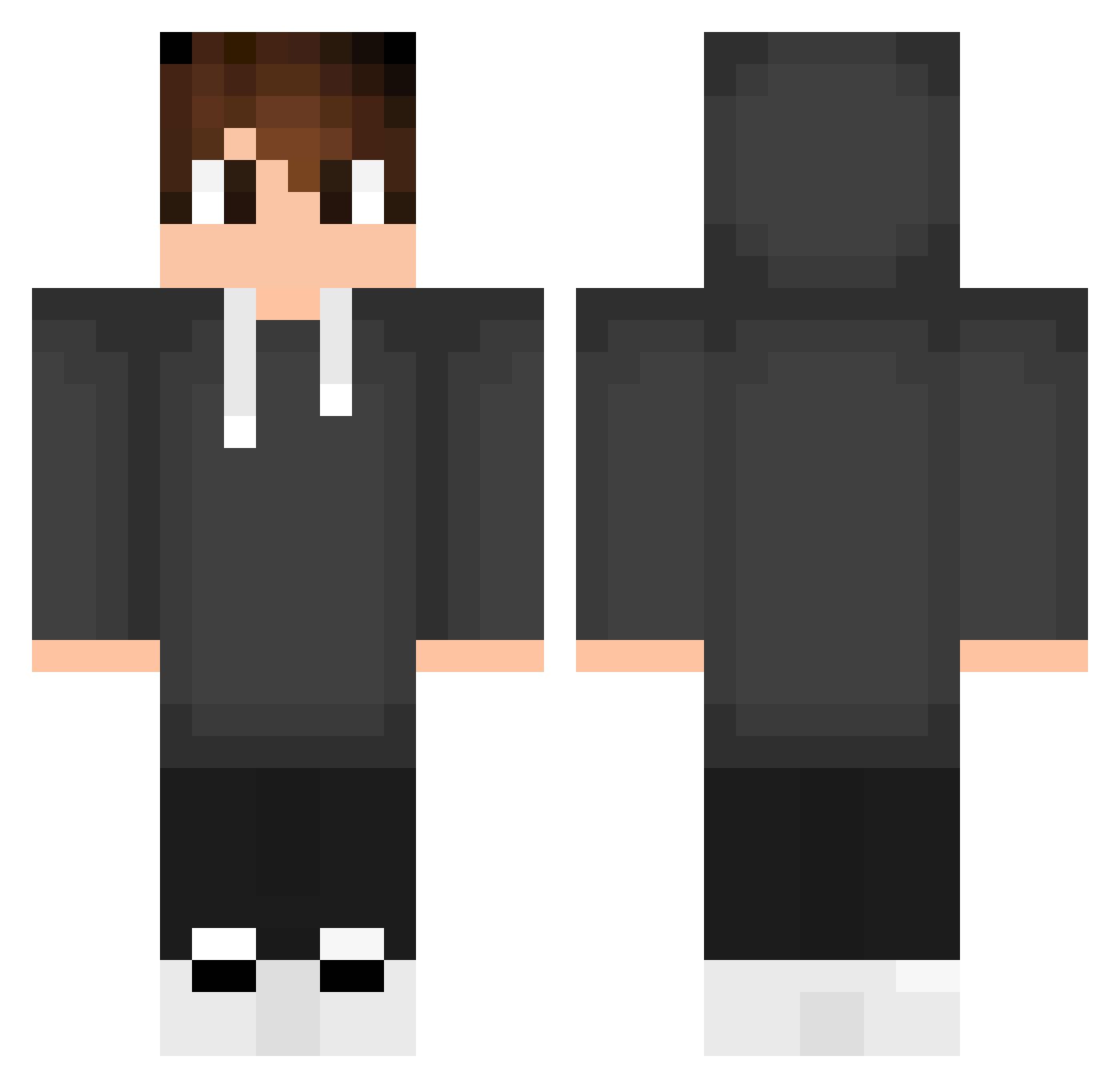
Current Minecraft skin of the player Xinc26, loaded from the official Mojang API. Rotate the 3D model with your mouse or finger, then download the skin as a PNG file and use it in Minecraft: Bedrock Edition or Java Edition for free. When Xinc26 changes their skin, this page updates automatically and the old skin stays in the history below.
Other players with this skin (554)
Xinc26 was the 195th player we have seen with this skin, first spotted on 08.09.2026. The same skin was seen on these players. Open a nickname to see their current skin and skin history.
 Th556 ACA_NERO Alek191 EduGostosaum Oreochiii Marci766 Salldanhaa felipedelas Stellar1001 SKNDTH Nchmpw MONEYTERU TheBestOwen_ Yagiz6280 KONNPEITOUU Numilook7K NetunoJackson Charlessg LucasLoffi StevenXd999 NotVexyOP EinsKentey Its_Joel01 trentgames69 bxzzzzz Henrique_0900 NiclasZS MaWickd_ oakexcelsior7 0gony arothyy inibyb M4R14N Michelmene 47Me0 RadCereza Sekrt_345 milex96 babos_034 AiDammm Geet007 Paragus64 CaioNP18 Koutarou_1023 Vaz_zs DioDuck ZakaryCraftyPlay PLUX55 7J0NY Cipunio StanTheMan1337 Olko61 niniko191 Silkoo_1 GSA77723 darckdw soner1286 XadLexX domivok Felipetinho
How to install the Xinc26 skin
- Press the Download button above to save the skin as a PNG file.
- Minecraft: Bedrock Edition (PE): open the Dressing Room from the main menu (or tap your character → Edit Character), go to Classic Skins → Owned, press the + (new skin) button, choose the downloaded PNG and pick the Classic (Steve) model. Works on PC and mobile; consoles cannot import custom skins.
- Minecraft: Java Edition: open the Minecraft Launcher, go to the Skins tab, click New Skin, load the PNG, pick the Classic (Steve) model and press Save & Use. You can also upload it at minecraft.net → Profile → Change Skin.
The skin does not show up after import - what should I do?
Restart Minecraft and open the Dressing Room again - imported skins sometimes appear only after a restart. Also make sure you selected the imported skin and picked the Classic (Steve) model.
Which model should I choose, Classic or Slim?
This skin is designed for the Classic (Steve) model. If you pick the wrong model, the arms of the skin will look stretched or squeezed.
Is the skin of Xinc26 free to download?
Yes. Press Download, save the PNG file and use it in Minecraft: Bedrock Edition or Java Edition - no payment or registration needed. The skin also works on multiplayer servers and Realms.
More skins
Looking for more? Go back to all Minecraft skins and check the top skins of the week, month and all time, or find any player's skin by nickname.