
XiaoYang621 - Minecraft Skins & Skin History
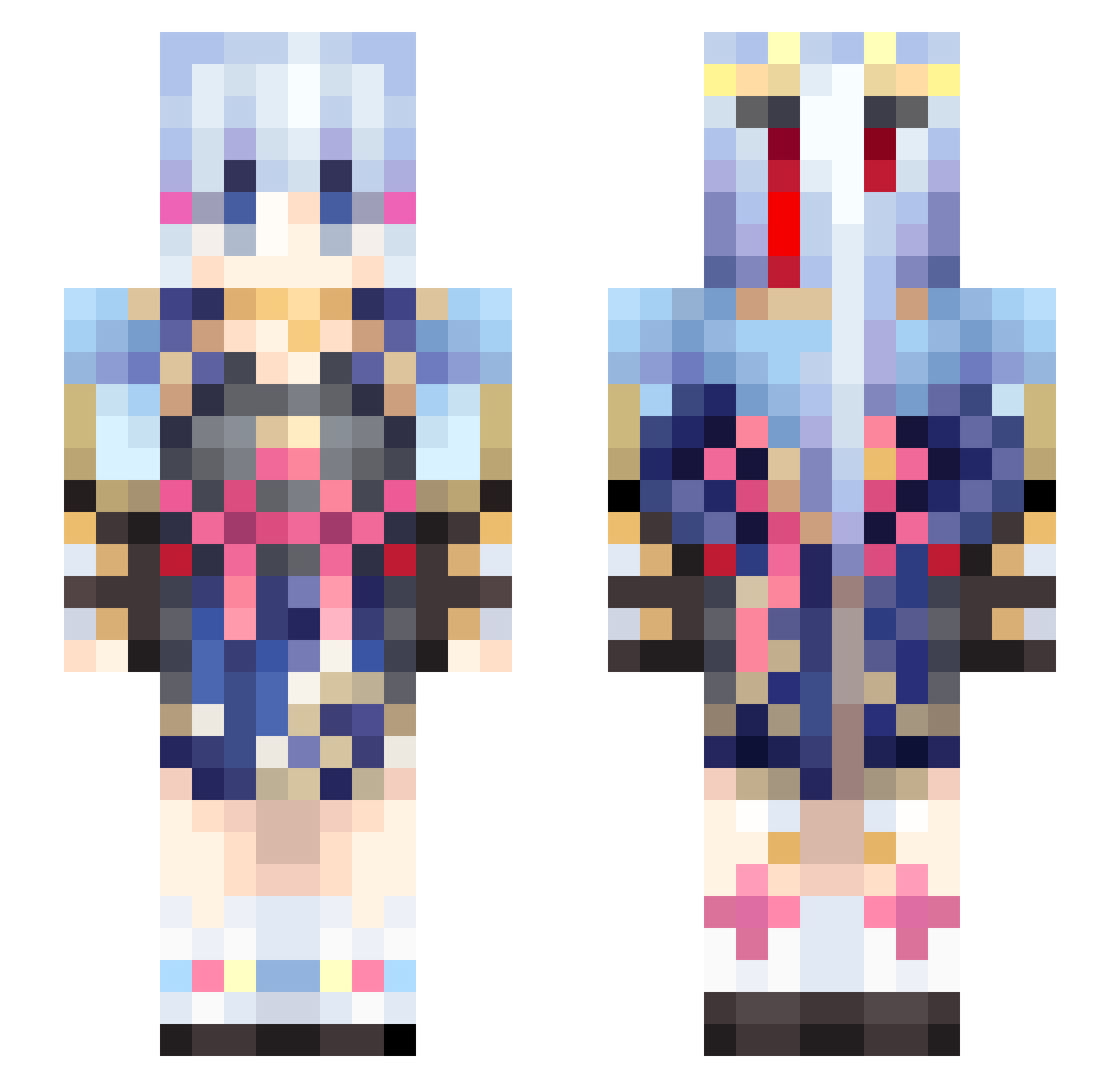
Current Minecraft skin of the player XiaoYang621, loaded from the official Mojang API. Rotate the 3D model with your mouse or finger, then download the skin as a PNG file and use it in Minecraft: Bedrock Edition or Java Edition for free. When XiaoYang621 changes their skin, this page updates automatically and the old skin stays in the history below.
Other players with this skin (460)
XiaoYang621 was the 344th player we have seen with this skin, first spotted on 10.10.2026. The same skin was seen on these players. Open a nickname to see their current skin and skin history.
 ZENGHAO2 Electa0 Relchy_Mai AiAIHaibara LingHuade_gou ZKW54 NAOTAN0214 CD_D2 k3tronic ymj8191 ama9uri eric92024 Gloomy_Matcha xXLena_gamingXx TheJorgeZZ wint0422 m4sa_2525 tonkotu_3D athiccha Xue_Yuuuu Elias_Neuber Ayaka_is_my_wife Antouchble MaliAnnT AQ127 _Yu_Bao YanBoy OrpheusYW DarIing Supreme9090 sdfyydss shimashima44 Sonicir FmPinkK xiaoyi_2333 Reincarnation37 207209 Poharan kuromilu03 Aniinschen agogony peanuts1919 Kangarocks44 Yang_2024 kemomimi1222 vbQwTxSXnQTkZ549 kasutera1213 ASEAN1210 Defoliation_24 yuchen117 Adelaide177 Efatman014725 WnnXia Co1dRed aMing2291 Elysia612 BindingLight godoflike mikesnow8 sinon1456
More Kimono Minecraft skins
How to install the XiaoYang621 skin
- Press the Download button above to save the skin as a PNG file.
- Minecraft: Bedrock Edition (PE): open the Dressing Room from the main menu (or tap your character → Edit Character), go to Classic Skins → Owned, press the + (new skin) button, choose the downloaded PNG and pick the Slim (Alex) model. Works on PC and mobile; consoles cannot import custom skins.
- Minecraft: Java Edition: open the Minecraft Launcher, go to the Skins tab, click New Skin, load the PNG, pick the Slim (Alex) model and press Save & Use. You can also upload it at minecraft.net → Profile → Change Skin.
The skin does not show up after import - what should I do?
Restart Minecraft and open the Dressing Room again - imported skins sometimes appear only after a restart. Also make sure you selected the imported skin and picked the Slim (Alex) model.
Which model should I choose, Classic or Slim?
This skin is designed for the Slim (Alex) model. If you pick the wrong model, the arms of the skin will look stretched or squeezed.
Is the skin of XiaoYang621 free to download?
Yes. Press Download, save the PNG file and use it in Minecraft: Bedrock Edition or Java Edition - no payment or registration needed. The skin also works on multiplayer servers and Realms.
More skins
Looking for more? Go back to all Minecraft skins and check the top skins of the week, month and all time, or find any player's skin by nickname.